Financial mode encompasses all of the financial transactions belonging to the selected patient for the selected User. If no financial transactions for the selected User have taken place the display will be blank. Otherwise these will display in date order.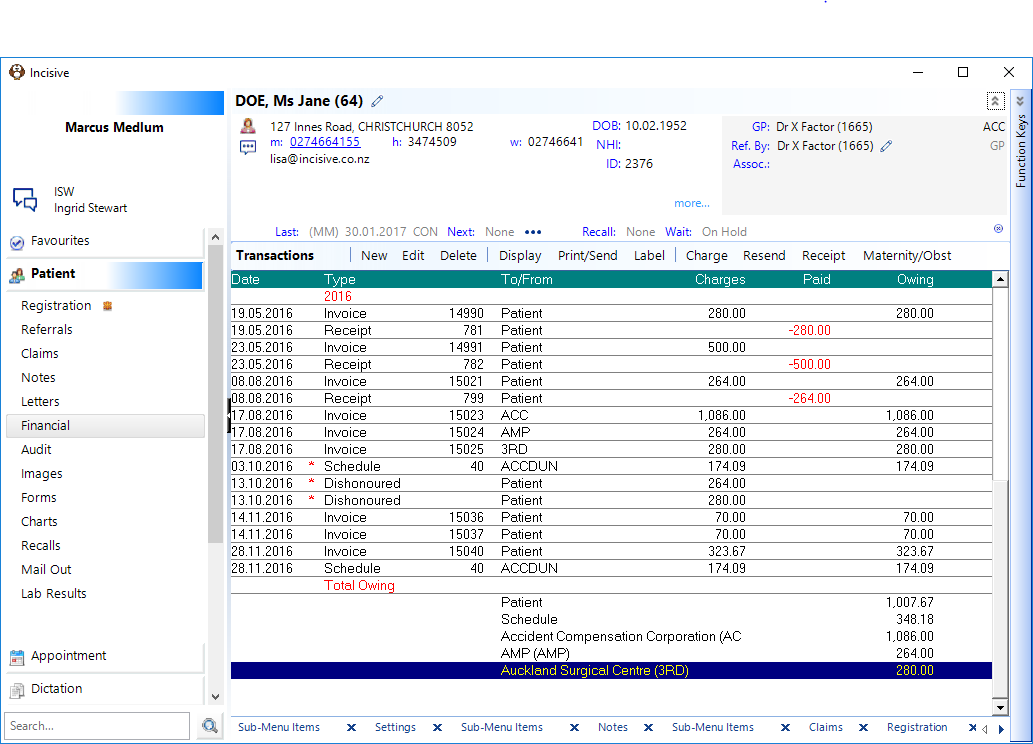
New | Create a new financial transaction. |
Edit | Edit a transaction. |
Delete a financial transaction (it actually just archives it) | |
Display | Show or Hide deleted transactions |
Print/Send | Print or Email copies of invoices, statements or financial reports for the patient. |
Label | Print a label |
Adjust |
|
Charge | Quick patient invoicing option using the Billing Type previously selected |
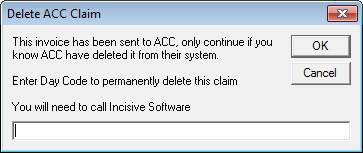
ACC Reject Resend | Claims that have been uploaded to the ACC Portal cannot be deleted (as per Specifications from ACC). However, if you have contacted ACC and asked them to manually remove a claim from their system (meaning ACC will not create a rejection to download), then this will allow you to reject and delete the claim. Please note, this function should only be given to staff that understand the repercussions of this action. If a claim or invoice is inadvertently rejected and deleted this cannot be undone. A day code is required from Incisive before this can be carried out.
|
Receipt a payment for the patient | |
Obstetric claiming |
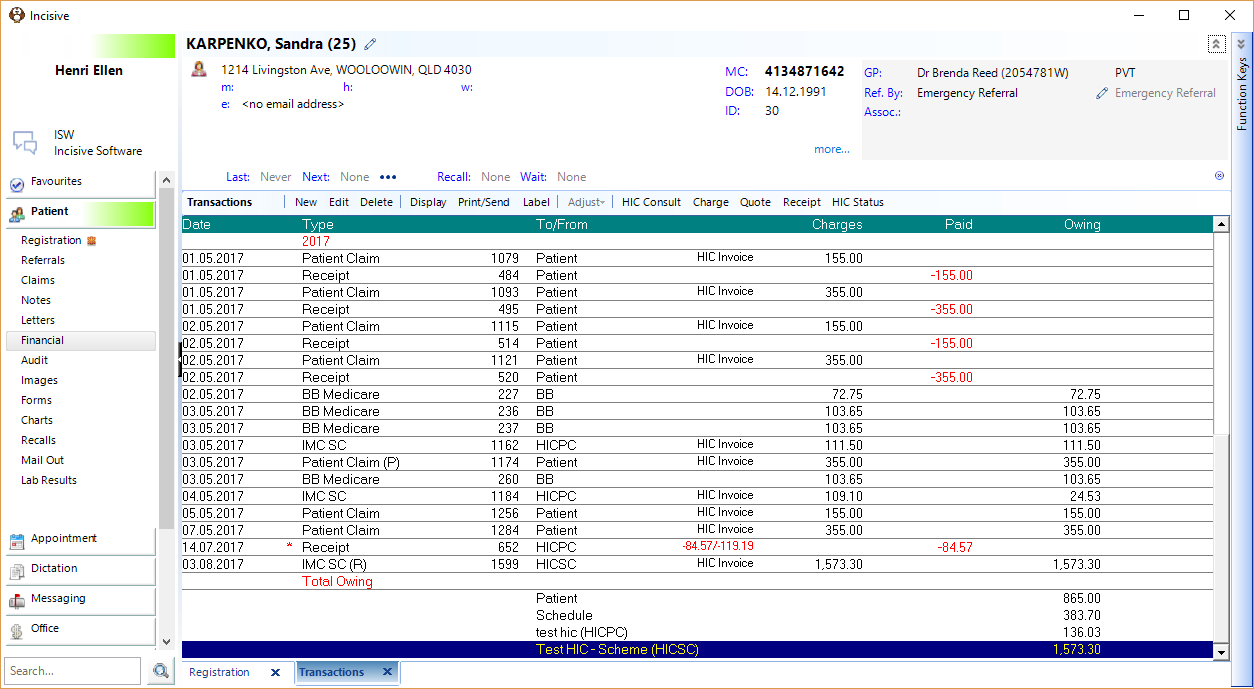
New | Create a new financial transaction. |
Edit | Edit a transaction. |
Delete | Delete a financial transaction |
Display | Show or Hide deleted transactions |
Print/Send | Print or Email copies of invoices, statements or financial reports for the patient. |
Label | Print a label |
Adjust |
|
HIC Consult | Quick method of doing a HIC Out-of-Hospital invoice & receipt. |
Charge | Quick patient invoicing option using the Default Transaction Type set for the Billing Type. |
Quote | Prepare a quote for a patient (outside of the Eclipse / HIC In-hospital claiming module). |
Receipt a payment for the patient | |
HIC Status | Query Medicare the Health Fund for the status of claim (IMC SC or IMC AG). |
Claims that have been submitted to Medicare (and optionally the fund) as either a Patient Claim or an IMC Claim may display the following after the claim type:
P | Pended Claim |
S | Stored for later transmission Once the claim has been forwarded to Medicare, the flag will disappear. |
R | Rejected (by Health Fund) |
- ACC SCHEDULE CLAIM
- THIRD PARTY SCHEDULE CLAIM
- SPLIT INVOICE
- PATIENT INVOICE
- HIC Consult.
- THIRD PARTY INVOICE
- INVENTORY INVOICE
- PRINT & SEND
- NO CHARGE
- RECEIPT
- PREPAYMENT
- ADJUST
- REFUND
- CREDIT
- DELETE
- DEBT WRITE-OFF
- DISHONOURED CHEQUES AND DIRECT CREDITS
- SUSPEND STATEMENTS
- SUSPEND STATEMENT MESSAGES
- FINANCIAL COMMENT
- MATERNITY BENEFIT SCHEDULE CLAIM
- ECLIPSE REMITTANCE ADVICE.
- QUOTE
- BULK BILLING MEDICARE
- HIC OUT OF HOSPITAL CLAIM.
- HIC In-patient Medical Claim
- HIC STATUS
Training:
- ACC invoicing
- Add a New Transaction Au
- Add a New Transaction NZ
- Quick Invoicing
- Invoicing the Patient
- Invoice to 3rd Party
- Invoice a Solicitor
- Change Referral for an Invoice
- Make invoice codes from Medicare
- Adding Assistants or Alternate Providers
- Print Balance for Invoice
- Billing Types
- Advanced Invoicing Options
- Hospital Invoicing Au
- Hospital Invoicing NZ
- Tutorial - Invoicing
- GST Rounding adjustment
- Multiple Patients - Group Receipts
- Dishonoured payments
- ACC Payment Advice import
- ACC Payment reversals
- Receipting Payments from Debt Collectors