The structure of the claiming is based on the actual Section 88 Notice and Claim Forms.
Selection of Maternity Benefits – Section 88 displays a screen similar to the one below. Knowledge of claiming is assumed.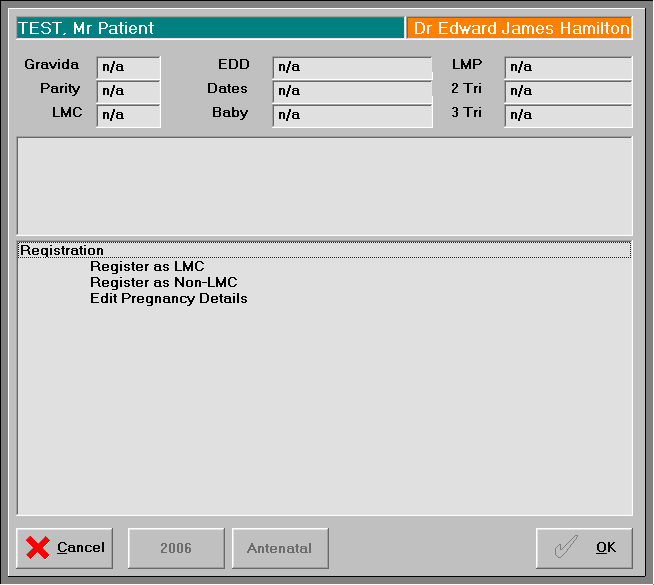
- Select the appropriate Service.
- Select 'OK'.
A screen for the appropriate service will display. See below for more details.
Register (Lead Carer)
If you are the Lead Carer for the selected Patient, you need to register as such.
- Complete the details as applicable.
The NHI number will display if it has been previously entered.
The Trimester will be calculated from the LMP. - Select 'OK'.
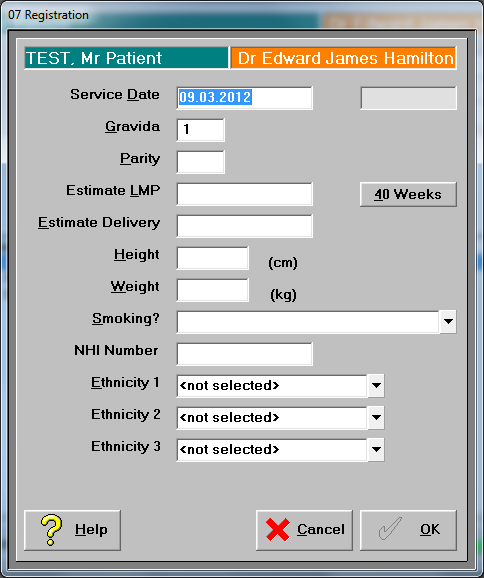
To Register as Non LMC select the form below.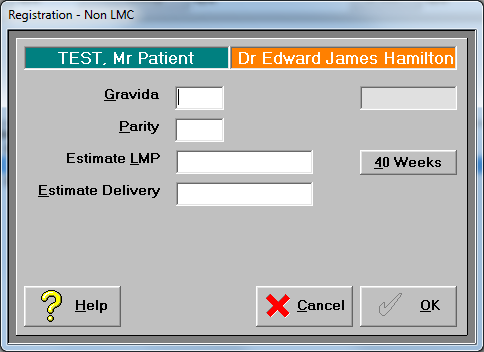
To edit pregnancy details make appropriate selections.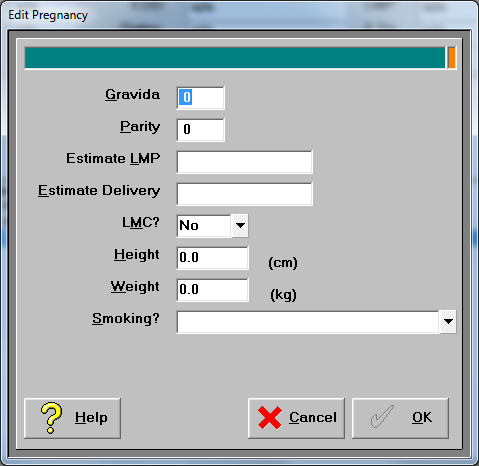
For further antenatal appointments select new and follow the prompts.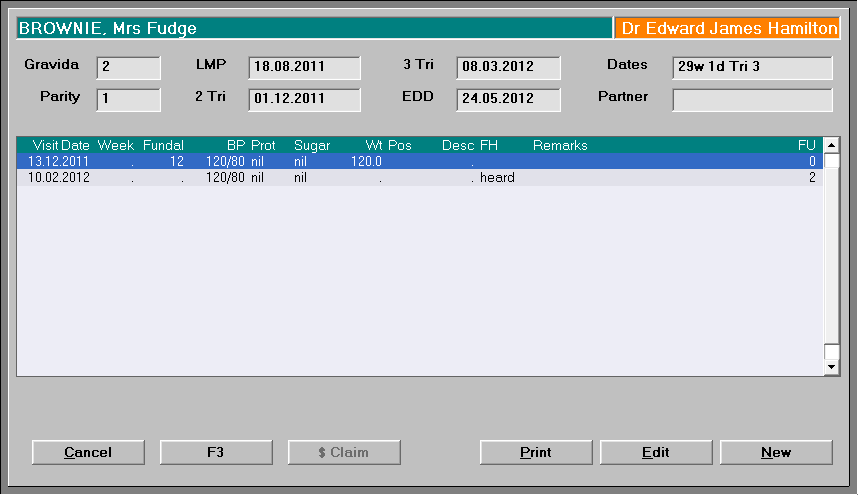
Single Service 1st Trimester
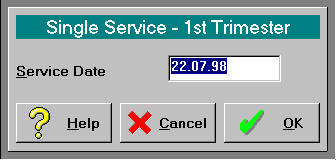
- Enter the date of Service and press Enter, or press Enter for today's date.
- Select 'OK'.
The 'Referral to Other Practitioners' screen displays.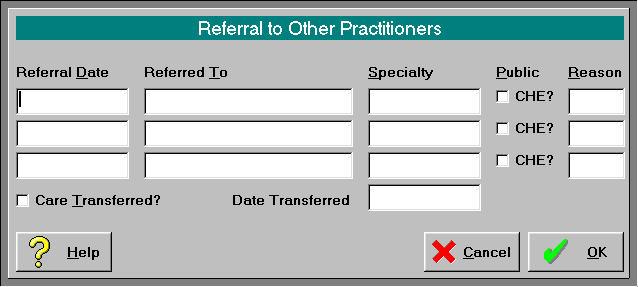
- Complete the details if the patient is being referred to another practitioner.
- Select 'OK'.
A MPS4 entry appears on the patient's financial record claiming $25.00.
Single Service 2/3 Trimester
- Enter the date of Service and press Enter, or press Enter for today's date.
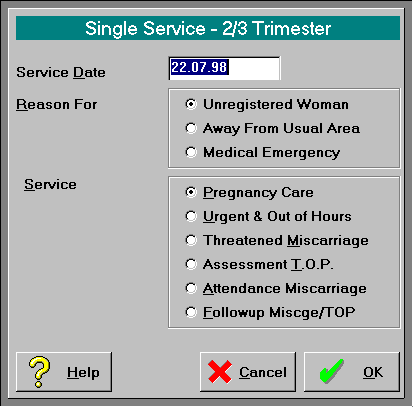
- Select the Reason for the claim.
- Select the type of service provided.
- Select 'OK'.
The 'Referral to Other Practitioners' screen displays. - Complete the details if the patient is being referred to another practitioner.
- Select 'OK'.
A MPS4 entry appears on the patient's financial record claiming either $25.00, $45, or %50 depending on the service provide.
End of 2nd Trimester
- Enter the date of Service and press Enter, or press Enter for today's date.
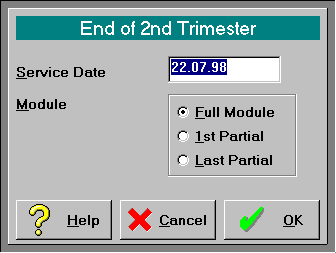
- Select the whether the Full Module, 1st or Last Partial Module has been provided.
- Select 'OK'.
The 'Referral to Other Practitioners' screen displays. - Complete the details if the patient is being referred to another practitioner.
- Select 'OK'.
A MPS9 entry appears on the patient's financial record claiming $85.00 for the full module and $42.50 for the partial modules.
End of 3rd Trimester
- Enter the date of Service and press Enter, or press Enter for today's date.
- Select the whether the Full Module, 1st or Last Partial Module has been provided.
- Select 'OK'. The 'Referral to Other Practitioners' screen displays.
- Complete the details if the patient is being referred to another practitioner.
- Select 'OK'.
A MPS9 entry appears on the patient's financial record claiming $198.00 for the full module and $79.20 for the 1st partial and $118.80 for the last modules.
Labour & Birth
- Complete the details.
- Select "OK'.
The 'Referral to Other Practitioners' screen displays. - Complete the details if the patient is being referred to another practitioner.
- Select 'OK'.
A MPS9 entry appears on the patient's financial record claiming $750 if no CHE Midwife was used and $350 if one was.
Services Following Birth
A MPS10 entry appears on the patients financial record claiming $80.00
Birthing Unit Details
These details are to be completed if the birth took place in a Birthing Unit.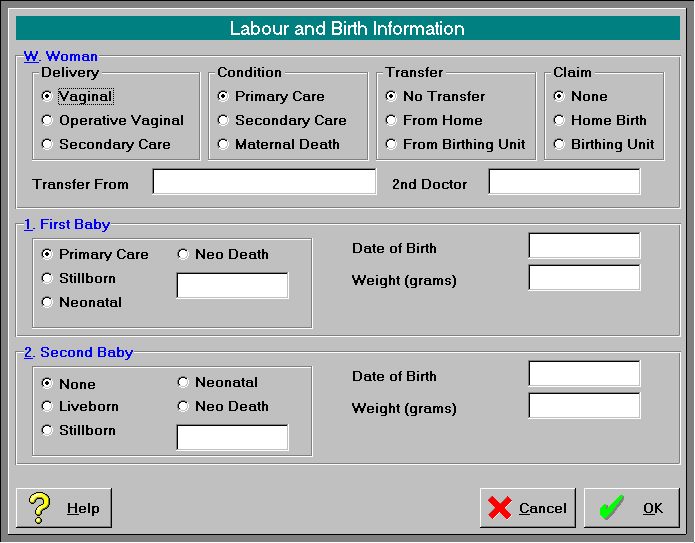
Register Not Lead Carer
If you are not the Lead Carer but wish to claim for Obstetric Consultations, you must register the pregnancy.
- Complete the details
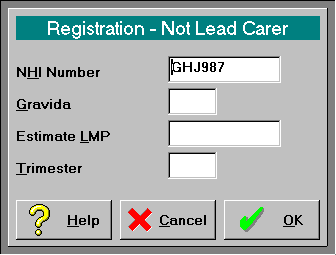
- Select 'OK'.
Obstetric Consult
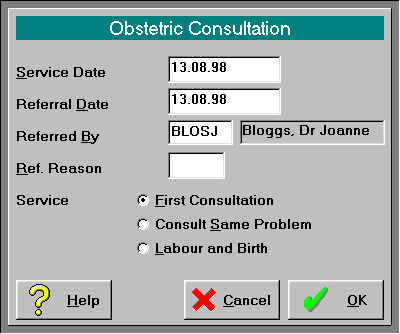
On this page:
Related:
Reference:
- Maternity Claiming screen options
Training:
- ACC invoicing
- Add a New Transaction Au
- Add a New Transaction NZ
- Quick Invoicing
- Invoicing the Patient
- Invoice to 3rd Party
- Invoice a Solicitor
- Change Referral for an Invoice
- Make invoice codes from Medicare
- Adding Assistants or Alternate Providers
- Print Balance for Invoice
- Billing Types
- Advanced Invoicing Options
- Hospital Invoicing Au
- Hospital Invoicing NZ
- Tutorial - Invoicing
- GST Rounding adjustment
- Multiple Patients - Group Receipts
- Dishonoured payments
- ACC Payment Advice import
- ACC Payment reversals
- Receipting Payments from Debt Collectors