Audit, in the environment of a medical practice or hospital, most commonly refers to aspects of the clinical or surgical assessment, diagnosis, intervention and outcome for an episode of patient care.
- Entering Diagnosis/Procedure codes
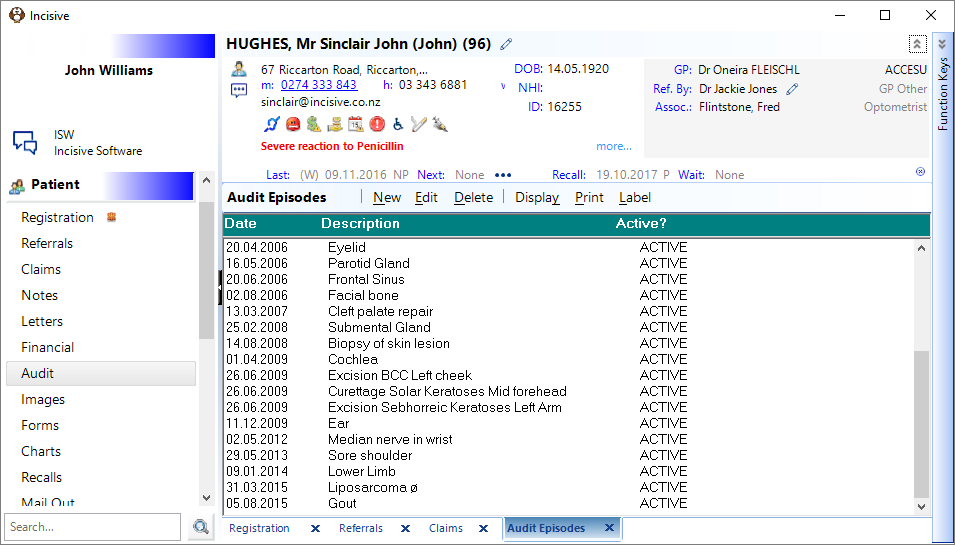
The results of the audit are regularly used for the purpose of:
- Medical outcome
- Operations
- Funding
- Marketing
Each practice or hospital uses the audit collection mechanism differently, however the most common use is for collection and reporting of medical related data.
To ensure that the audit is as accurate as possible (removing ambiguity) the use of 'codes' are used to identify and select the item.
You can use 'rigid' code sets like ICD-10 (international Classification of Diseases), Read codes, MBS-e, or the flexible code structure created within the Incisive application. You can also use combinations of codes, for example:
Diagnosis - ICD 9 (or ICD-10)
Procedure- MBS-E (or ICD-10)
Outcomes- Your own code set.
If ICD-10 diagnosis and procedures codes are used you are also able to output them to the 3M CGS (Core Grouping Software) application which will create a DRG (Diagnostic Related Grouping) code and insert it into the patient's Admission tab. This is a required function for hospitals in Australia using the PHM application.
The audit coding function is also used for reporting the hospital or day-surgery admission/discharge statistics to the regulatory bodies.
Episodes To be able to accurately aggregate codes for patients that have had more than one referral or treatment we need to understand and use the Episode option within the Audit feature.
Take this scenario, a patient with multiple trauma related injuries may have a number of procedures performed on them at different sites of the body by separate surgical specialists. What an episode allows you to do is to relate a specified procedure and outcome/complication to a specific trauma site so that if a complication of 'Local Infection' is recorded it is associated only with one particular site or procedure.
In a standard specialist practice this complex use of the Episode function would be unusual. More commonly the Episode is the overall operation which may include a number of procedures.
Personal, Group or System codes For the in-house codes (not the ICD or MBS-E) you can associate them to different levels of aggregation. For example, as a 'Group' of specialists they may collectively wish to use the same code set for the usual diagnosis, procedure and outcome but you, individually, may want to also perform some separate research in your sub-speciality as well.
Day-surgeries and hospitals would normally use just the one set of codes across the whole enterprise and so would use the 'System' option.
Following are some commonly used code sets (Trees)
Site | Some specialties do not require a Site as the diagnosis or procedure is site specific |
Procedure | Occasionally a procedure may be known by two different names so two separate procedure codes can be entered for the same patient episode |
Diagnosis ? | Primary Diagnosis |
Diagnosis | Final Diagnosis |
Histology | Relate the results with diagnosis, procedure or outcome |
Outcome | Various individual parameters can be used |
Staging | Useful for monitoring carcinoma size and growth |
Complication | All episodes should have a Complication code entered. Use 'Complication:None' if there is no complication. This aids the building of an audit query report and allows the monitoring of the completeness of the data collection. |
Adverse event | These may be non clinical events. Sometimes the Complication tree is included here. |
Surgeon | For hospitals or day-surgeries you can easily link audit entries with the surgeon |
Image | For interesting photos you can insert a code. Then build a query to find all patients that had a particular diagnosis or procedure for which there is a photograph record. |
Before you can enter audit codes against a patient, you must have first set up your codes (see Set-up > Clinical Audit). If you do not want to set up your own Audit Codes, Incisive Software has codes for some specialties.
Training: