What is a bad debt?
If an invoice has been raised and it is outstanding, and sufficient steps have been made to recover the debt, and there is justification for no longer trying to pursue the debt as there is no likelihood of it being recovered, then a debt may be written off. If the debt is just doubtful, do not write it off. Similarly, do no apply a debt write off when another type of transaction would be more appropriate, i.e. a Credit or Credit Note (adjustments) where a mistake has been made when invoicing, or actually deleting the invoice because it should never have been issued in the first place.
A debt write off is against an invoice and a party, so if there money outstanding from more than one party, or more than one invoice, ensure that you select the correct entry. It may be necessary to repeat the process several times if there is more than one invoice outstanding.
There are financial implications for the writing off of debts and the recovery of debts written off depending on whether you account for GST on an Invoice or Payments basis. We recommend that you speak with your accountant on the implications.
Writing-off a debt
Patient - Financial - New - Debt Write-off
- Select Debt Write Off.
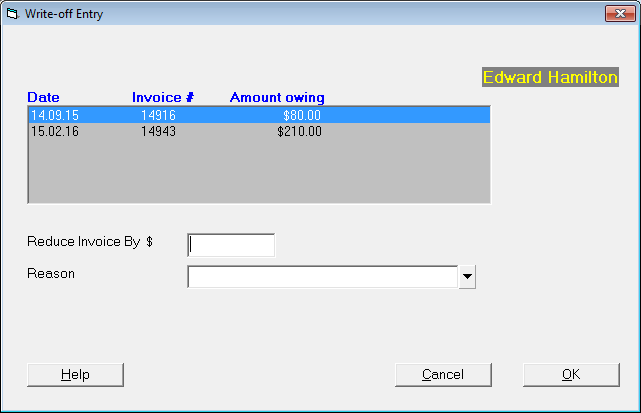
- If amounts are outstanding from both the patient and third party (or more than one third party), then highlight the appropriate one and select 'OK'.
- Highlight the invoice to be written off.
- Enter the amount to reduce the invoice by (this cannot be more than the amount owing).
- Select a reason for writing off the debt, or enter a reason if permissions allow.
- Select 'OK'.
- The Debt Write Off will display on the Transactions for the patient.
A report of debts written off can be obtained from the Debt Write-Off Report.
Reversing a Debt Write-off
If you later receive payment (in part or in full) for a bad debt you have written off:
- From the list of Transactions, highlight the Debt Written Off.
- Select 'Delete'.
- A prompt will appear.
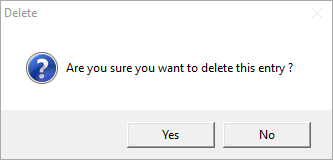
- Select 'Yes' to confirm deletion of the entry.
- A further screen will appear for a final confirmation that the debt write off is to be reversed.
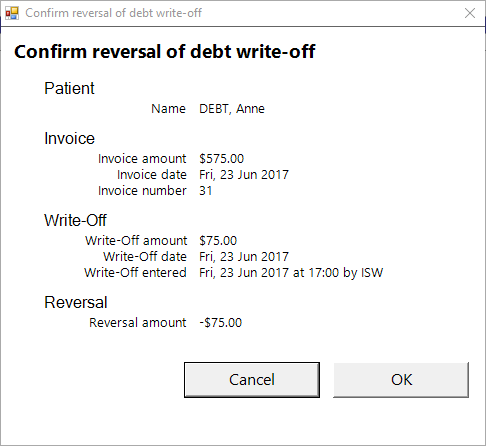
- Select 'OK' to confirm.
Debts that have been reinstated are report on the same report as the Debt Write-Off Report. They are annotated with the reason 'Reversal of debt write-off (deletion).
On this page:
Training:
- ACC invoicing
- Add a New Transaction Au
- Add a New Transaction NZ
- Quick Invoicing
- Invoicing the Patient
- Invoice to 3rd Party
- Invoice a Solicitor
- Change Referral for an Invoice
- Make invoice codes from Medicare
- Adding Assistants or Alternate Providers
- Print Balance for Invoice
- Billing Types
- Advanced Invoicing Options
- Hospital Invoicing Au
- Hospital Invoicing NZ
- Tutorial - Invoicing
- GST Rounding adjustment
- Multiple Patients - Group Receipts
- Dishonoured payments
- ACC Payment Advice import
- ACC Payment reversals
- Receipting Payments from Debt Collectors