Occasionally you may have submitted an invoice, which was subsequently paid & receipted, only to find out later that you invoiced the wrong amount, or perhaps you have been over-paid and you want to make adjustments to the original invoice.
When a payment is receipted it is always linked to one or more invoices. To make changes to the invoice, once it has been partially or fully receipted, you need to Unallocate (or unlink) the receipt from the invoice(s), then use the Apply Prepayment option to apply the original payment to the amended invoice.
The Unallocate Receipt process will convert the Receipt into a Prepayment which will put the value of the receipt as a Credit on the patient's file.
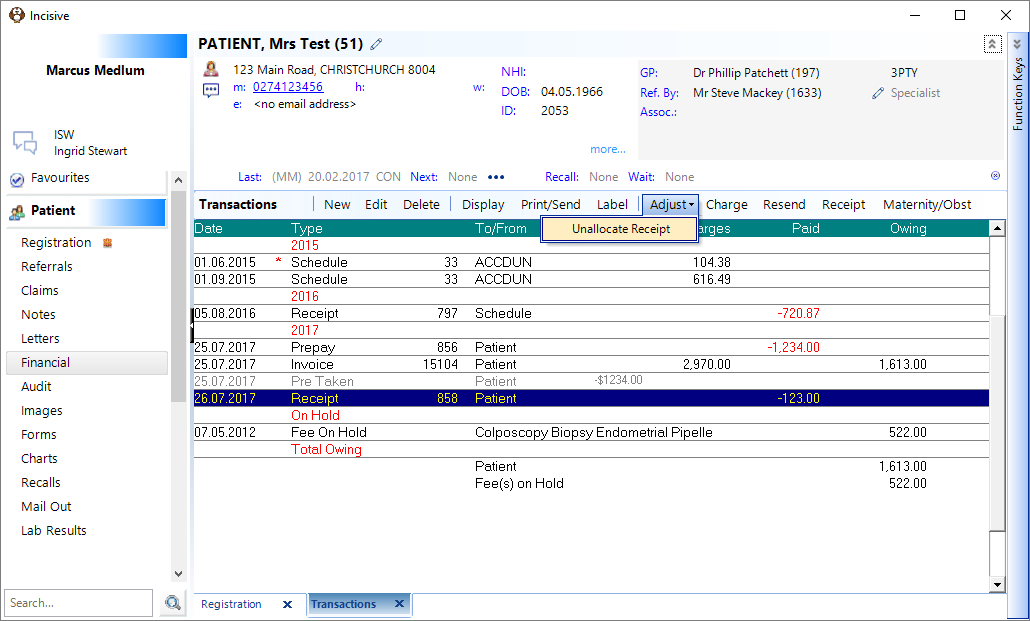
- Select the receipt then choose Adjust > Unallocate Receipt from the Toolbar
The following window will appear displaying the receipt information that you are going to change to a prepayment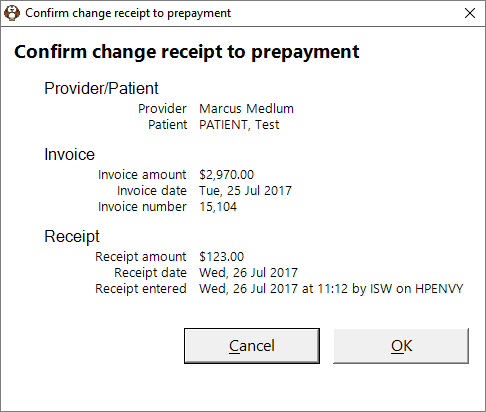
- The Receipt transaction is converted to a Prepayment and a new Financial Comment is also added.
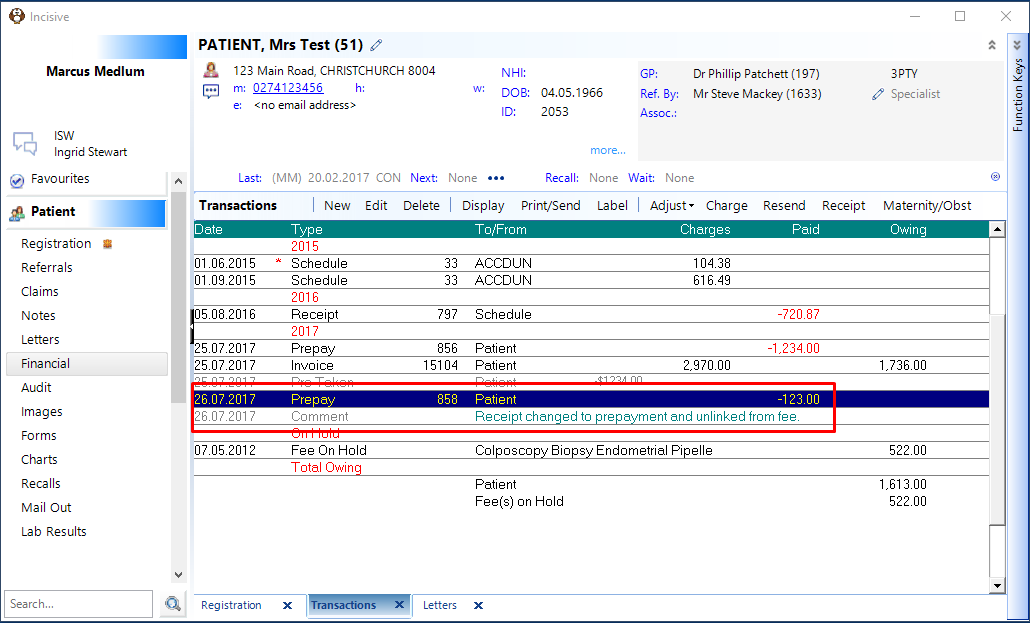
Pressing the Spacebar will display the details of the payment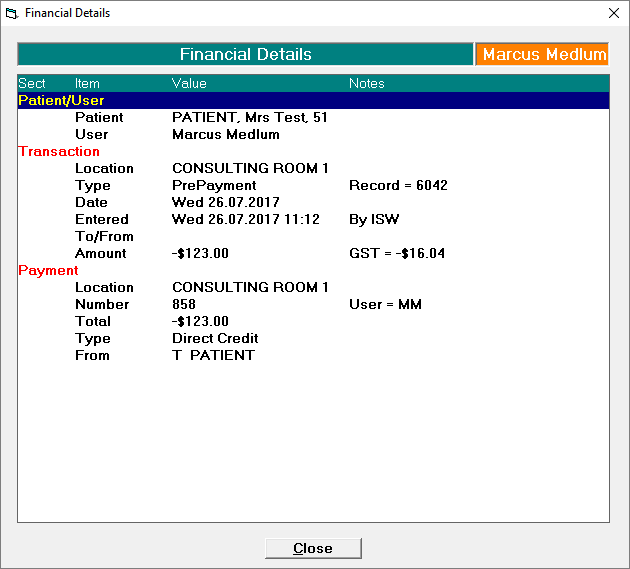
- Make the changes in the invoice by using the Edit function.
- Receipt the amended invoice by using the Apply Prepayment option
- If there is any Credit balance left on the patient's file you can use either the:
- Refund, or
- Credit Write-off
function to adjust the patient's balance to zero (if required)
Training:
- ACC invoicing
- Add a New Transaction Au
- Add a New Transaction NZ
- Quick Invoicing
- Invoicing the Patient
- Invoice to 3rd Party
- Invoice a Solicitor
- Change Referral for an Invoice
- Make invoice codes from Medicare
- Adding Assistants or Alternate Providers
- Print Balance for Invoice
- Billing Types
- Advanced Invoicing Options
- Hospital Invoicing Au
- Hospital Invoicing NZ
- Tutorial - Invoicing
- GST Rounding adjustment
- Multiple Patients - Group Receipts
- Dishonoured payments
- ACC Payment Advice import
- ACC Payment reversals
- Receipting Payments from Debt Collectors