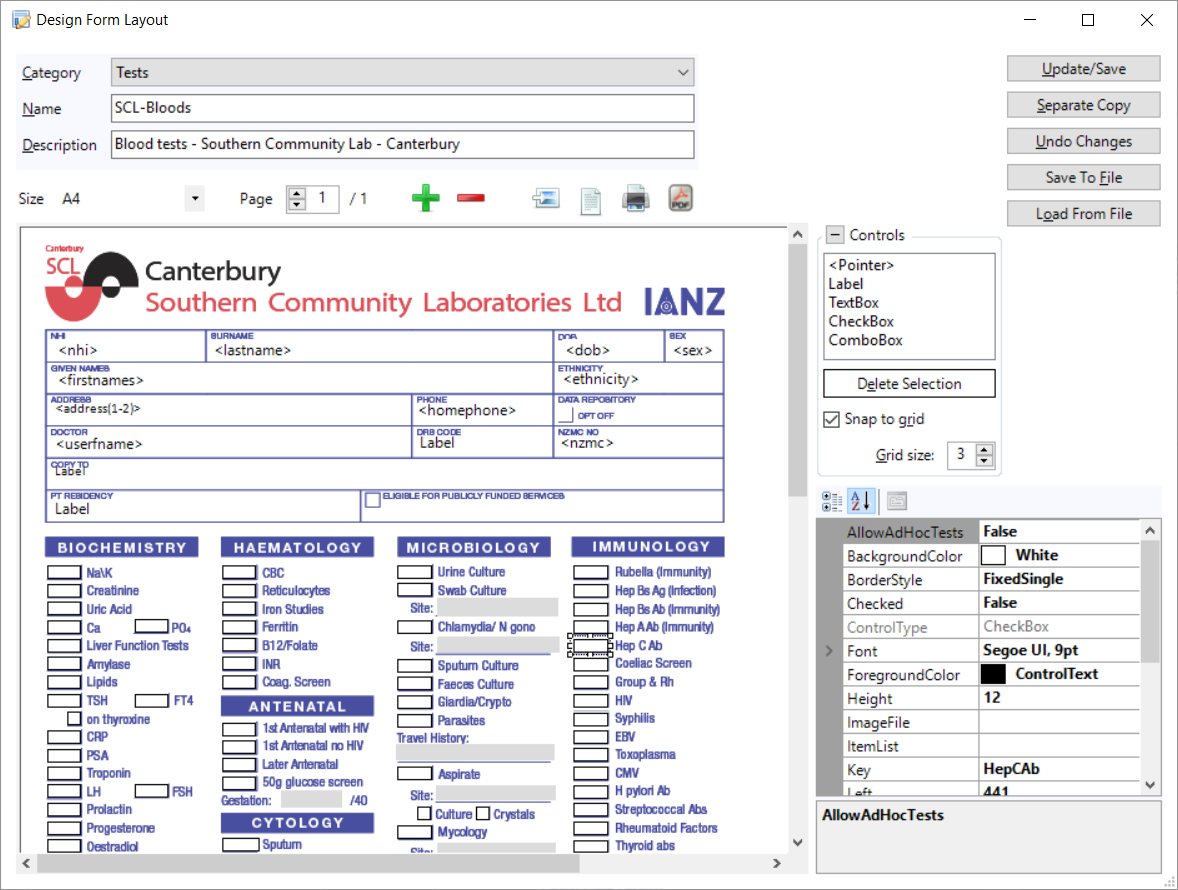
Field Forms use controls, placed on a page, to input text or make selection options.
Field Forms are used in exactly the same way as the existing 'text-based' forms.
You can put an image behind the form and position the fields on top of the appropriate location over the form, so that it appears that you are actually completing the form itself. You can also design forms that do not have any background image.
Incisive provide a library of common forms, such as lab request forms or pre-admission forms, which you can download and use 'as-is', or you can then modify them to better suit your needs.
You can also build your own forms to match your specific requirements.
Merge fields can be inserted so that patient related data can be automatically displayed when the form is displayed in the patient's notes.