Messages can be either manually or automatically marked as Seen, which is the same as the 'Read' status.
The Seen status does not have any significance within the application other than to indicate to others or to yourself that the message has been viewed.
Remove the Seen status by right-mouse-clicking on the message and reselecting the Seen option.
If you only want to view the Messages that you have not yet seen you can choose the Display only if: Unseen option in the Settings function.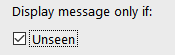
Manual
Individual message - Right-mouse-click on a message and select Seen
Multiple messages - select the messages then right-mouse-click and choose Seen (selected)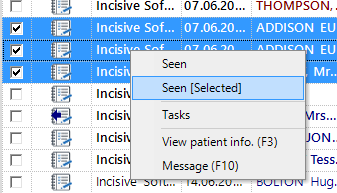
Automatic
The message will automatically be marked as Seen after it has been highlighted for the number of seconds. You specify in the Message seen after field in Setup > Operator > Settings
Set the number of seconds to zero to turn this function off
If you have the 'Display only if: Unseen' turned on in the Message Centre configuration then this could cause the message to automatically disappear after the period specified.