This section allows you to set up and configure the application for the persons who are going to be using it.
Access Rights
The security mechanism to allow Operators (Staff, Providers Technicians etc.) access to various functions with the application is based on the Operator’s membership of Roles. The Roles are defined by the business and each Role can be configured to have access to the menu items and toolbar buttons in the application and for a specific User (Provider). If an Operator is a member of the Role they will inherit the permissions of the Role.
For example, a role called ‘Receptionist’ can be configured to allow access to patient records, making appointments, but not access to Setup or Reports.
An Operator can be a member of more than one role or group.
Some menu items are always available to the Operator, such as the ability to change their password and other Operator settings, and will over-ride any permissions assigned to their Roles.
This method of securing access rights to the application can be configured to be as simple or as complex as you require. At the simplest level all Operators belong to one Role, which has permission to all menu items and buttons. In a larger facility you may have 12-16 different types of Roles and each Operator may be assigned membership of 2-6 of the Roles.
It gets more complex where a hospital (using PHM) also has specialist suites attached (using SPM), as the permissions for an Operator need to be configured not just for the hospital User but also for each specialist User.
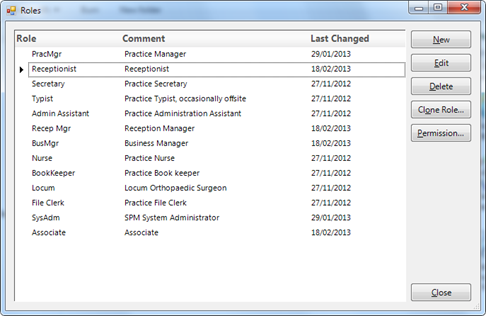
For each Role, permission is granted to allow access to the menu items.e