Locations are normally different physical locations where you consult or operate.
Locations allow for the separation of banking records (Deposit and EFTPOS supplements) and also allow for printers to be configured for the same login by location. In some instances a location may be added for a location within a building. We recommend that you speak to us about your requirements so that we can correctly advise you on the optimum configuration for your practice.
Setup > Locations
New
To add a new location
Select New.
Complete the infomation as applicable.
Select OK to save the Location.
Location Name | Enter the name of the location. |
Alpha Code | Enter a code for the location of up to 3 characters. |
Location Address | Enter the address of the location. |
Facility ID | Enter the Facility ID for the location if applicable. This will only apply if the location is a hospital or day stay theatre. The Facility ID may be referred to as the Hospital Provider number in some instances. |
LSP Number | Enter the Location Specific Practice number if applicable. The LSPN is applicable to services:
|
DVA Treatment Code | Select from:
This will ensure that data is correctly transmitted for DVA online claims. Some areas will filter out locations, i.e. on IMC will only show locations where this code is set to Hospital. |
DVA Rural Hospital | Required if the location is a Rural Hospital for DVA online claims. |
Delete
To delete a location that is no longer required or in use:
Select Delete.
You will be prompted to confirm the deletion of the location.
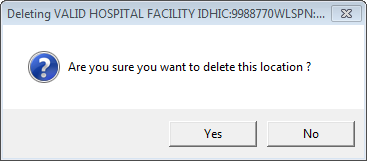
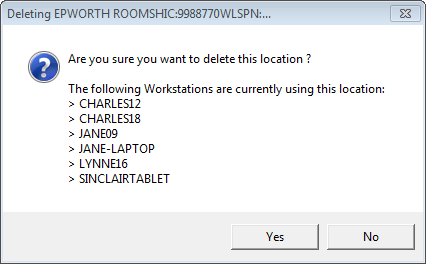
Select Yes only if you are sure that the location is no longer required.
Locations are used by all Providers in the database.
Deleting a location does not hard delete it from the database. The Locations:loc_Hidden is set to 1. To remove the deleted flag, change to 0.