Cost Centres allow you to assign stock usage or quantity adjustments that are not processed through Stock Arrival or Stock Used functions.
Effect on SOH when allocating to Cost Centre
Stock on Hand BEFORE Cost Centre allocation 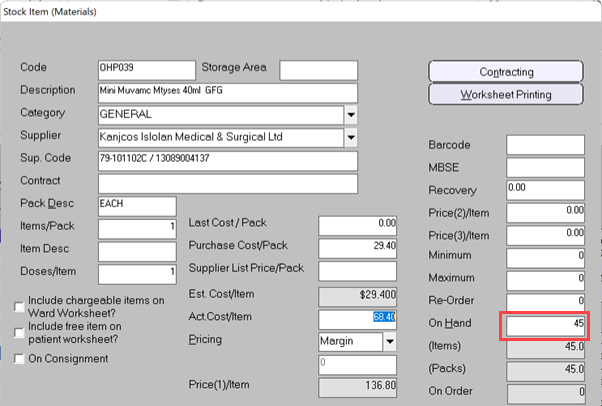
Cost Centre allocation 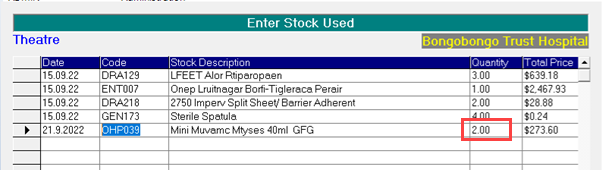
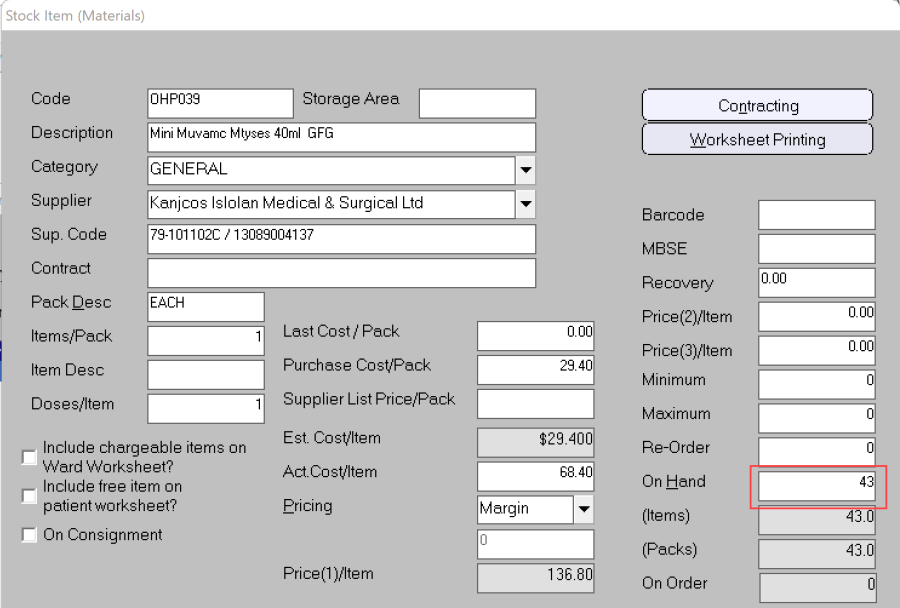
Stock on Hand AFTER Cost Centre allocation
Adjustment of the SOH occurs at the time of entry to the Cost Centre, not 'as at' the Service date entered.
Effect of Closing-Off Cost Centre
Stock > Cost Centres > Cost Centre Stock
'Unbilled' means the stock item has not been included in a previous Close-Off event period.
Because all the stock has been included in a previous Close-Off event, the report will show different content if the 'Include Unbilled' option is checked on or not.
Cost Centre report BEFORE Close-Off (Billed only) 
Cost Centre report BEFORE Close-Off (show all items for September) 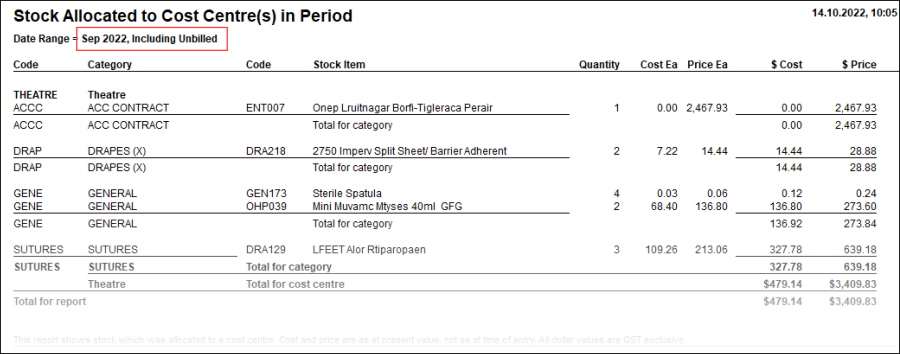
Close-off for all items with Service date before 1.10.2022
Stock > Cost Centres > Close-off Cost Centres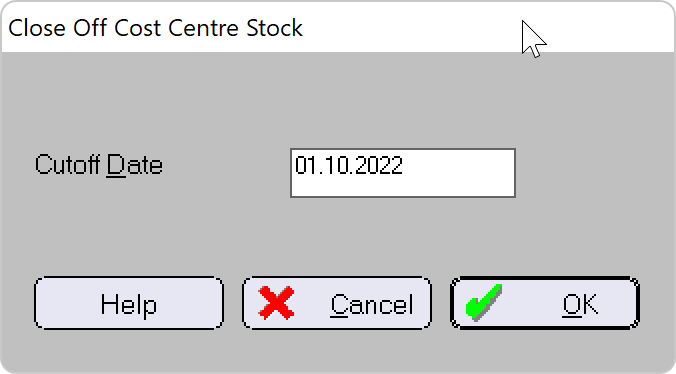
Because there are no 'unbilled' or uncommitted stock after the Close-Off, the report will show the same content whether the 'Include Unbilled' option is checked on or not.
Cost Centre report AFTER Close-Off (Billed Only) 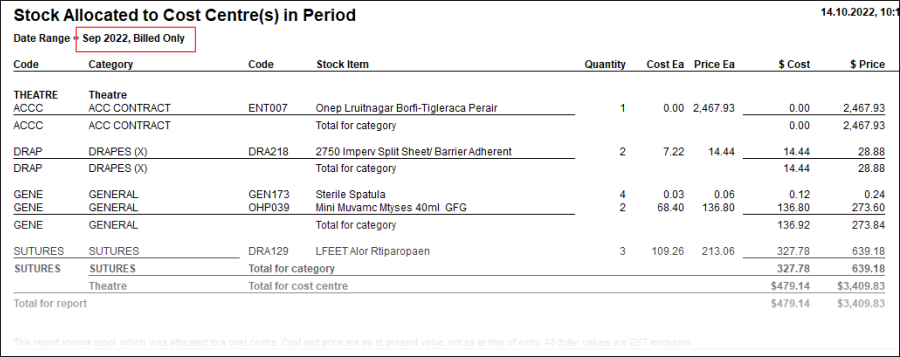
Cost Centre report AFTER Close-Off (show all items for September) – it's the same as Billed Only 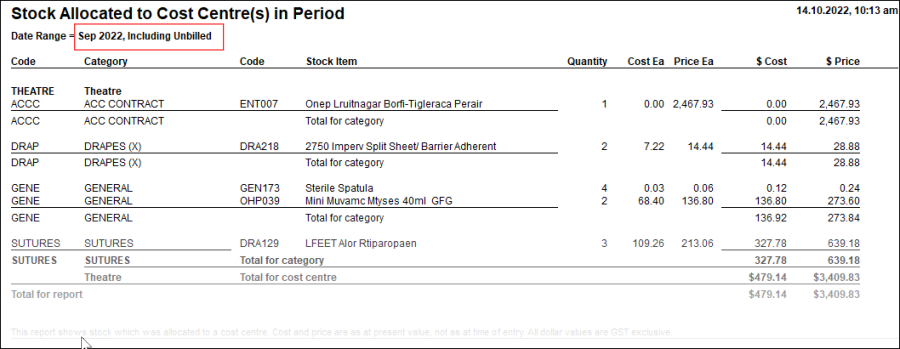
No change to Stock-On-Hand balances after close-off, because they have already been adjusted on the date of entry. 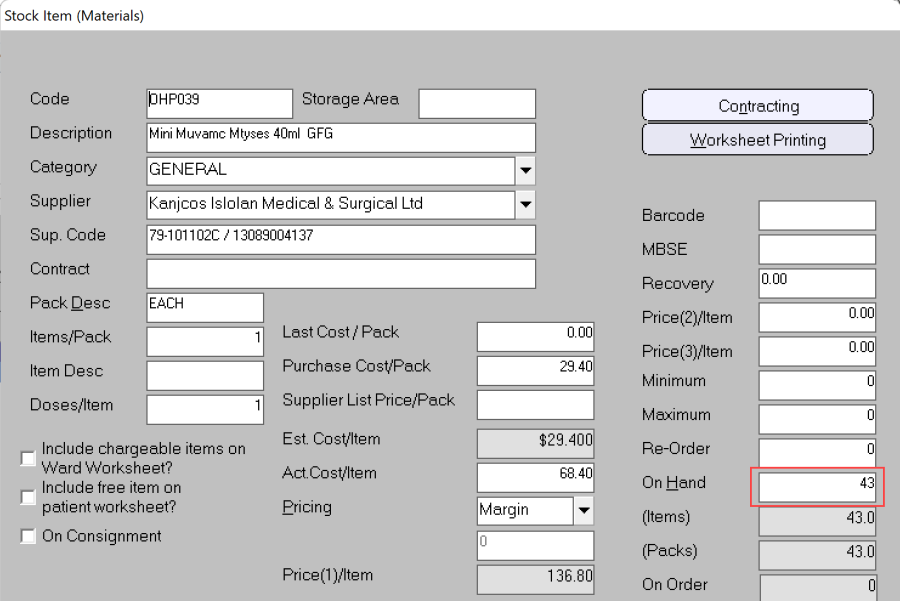
Effect of changing item cost
Report rerun after price change - the report will use the latest, not the original cost & price.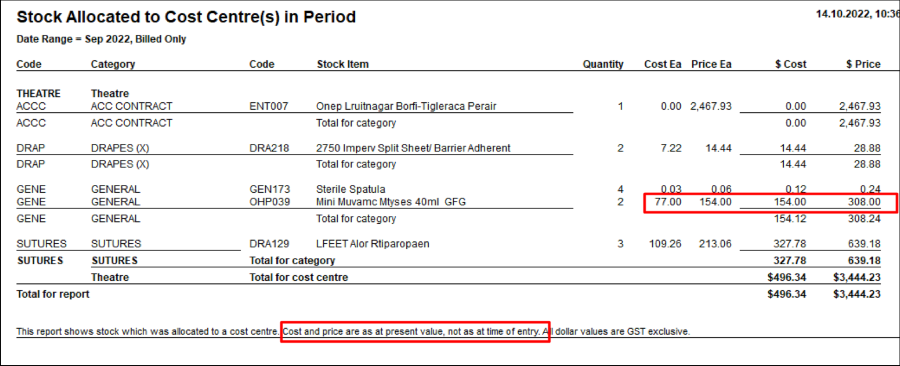
Stock ADDITIONS to a Cost Centre
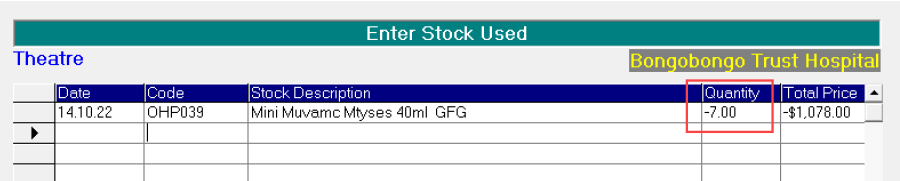
Adds to the SOH balance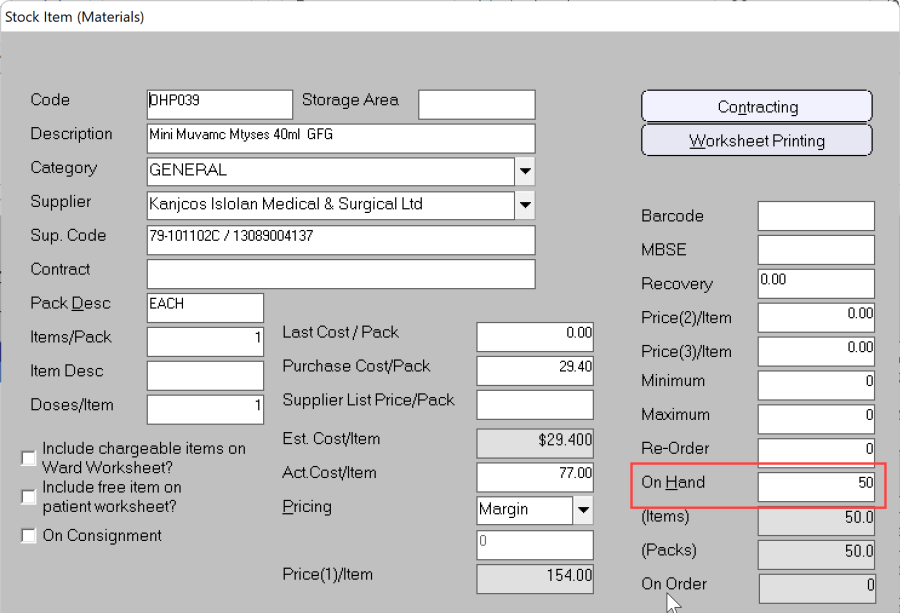
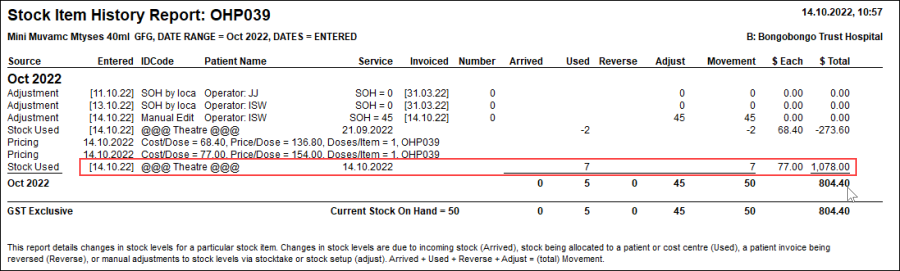
Item History report showing Cost Centre adjustments
Reports > Stock > Stock Management > Item History
Item History report shows allocation to a Cost Centre (@@@ prefix & suffix) 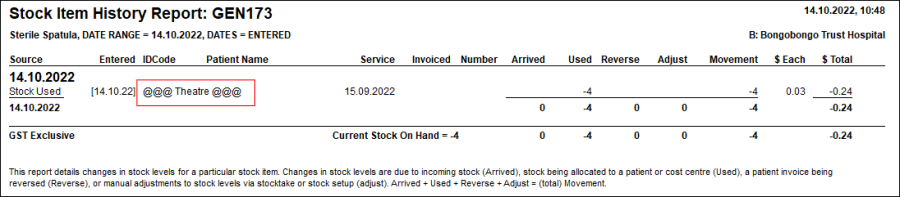
On this Page:
Related pages:
Allocating stock to a Cost Centre
Cost Centre processing & reports
Creating Cost Centres