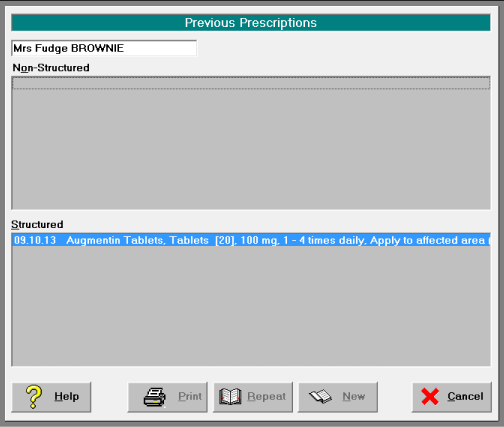
To Write a Patient Prescription
Patient > Select Patient > Notes > Select Script > New
The search for an item can be selected from 'Favourite', 'Brand' or 'Generic'.
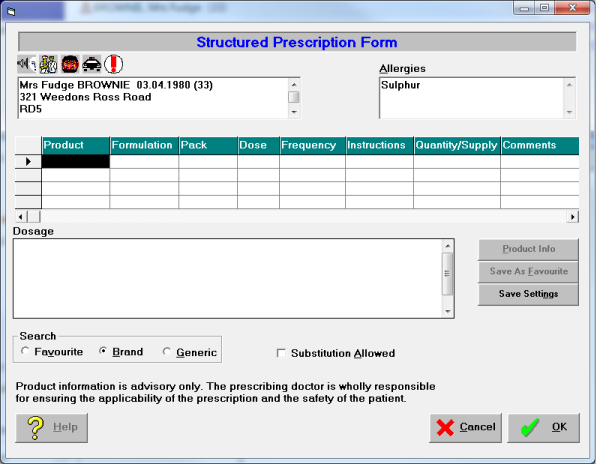
Type the name of the item in the product column and select F8. Make selection from list displayed and OK.
Complete prescription by selecting instructions from drop down list in each field. You can also add additional allergies at the time of creating the prescription.
Items and their instructions can be saved by selecting the "Save as favourite" button.
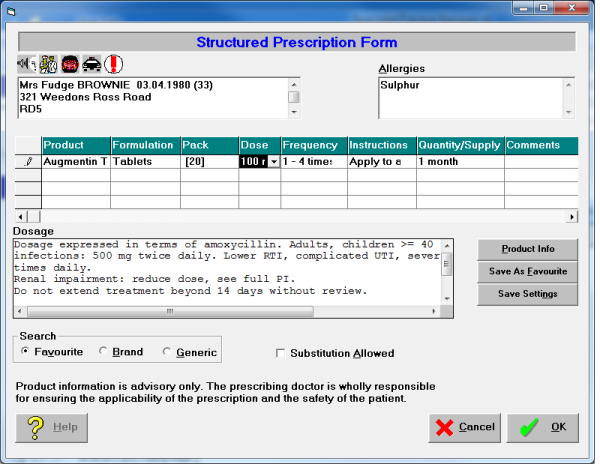
The prescription can be written using a mix of Favourite, Brand and Generic Items. OK to print.
Repeat prescriptions can be written by selecting the item from the Previous Prescription screen – Print. If changes or additional items are required, select Repeat.