Incisive Medical Systems are interacting with The Perinatal Institute (UK) which administers the Gestation Network www.gestation.net which provides tools for assessment of fetal growth and birthweight by defining each pregnancy’s growth potential through the Gestation Related Optimal Weight (GROW) software.
GROW-Chart: customised antenatal charts for plotting fundal height and estimated fetal weight.
GROW-Centile: for calculation of customised birthweight centiles for each pregnancy, or a database of pregnancies (bulk centile calculator)
GROW-Service: GROW chart, centile and reporting via an API with Maternity Information systems
Fetal growth data is sent to The Perinatal Institute servers and in return, the baby's growth is plotted against centile markers that are adapted for New Zealand. The Growth charts are not stored in the Incisive database but are streamed from The Perinatal Institute database.
Requirements:
- Internet connection
- GROW Chart option licensed by Incisive for the Provider
NHI identifier for the mother
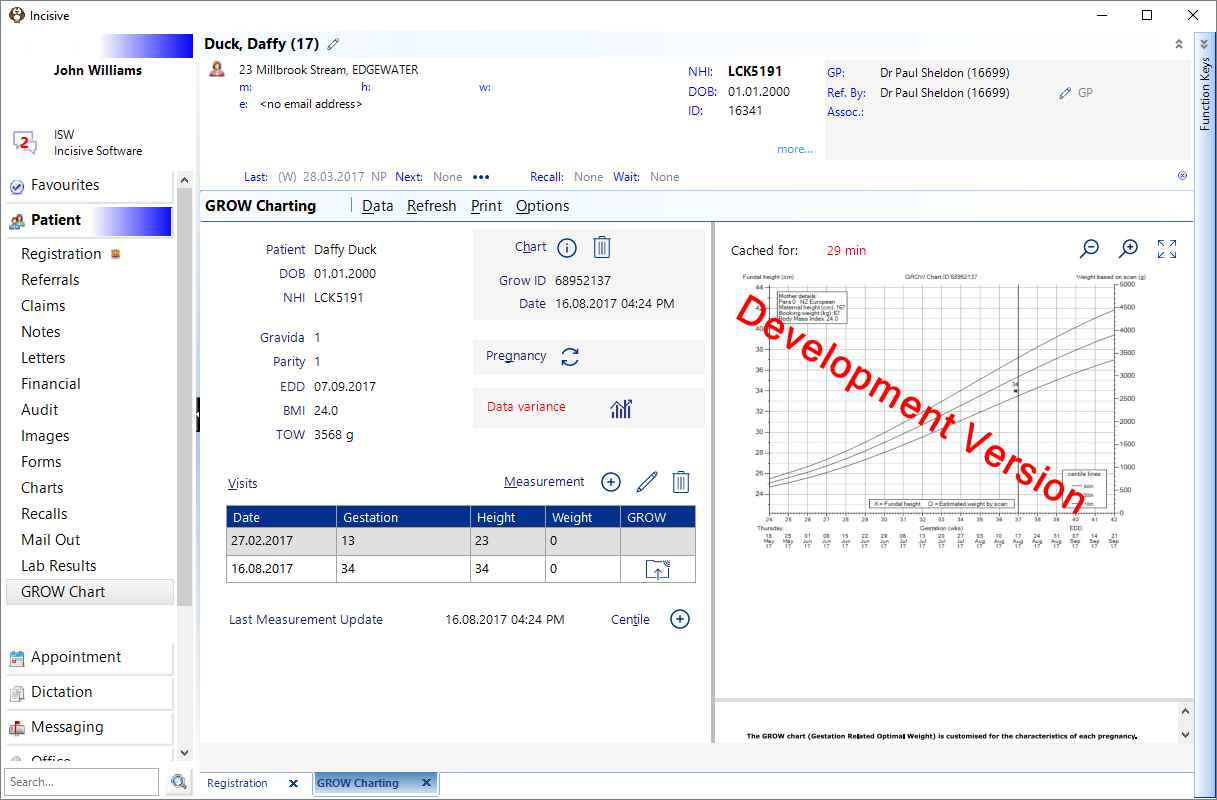
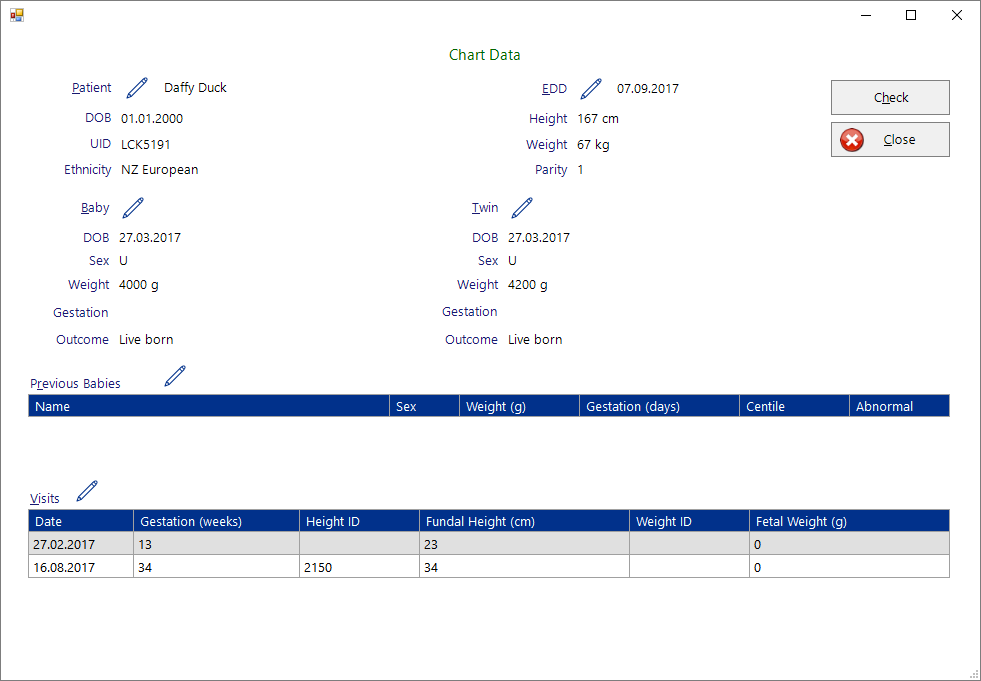
Data | Display or modify all the patient, visit and birth records that are linked to this chart
| ||||||||||
Refresh | Update the chart from the GROW database | ||||||||||
Print a blank growth chart. It is a requirement of GROW services that a completed chart is not allowed to be printed | |||||||||||
Options | These are values specified by GROW Services
|
Chart
Chart information is about the patient and pregnancy
| Compare the patient and pregnancy information in the GROW database and the Incisive data
|
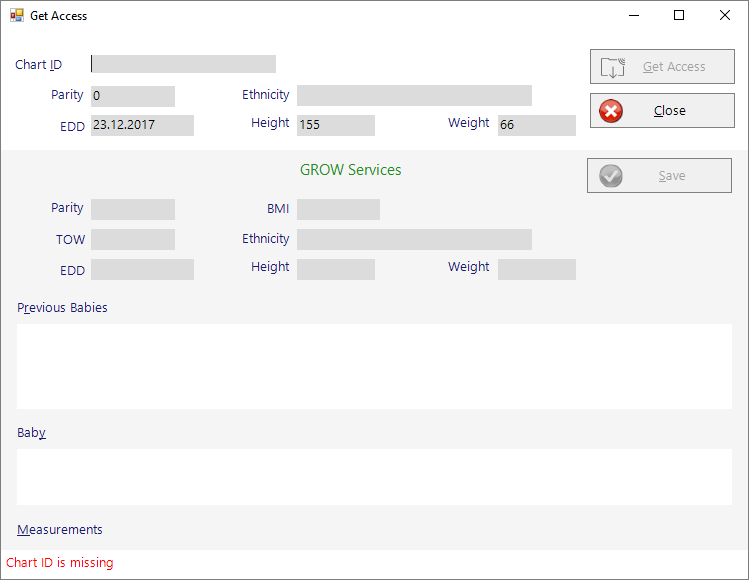
| Get access to the patient's GROW records that have been entered by a different Provider. You are required to enter in exact records from the patient's other GROW record to gain access.
|
| Delete the patient and pregnancy information that is held in the GROW database. |




Pregnancy
| Select a previous pregnancy |
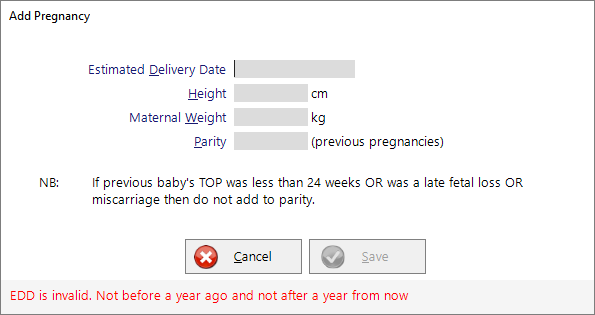
| Add a new pregnancy record This will also add a Pregnancy record to the Maternity Claiming function.
|


Visit
Visit information is about the fundal height or fetal weight details at each antenatal visit.
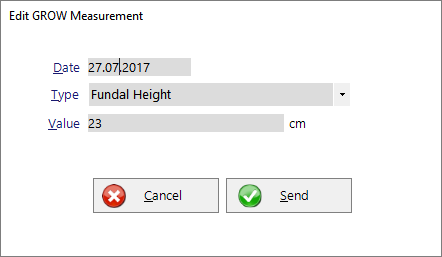
| Add a new height or weight measurement and upload it to the GROW database
|
| Change the height or weight measurement that has been added to the GROW database and modify their records |
| Delete the height or weight record from a visit and remove it from the GROW database. |

Centile
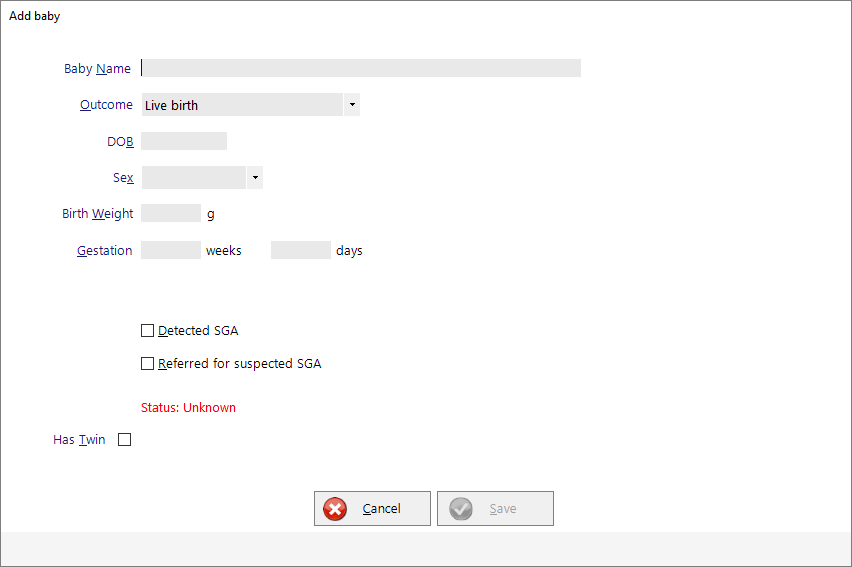
Centile information is about the birth details
| Add a birth event to the GROW database.
|