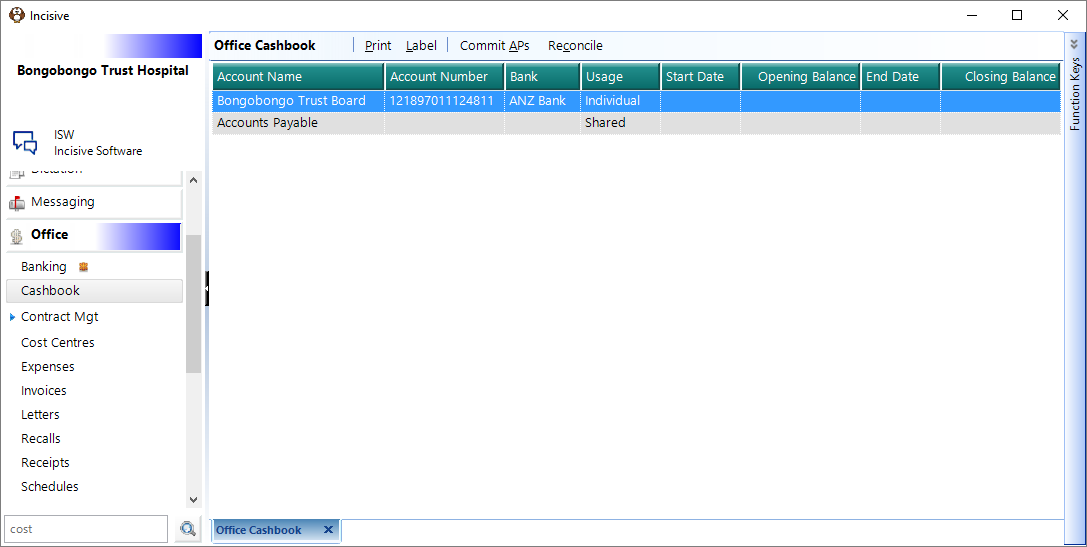
The Cashbook facility allows you to reconcile your expenses and your receipts (Deposit Supplements, EFTPOS Supplements and Direct Credits) to your bank statement, thus verifying the correctness of data input. The Cashbook balance (if data input is kept up to date) is a true reflection of your cash position, whereas the balance on the bank statement may not be.
Before you can begin reconciling your bank statements, you must first initialise your Opening Cashbook Balance.
This is done via Set-up > Financial > Cashbook.
The Cash Book tab displays all bank accounts set up for the current user.
Print Cashbook/Bank Statement Reconciliations. | |
Label | Print required labels LABELS |
Commit APs | This adds any auto payments that have been set up for the cashbook. |
Reconcile | Reconcile the cashbook. |
Related:
Training:
- Preparation for Initialisation of cashbook
- Adjustments and Journals
- Direct Credits
- Managing Unreconciled transactions