The Search option allows you to quickly find an appointment for a patient. While a Search can be made from the Calendar, when started from the Appointments tab (or a Book), you will be able to ...
Appointment - Appointments - Search
Search for a patient's appointments
- From the list of Appointment tab, select 'Search'.
- Select your patient from the 'Select Patient' screen in the usual way.
A list of all appointments, past and future, together with Waiting List entries and deleted appointments will display.
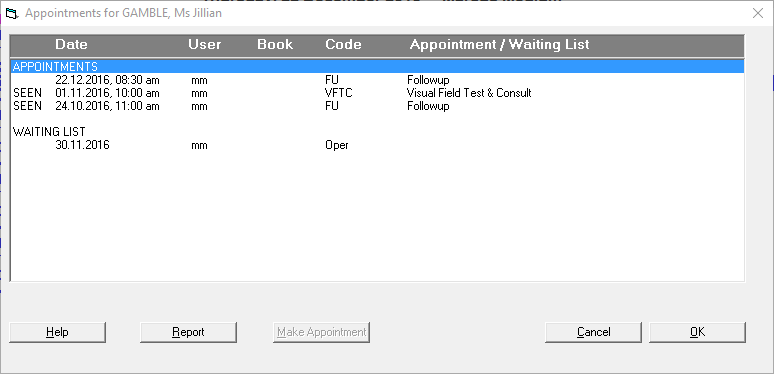
To go to a booking
Select the booking from the list of appointments for the patient.
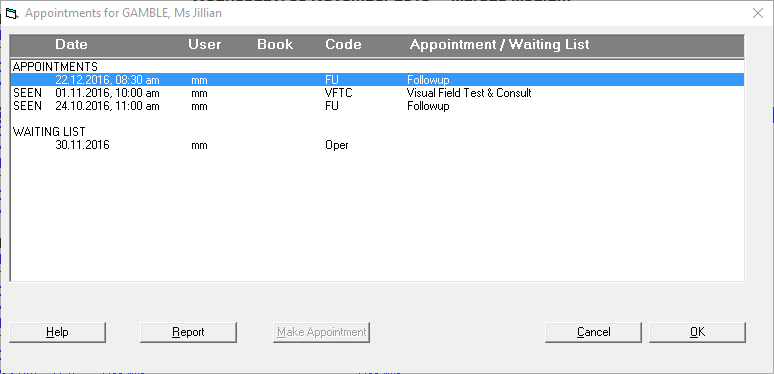
- Select 'OK'.
- You will be taken to the booking.
To Make an Appointment
If there is a Waiting List entry for the patient, after searching for the patient and getting a list of Appointments for the patient:
- Go to the Session that you want to book the patient into.
- Search for the patient.
- Select the Waiting List entry.
- The 'Make Appointment' icon is now active. Select 'Make Appointment'.

- Continue to book the appointment in the normal way.
- The patient will be removed from the Waiting List and a new appointment will be made.
Report of Patient Appointment History
To get a report of the Appointment History for the patient:
- Select 'Report' from the 'Appointments for ...' screen.
- The report will display together with the log information.