A Medicare provider number is used to identity you and your practice location when processing claims. The provider number is used for Medicare and Department of Veterans' Affairs (DVA) claims processing. It allows you to claim Medicare benefits for services you provide at a particular practice location. You will need an additional Medicare Provider number for each location where you provide, refer, or request Medicare services.
The Incisive application will default to use the Provider Number for the location that is selected when logging in. Alternatively, a different Service Location can be selected at the time of charging for services. The Provider Number for the location the service was provided at, will print on invoices, receipts and Medicare Claims.
Setup - Provider - Provider Numbers
To add a new Provider Number
- Select 'New'.
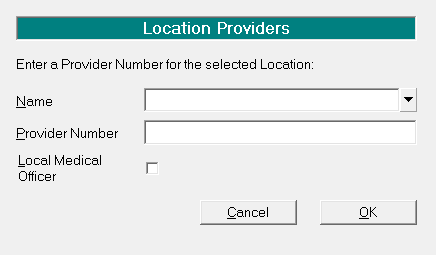
- Complete details as applicable.
- Select 'OK' to save the new provider number.
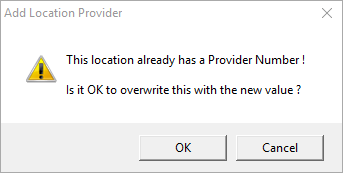
Location | Select the location from the drop down list. If the location is not present, it will need to be added see LOCATIONS. Only one Provider number per location can be entered. If you try and use the same location again, the following message will display:
Only overwrite the data with the new provider number if you are sure. |
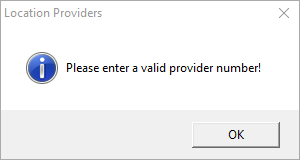
Provider Number | Enter a valid Provider Number as provided by Medicare. Include all leading '0' (zeros). There is a check sum routine on this field. If an invalid number is entered, the following message will display:
|
Local Medical Officer | Check this option if applicable. |