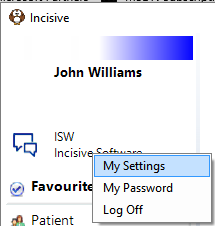
New Operators (staff, doctors etc.) are not added in this area of the application. Instead go to Setup > Personnel > Operators
Each person who uses the application is called an Operator and they can have their own login.
Operator settings allow you to individualise certain functions and views in the application to suit the Operator's own requirements or preferences. These options can be accessed from either Setup > Operator or by clicking on the operator name at the top left-hand corner of the main menu.