Notifications are messages, created by NZePS and sent to the Prescriber. New notifications are checked on the NZePS hub, every 4 hours. A F10 message to the Prescriber will alert you that new notifications are available for you.
There are two sources of notifications:
A prescription has been created in the Incisive application, but has not been sent because it was 'Parked' or there is no network connection to the NZePS hub.
A prescription has been created by a pharmacist and needs approval from the Prescriber.
The notifications from the pharmacist need to be imported from the NZePS hub. If the notifications are not imported within 24 hours, another F10 message alert will be generated from the NZePS hub notification.
Referred/Phoned/Unsigned/BlisterPack notifications need to be approved/rejected by the Prescriber.
The ‘From’ sender is not important as the program will use the first login after the notification was generated, to send the notification to the Prescriber.
F10 message alert
An F10 message to the prescriber, will be created from NZePS notifications, informing you of new notifications that need to be imported and actioned. New NZePS notifications are checked every 4 hours.
The notifications can be for prescriptions that:
are Parked or Unsent for a patient

have been initiated by the Pharmacist and require your attention.

If the pharmacist (dispenser) initiates a notification, then all Operators who have the prescriber as their default Provider, will also receive a notification and can initiate the search and import of the notifications in Office > eScripts > Import notifications, if they have access permissions to do so.
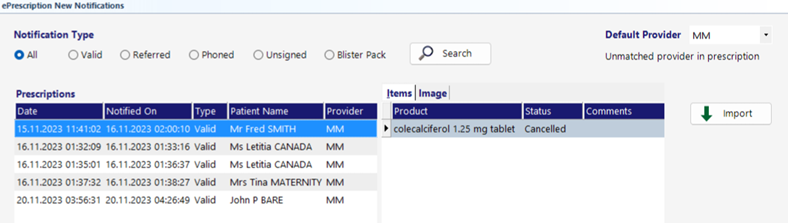
Search for New notifications
Office > ePrescriptions
The Search button will query the NZePS hub for any new notifications for the HIE Entity ID (facility), which will be for ALL Providers. The Search function does not update the patient’s prescription record, nor present the notification for approval by the prescriber.
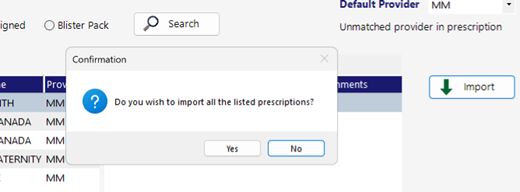
Import the retrieved notifications
Importing the notifications will update the patient’s record and also make available for approval, any prescriptions that have been created or modified by the pharmacist.
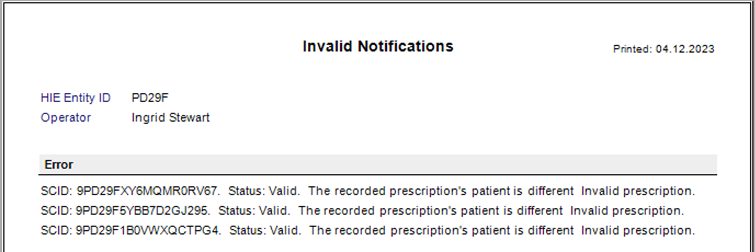
Report of Invalid Notifications.
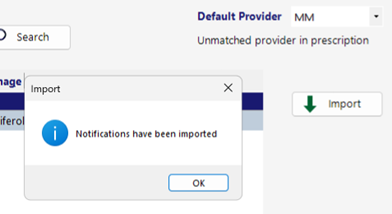
Import complete
Imported notifications
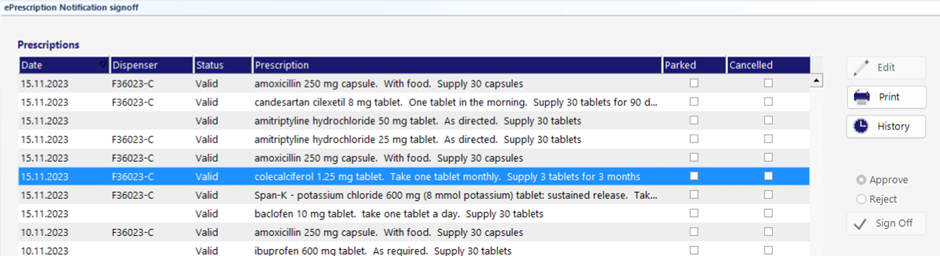
Approve or Reject the notification
If you received a notification with the following status types, you will need to Approve or Reject and SignOff the notification, which will then be delivered back to the NZePS hub and pharmacy.
Status Types needing SignOff: Referred/Phoned/Unsigned/BlisterPack
The ‘SignOff’ function is restricted to those Operators who have a Role that permits them to use the ‘Send’ button on Patient > eScripts. Usually this will only be the Prescriber.