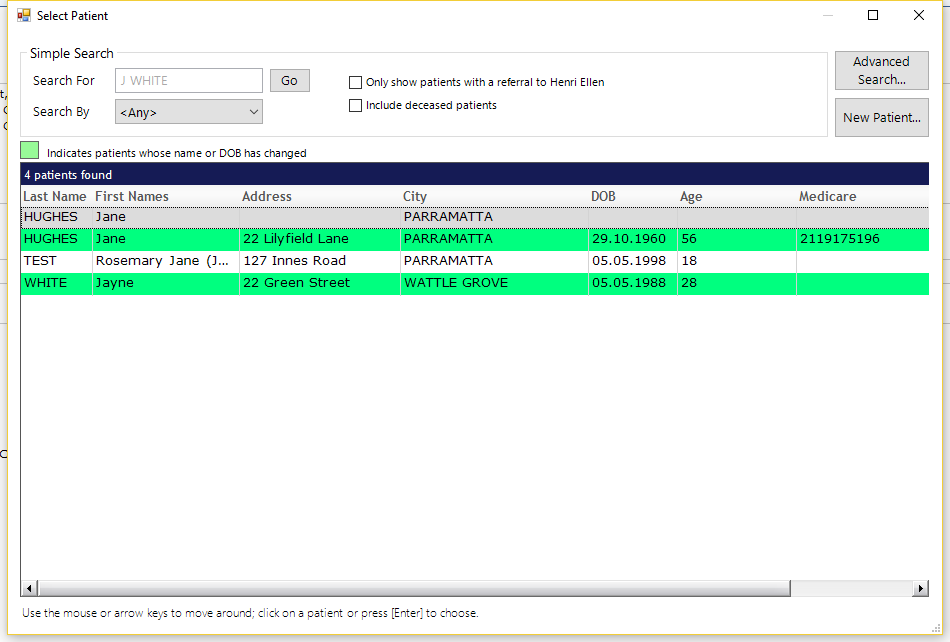
The Advanced Search option can be used where searching for a patient by other means has not worked, or if the primary search details about a patient are not known.
It may be that the doctor can remember the first name of a patient who lives in 'XYZ' and was had an occupation of 'ABC'. Or the patient was referred by a particular doctor. The 'Advanced Search' feature is ideal for these scenarios.
The advanced search feature will only work in these scenarios where the data has been captured in the Patient Registration form, the Referral (Referring Doctor) or Claim (Claim Number). Text entered in a letter etc. is not searched.
Select Patient (F4) - Advanced Search
- From the Select Patient screen, select 'Advanced Search'.
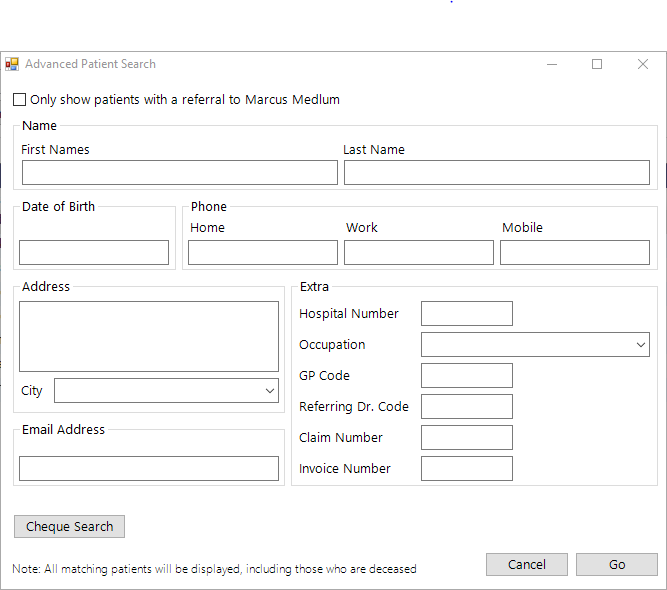
- Enter the details to search on.
- Select 'Go' to start the search.
- A list of possible patients matching the search criteria will be listed on screen.
Patients whose name or DOB has been changed will appear in green.