After the entry of the First Names, Last Name and date of birth, a check will be made to see if there are any existing patients with similar details. If there is, a list will appear showing the name, address and date of birth.
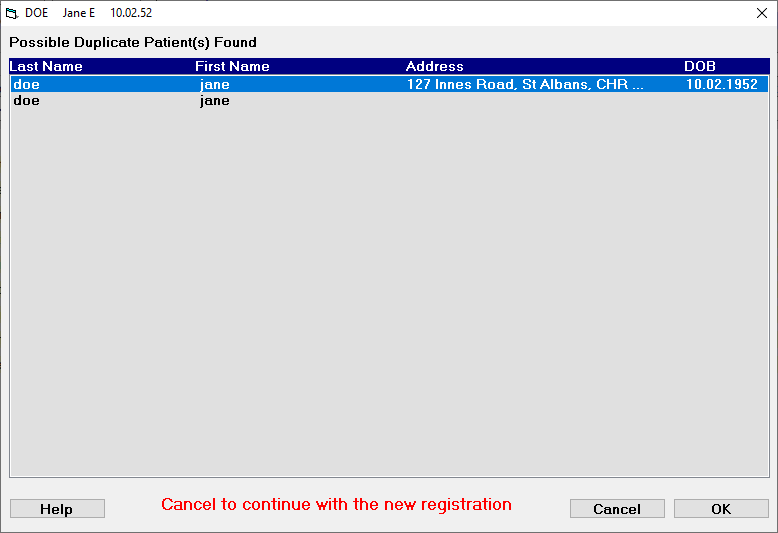
If none of the listed patients are the same as the one that you are currently entering:
- Select 'Cancel'.
You will return to the Registration screen to complete the new registration.
If a patient has been previously entered:
- Highlight the patient.
- Select 'OK'.
The new registration process is abandoned and the highlighted patient is loaded.