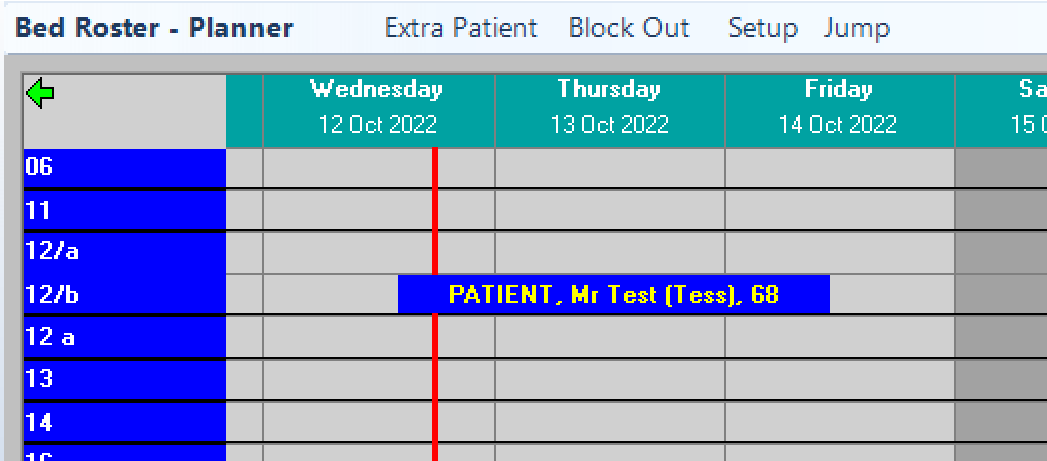
The process used to book patients who are having consultations or procedures that will be performed in the hospital, but not within a sterile theatre, is very similar to completing a theatre booking. The key difference is that there is greater flexibility (less rules) surrounding the booking process.
For example, an anaesthetist may be running a pre-anaesthesia clinic in the anaesthetic room to check some of the patients prior to their operation. The anaesthetist can choose whether they want a scheduled appointment system for the patients or perhaps the patients can just turn up at any time during the morning. However, because they are coming into the hospital environment they still need to be admitted, even if it is only for an hour.
If a patient is being readmitted this option should not be used. Instead, the Re-admit function should be used on the Admission/Status / Todays List form. This option provides better statistical reporting.
NOTE: The 'Available Time' field has been replaced with the 'Booking Time' field.
Rather than be restricted to making sequential, non-overlapping bookings within an operating session, you can now manually type in the time (12 or 24hr format) that you want to see the patient.
When a non-theatre (medical) booking is made, a new session (as created in Setup > non-theatre sessions) is automatically created for the Book. If a subsequent patient is booked into the same session the program will just add them to the existing session.
Bookings can be made for rooms or facilities that do not need to have the rules for restricting the potential for over-booking as rigorously as it is applied to a theatre booking. Even if one patient is being booked a session will still need to be created
Examples would be:
- assessments performed in a pre-anaesthestic room,
- minor procedures performed in Recovery (IV antibiotics, Blood transfusion, Oncology infusions etc.).
- post-op nursing care
- respite care
A Book, in the Appointment Book module of PHM, relating to the location where the patient is going to be treated (Recovery, Treatment Room, Ward), needs to be available.
A Session, that is not related to any of the surgeons, should be created so that reporting can allow for the different usage – medical cf. surgical
Adding Medical bookings (non-theatre)
If there is already one available go to 4., otherwise continue.
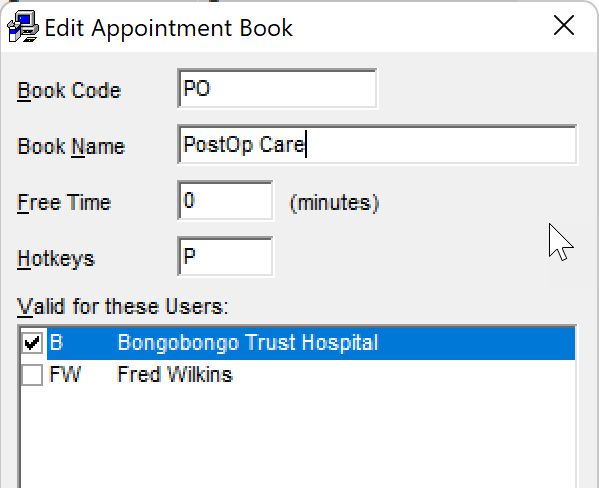
- In PHM go to Setup > Appointment Book > Appointment Books and add a New book.
- You will need to assign Permissions to relevant staff Roles to be able to view the new Book in the menu list.
Disable the New; Edit; Delete menu options as these are managed when the booking is made elsewhere
Log out then in again to view it in the list.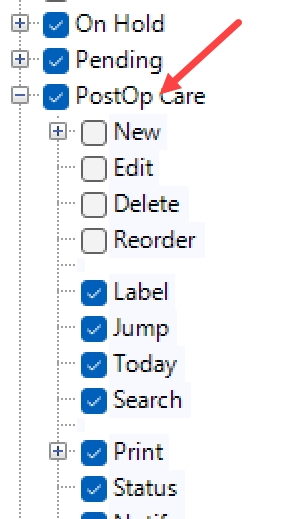
You then need to add a Session for the Book. A Session is useful if you have multiple medical patients booked in for a clinic, but seems odd for nursing care, however it is needed to get the patients admitted so just make the session for the whole day
If you don't already have a suitable Session Type, you can add it in Setup > Appointment > Session Types. 'Operating' does not need to be checked on. You do not need to have valid 'Appointment Types' linked to the Session.
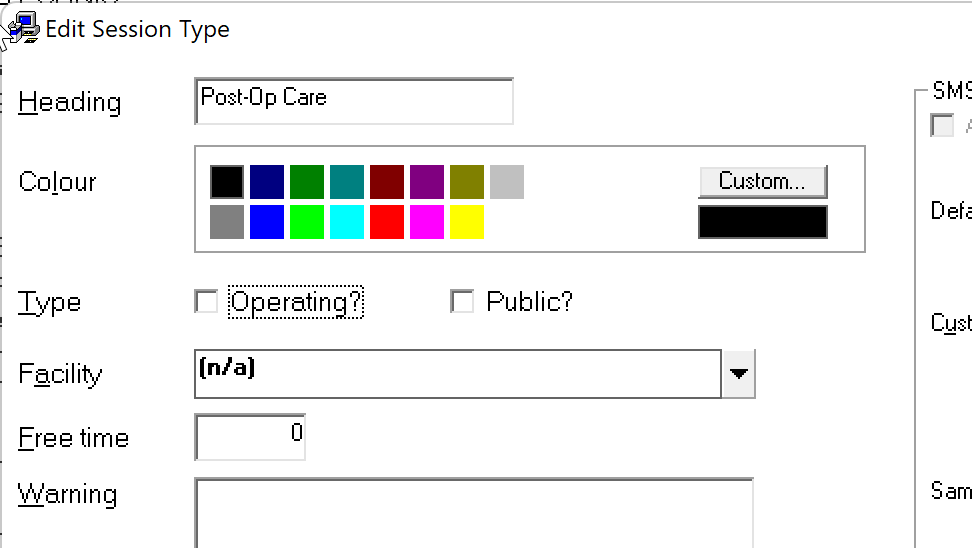
- Then link the Session to the Book. The Session name will be created from the Book that is selected
Setup > Appointments > Hospital > Medical sessions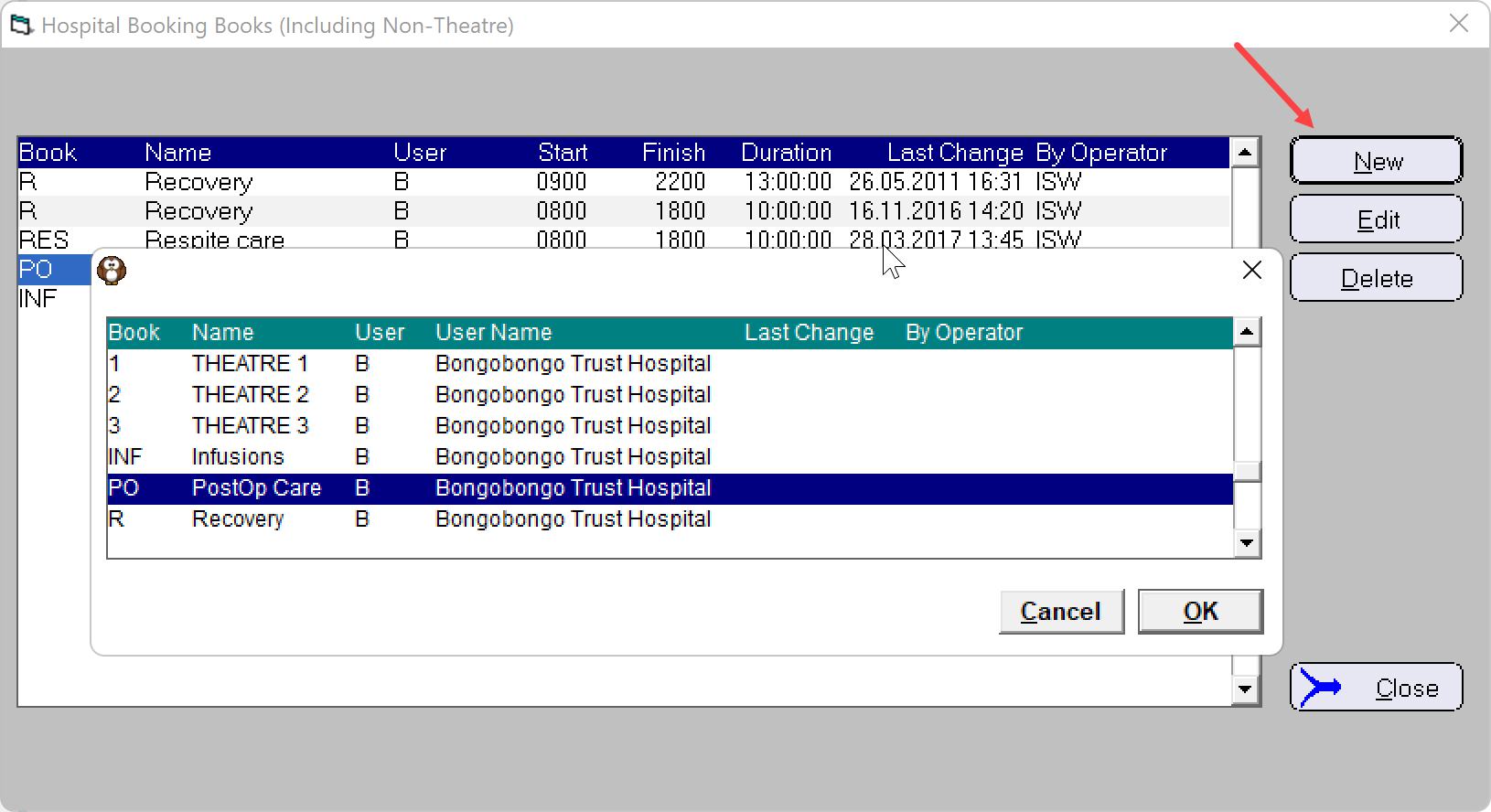
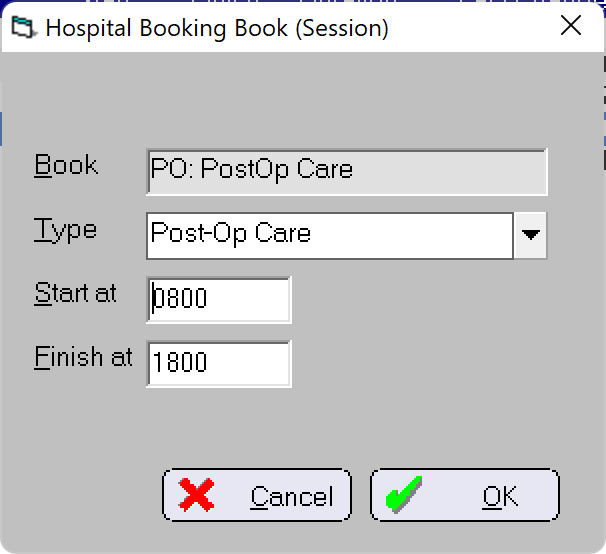
- Choose the relevant Session Type and just make an early Start and late Finish time. The times aren't all that important for ward care, but you may want to be more specific for clinics. The Sessions can extend automatically if the Booking Time is outside the range.
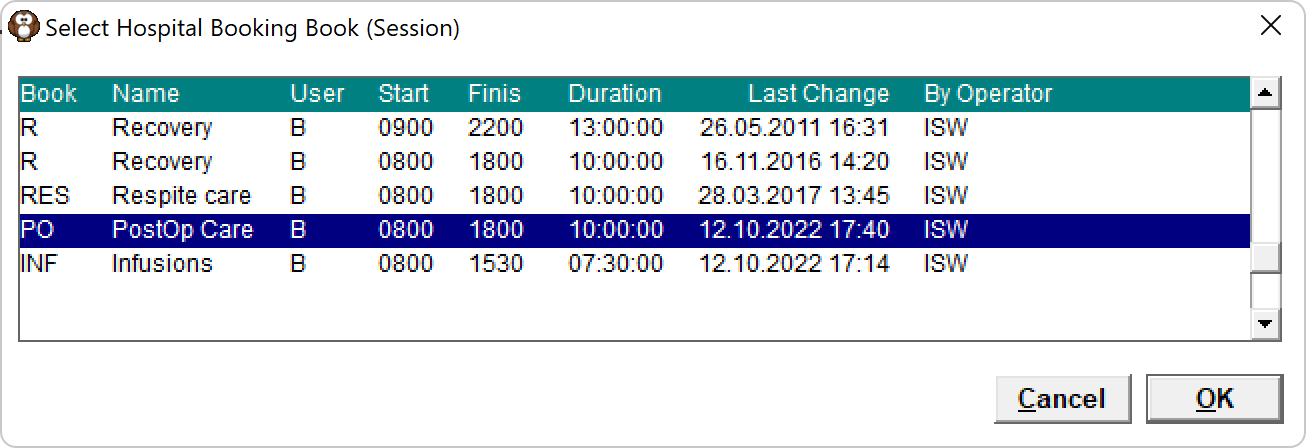
- Once you have the book you can then make the booking in Appointments > Hospital Bookings > Medical (non-theatre)
- Select the patient then the Book
- Make the booking as usual. The key difference is that there isn't an Operation Time - you can instead put in a nominal Booking time. There is a lot more flexibility in the Medical booking than a Surgical booking.
You do need
- a 'Surgeon' who is the Clinician responsible for the patient's careisw55475isw
- an Operation Type
You don't need a specific Duration. It's just to help with scheduling if you're running a clinic.
You can double-book patients in these medical sessions.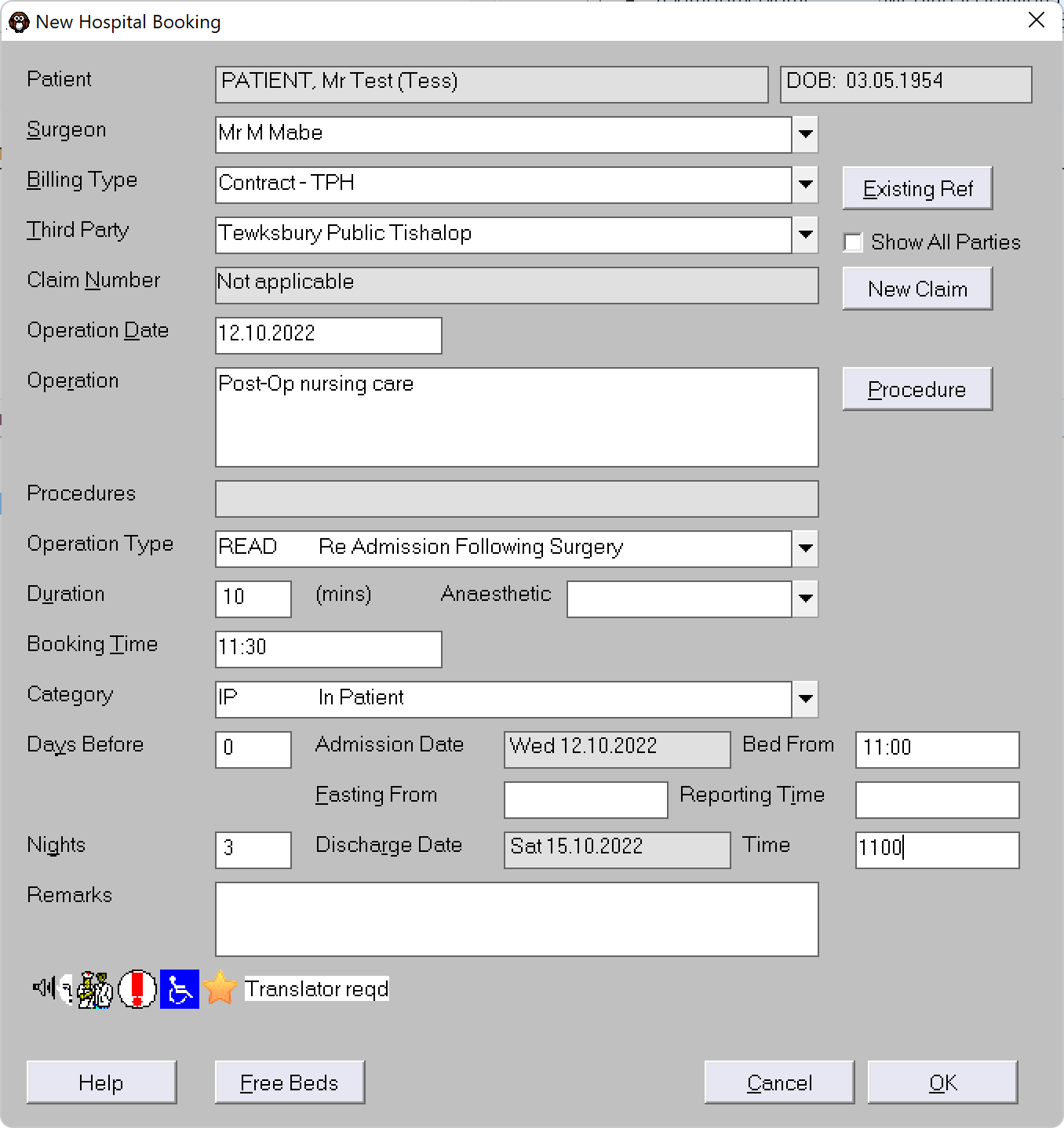
- Make the booking as usual. The key difference is that there isn't an Operation Time - you can instead put in a nominal Booking time. There is a lot more flexibility in the Medical booking than a Surgical booking.
- Select the patient then the Book
- The patient will then be in the 'Today's List' for Admissions (Admissions > Todays List)

- And can be assigned to a Bed (Ward > Bed Planner)