Ad hoc query
Data entered as Audit codes can be used to extract information related to the patient.
The standard Boolean operators are used to build the query. These operators are:
- AND - include this AND this
- OR - include this OR this
- ANDNOT - do not include this
Also include brackets ( ) to make the query more accurate.
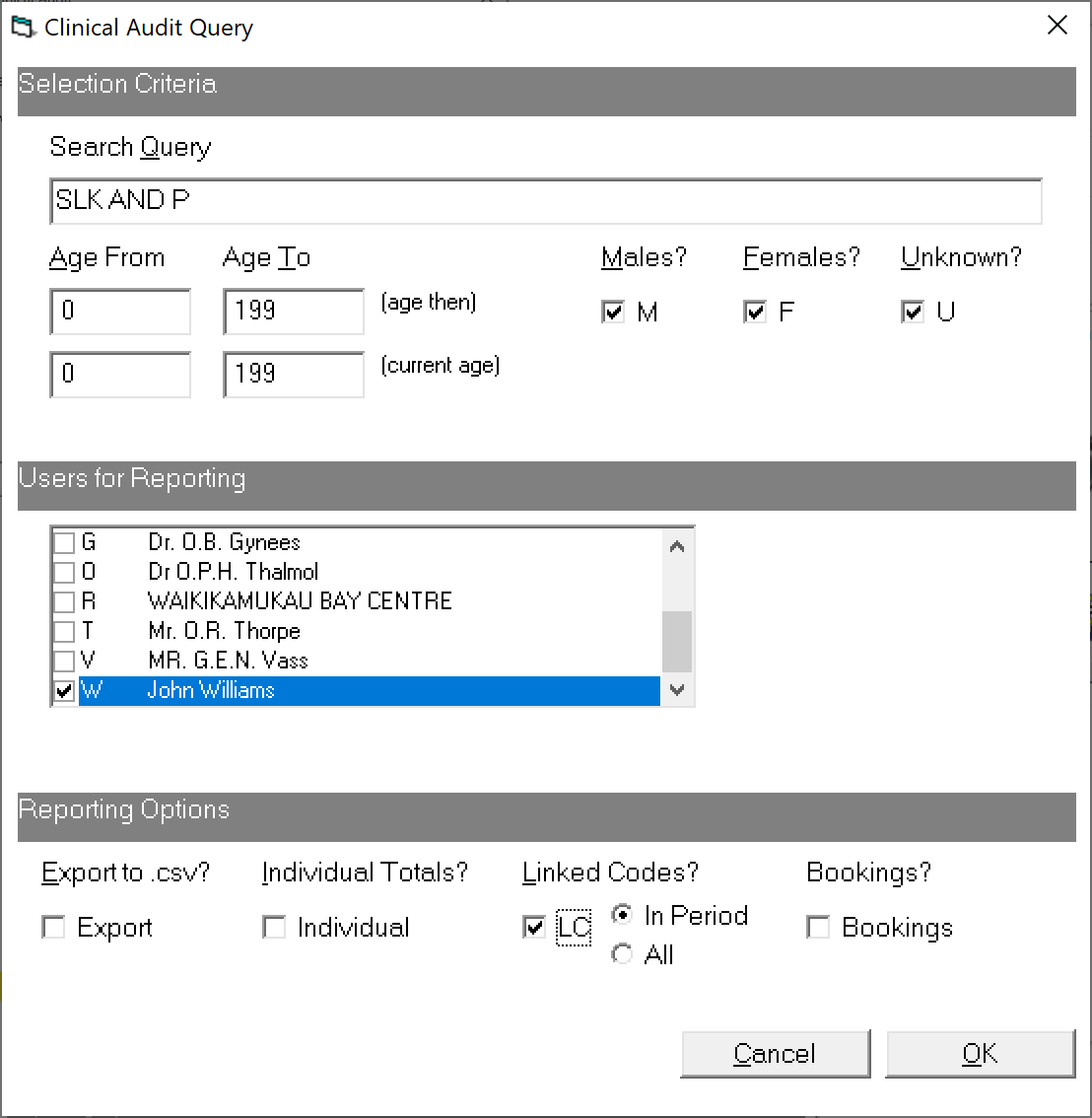
Go to Reports > Clinical Audit reports > Audit Query
Search Query
Use the AND, OR, AND NOT operators to build the query.
The search part of the query is only done within one episode. I.e. if you ask for 'SA' and 'DP', then it will only match if both SA and DP codes occur within the episode, not on SA from one episode and DP from another.
Examples
All Procedures of the Knee SLK AND P (Site:Leg:Knee AND Procedures)
All Arthroscopic procedures of the Knee or Hip (SLK OR SUS) AND (PPJA OR PPRA) (Site:Leg:Knee OR Site:Upper limb:Shoulder AND Procedure:Primary:Joint:Arthroscopy OR Procedure:Revision:Joint:Arthroscopy)
All procedures of the Upper limb not including the Hand P AND (SUS ANDNOT SUH) (Procedure AND Site:UpperLimb:Shoulder ANDNOT Site:UpperLimb:Hand
All procedures where there has been a Complication P AND (C ANDNOT CN) (Procedure AND Complication ANDNOT Complication:None)
Age From- Start of the age range of patients
Age To- End of the age range of patients
Males- Include all males
Females- Include all females
Unknown?- Include patients who do not have a 'Sex' entered
Users - Select the Users to report the data from
Export- Export the audit result to a .csv file that can be used in Excel
Individual - Total the number of codes for each individual patient in the resulting report
Linked Codes - Show only the codes that are linked for the same episode of care. This excludes codes for the same patient but related to another episode of care.
The Linked Codes options don't have any impact on the search. This just controls which other codes that have been entered against the patient, even though the codes don't match the search, which are also shown in the report.
In Period – only include codes for the episode that are within the specified date range
All – include all codes for the episode irrespective of date
Bookings? - includes the following in the export csv file - Last Appt, Next Appt, Next Recall, Death ( 1. most recent appointment if present, 2. earliest future appointment if present, 3. earliest non-actioned recall, 4. date of death/deceased.)
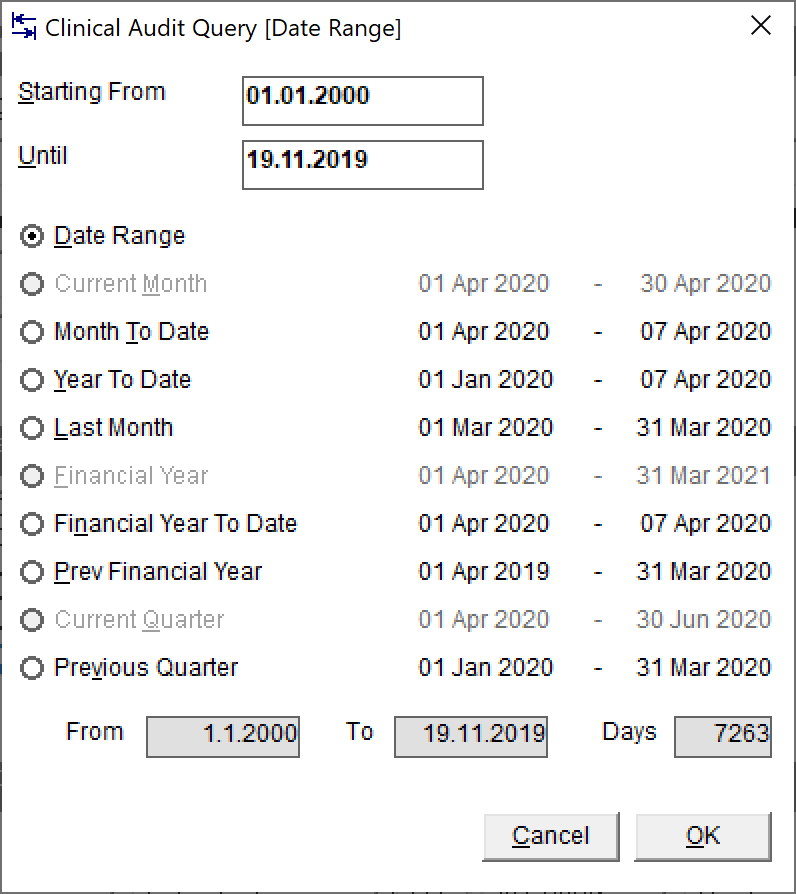
Enter the date range for the search
Without Linked Codes.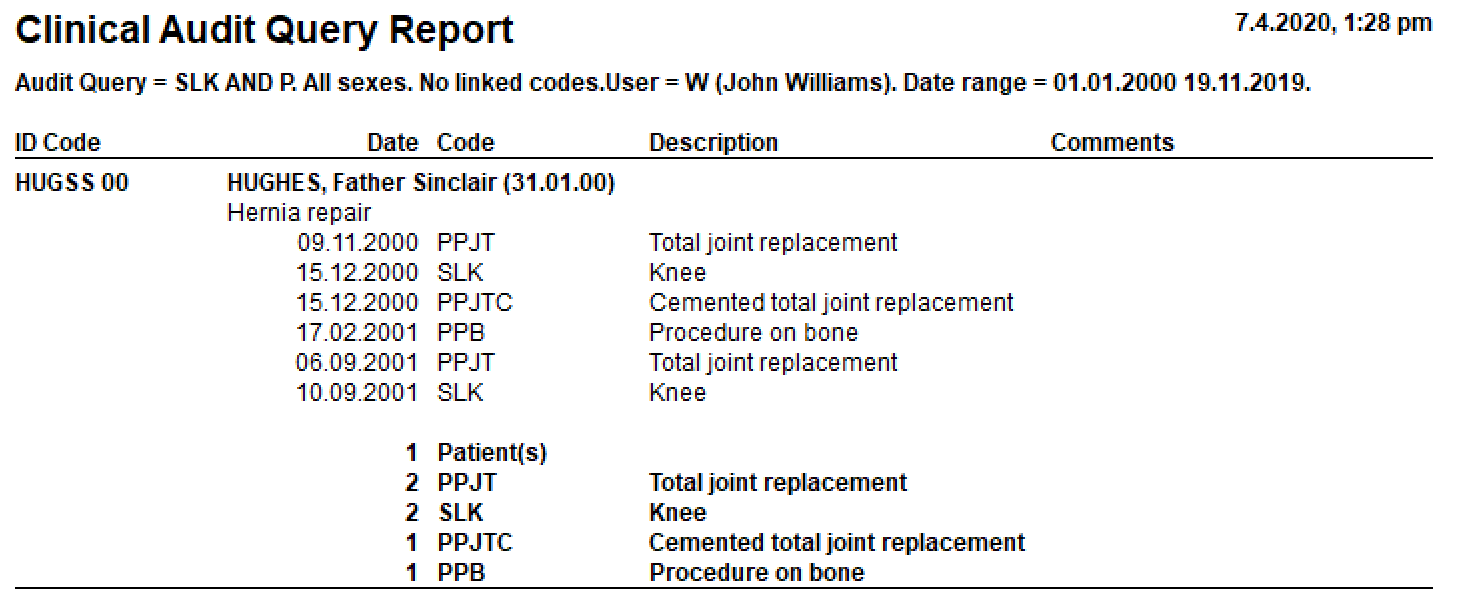
With Linked Codes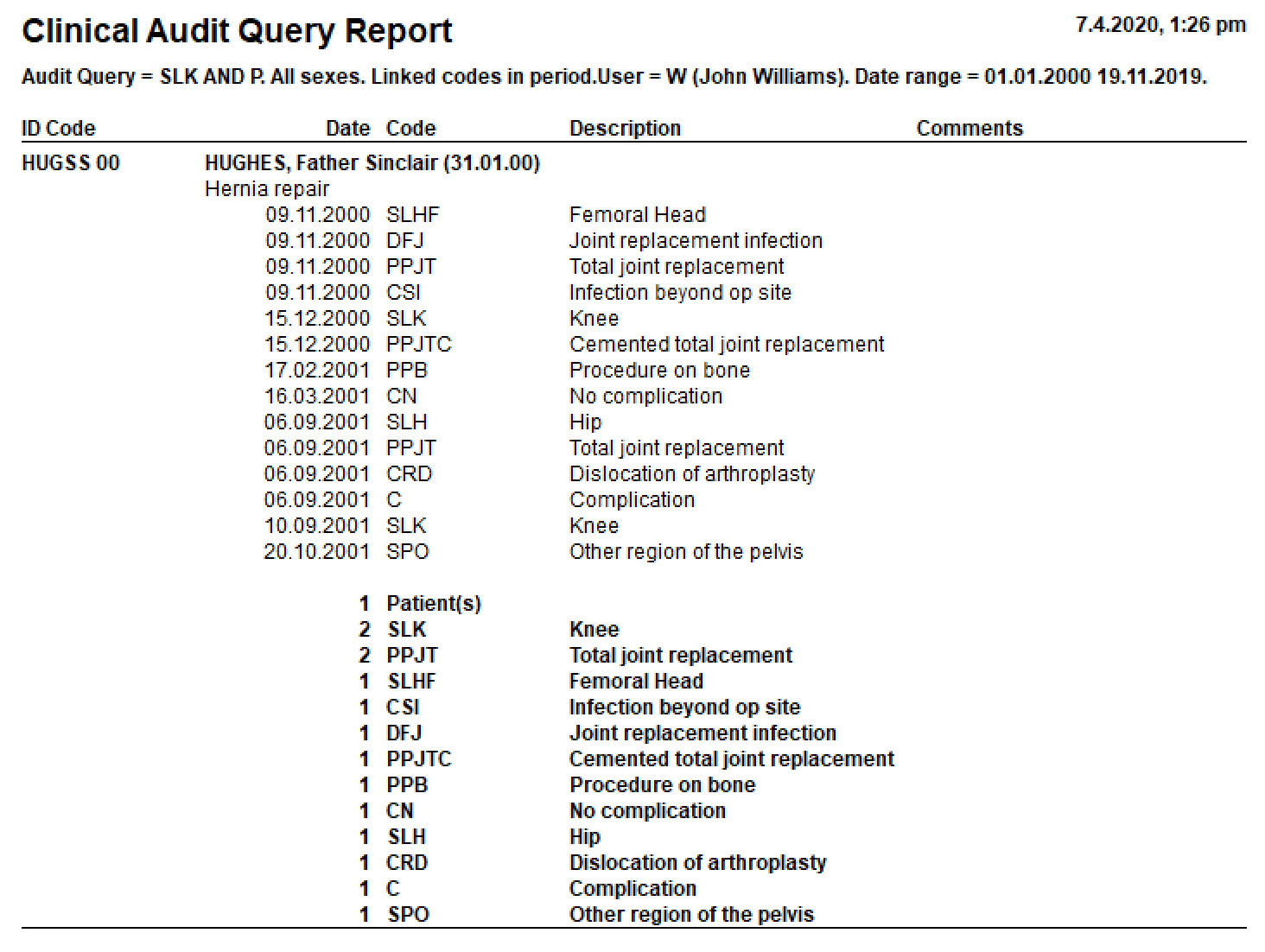
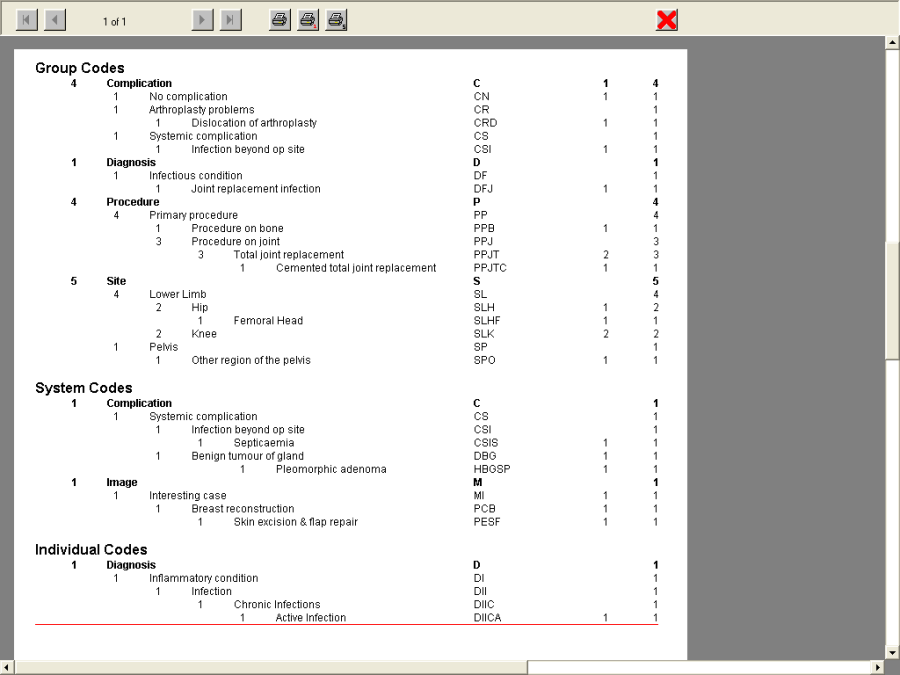
Count reports
If you require a numeric count of the audit codes that you have entered for a selected period you can use the following report:
Reports Clinical Audit Clinical Audit Count Report
Admission/discharge forms
In New Zealand the Ministry of Health require ADF96 forms to be submitted for admitted patients.
These forms can be generated from Utilities -> Export -> Exp. Electronic Discharges