This function links the Operator login with their Windows network account and will automatically log the Operator into the Incisive application.
This should only be enabled for staff who DO NOT use a common network login such as 'Reception' or 'Nurse Station' as this will not allow the Incisive application to accurately record which staff member is adding or modifying records in the Incisive system.
This option also does not allow the selection of a Location that is different than the Operator's default location. Do not use this function if you consult at different locations.
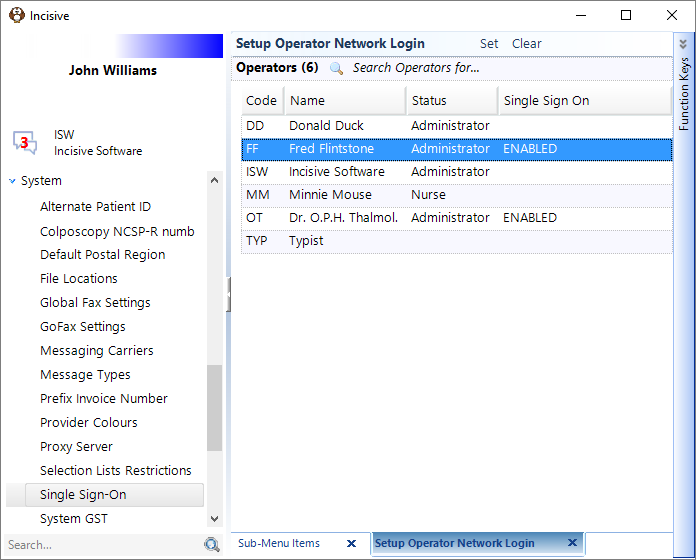
Set
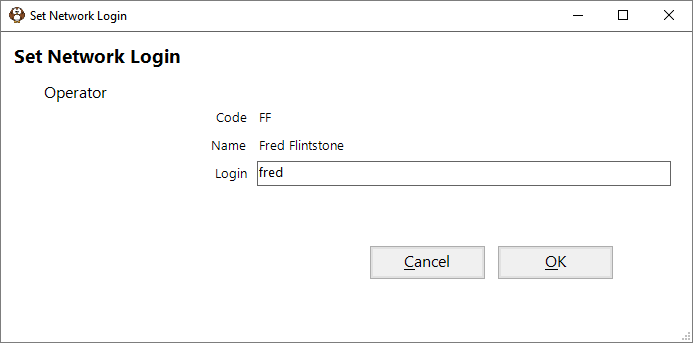
Use the Set button to link the selected Operator with their Windows network account.
If the Operator's network account is different from the one displayed in the 'Login' field just overwrite with the correct domain & login details.
Clear
Use the Clear button to remove the Operator login link with the Windows account and return to using the standard login prompt.