This option allows you to settle up your EFTPOS transactions. It should be carried out at the same time that you settle your EFTPOS terminal at the end of the day to ensure that the total credited to each bank account matches the total for the EFTPOS supplement. This ensures that the amount appearing in your Cash-Book matches what is on your bank statement.
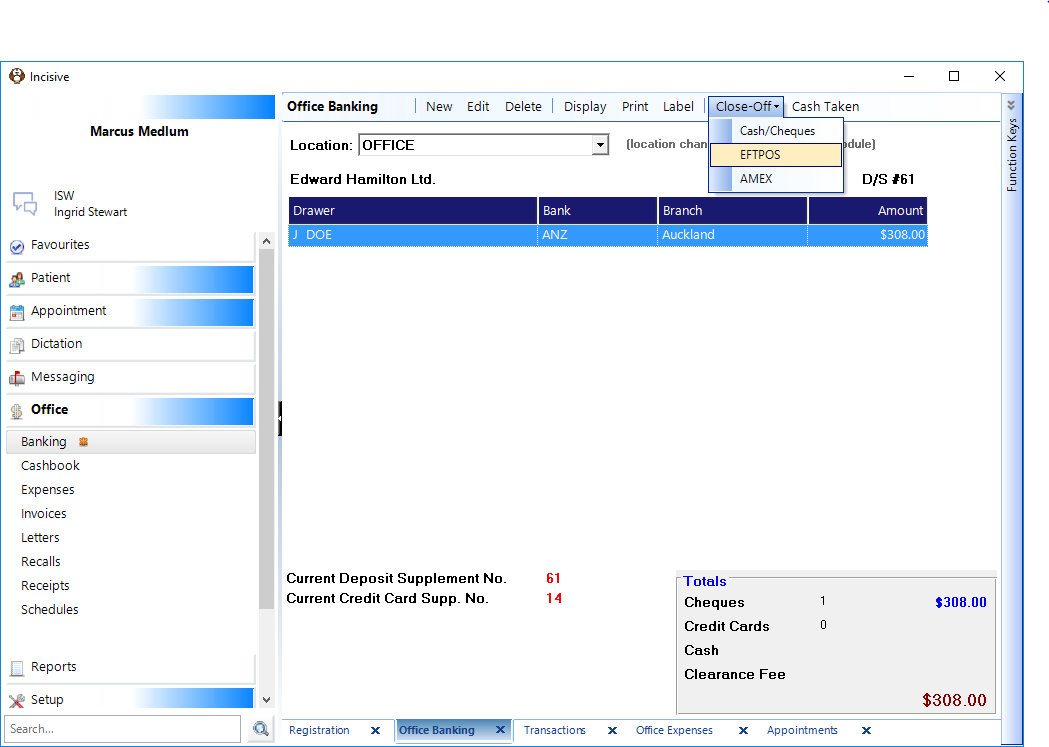
- From the Banking select Close-Off - Eftpos.
A screen will display the supplements, with the current one highlighted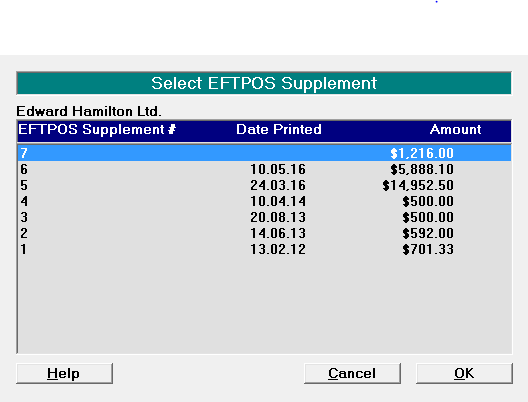
- Select 'OK' to select the current supplement; or
- Highlight another supplement and select 'OK'.
The individual entries making up the supplement appear on screen.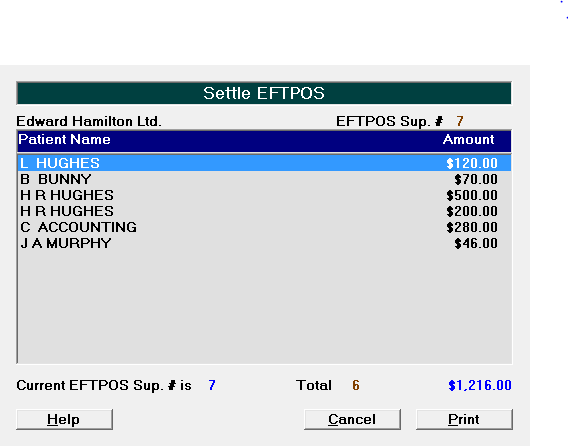
- Highlight another supplement and select 'OK'.
- Check the entries.
- Check that the number of items recorded on the supplement matches the number of chits (Debit Purchases plus Visa Purchases) for the appropriate bank and that the Total matches the amount credited to Bank Account on the EFTPOS Terminal chit.
- Check the individual chits against the Supplement to ensure that the amounts match. If they do not match, then edit the appropriate receipt and correct the amount.
- Check that you do not have more chits than the number on the supplement. If you do, then a receipt (or receipts) may have been receipted with the wrong payment type.
- Edit the appropriate receipt and change the payment type.
- Select 'Print'.
The EFTPOS Supplement Report displays on screen.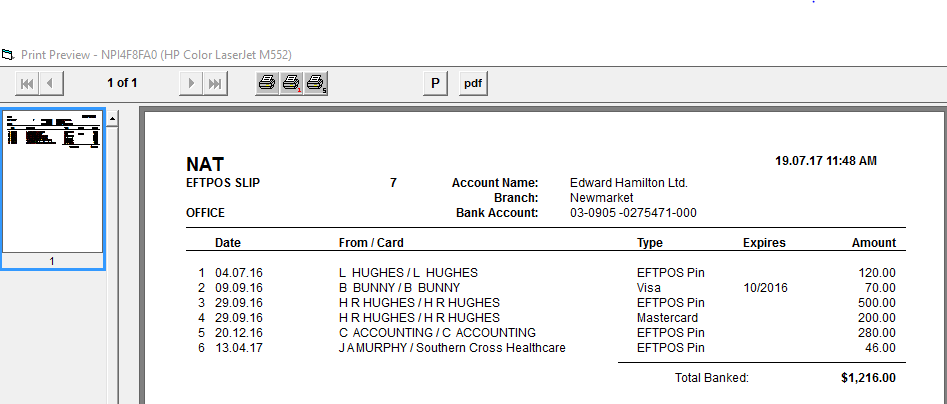
- If you want to get a physical printout, select the left Print icon at the top of the screen. You should attach the chits to this printout and file it with the copies of your Deposit Supplements.
- Select the Exit icon in the top right hand corner of the screen.
- Select 'Yes' to settle the EFTPOS Supplement and start a new one.
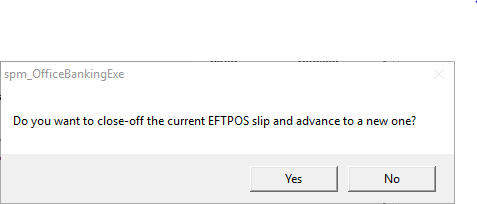
The total is transferred to the Cash Book.
NOTE:If there is a difference between the amount settled on the EFTPOS terminal and the Supplement, then you should delay settling the Supplement and sort out where the discrepancy is.