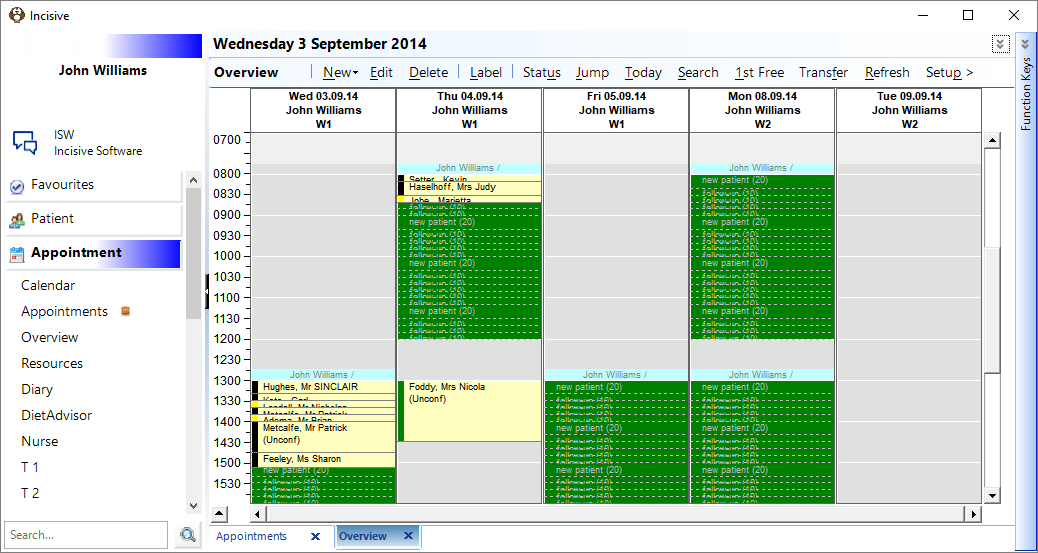
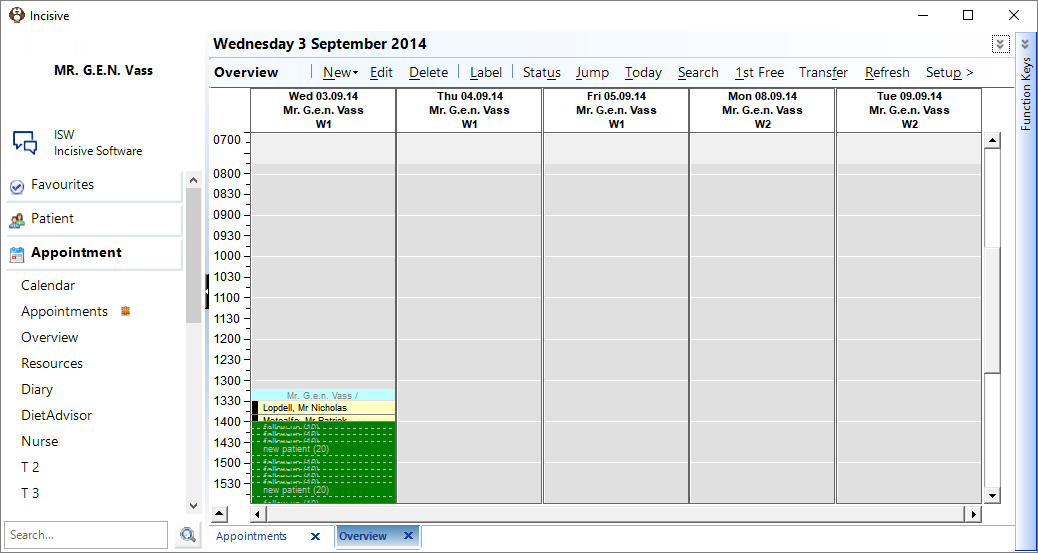
Each Operator is able to configure the Overview to suit themselves.
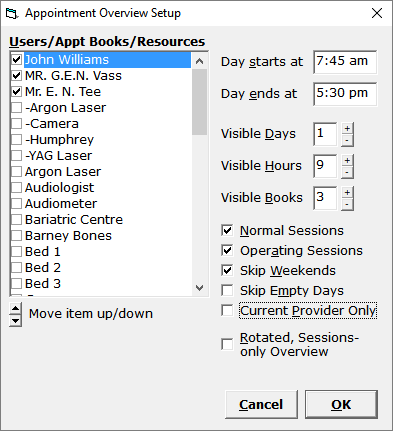
Users/Books/Resources | Select the Providers, Books or Resources that you want to display in the Overview.
|
Move Item Up/Down | Arrange the display order. The highest in the list will appear in the left-hand column - the lowest in the list will appear in the right-hand column |
Day starts at | Enter the time at which the earliest session will start |
Day ends at | Enter the time at which the latest session will finish. |
Visible Days | Enter the number of days you want to display in columns at any one time. |
Visible Hours | Enter the number of hours you want to in view at any one time. |
Visible Books | Choose the number of Users (Providers), Books or Resources you want display. The number of Visible Books should be the same as the number of Providers/Books/Resources that you have previously selected from the list. The Visible Books option will be disabled if the 'Current Provider Only' option is selected |
Normal Sessions | Sessions not marked as 'Operating' i.e. Consulting, Dressings etc. |
Operating Sessions | Sessions marked as 'Operating'. Use this option if a doctor is wanting to look at their future operating lists. |
Skip Weekends | Don't display weekend days |
Skip Empty Days | Don't display any days that do not have any Sessions created. |
Current Provider Only | Allows you to just display the sessions that are for the currently selected Provider. Then, by using F2 to change the Provider, all the sessions are for the newly selected doctor. This option allows you to display information that for the selected doctor and is an alternative to having to go into the Setup option each time.
Then use F2 to change the Provider
|
Rotated Session view | Not Functional |