If using the ICD-9 or any of ICD-10 code sets you need to make sure that the relevant code sets have been imported into the database and that an index file is available for you.
If unsure contact the Incisive Helpdesk
The Configuration screen is where the different audit methods are set for each Provider.
- Select the primary code selection for the Provider.
- Check what other coding methods you also require for this Provider.
- Select 'OK' to save the settings.
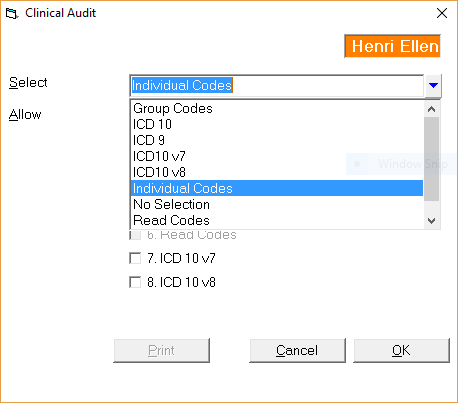
The options selected in the 'Allow' section allows you to enter these types of codes in Patient > Clinical Audit.
It is therefore possible (but not practical) to enter both a constructed individual code and a ICD-10 code at the same time.
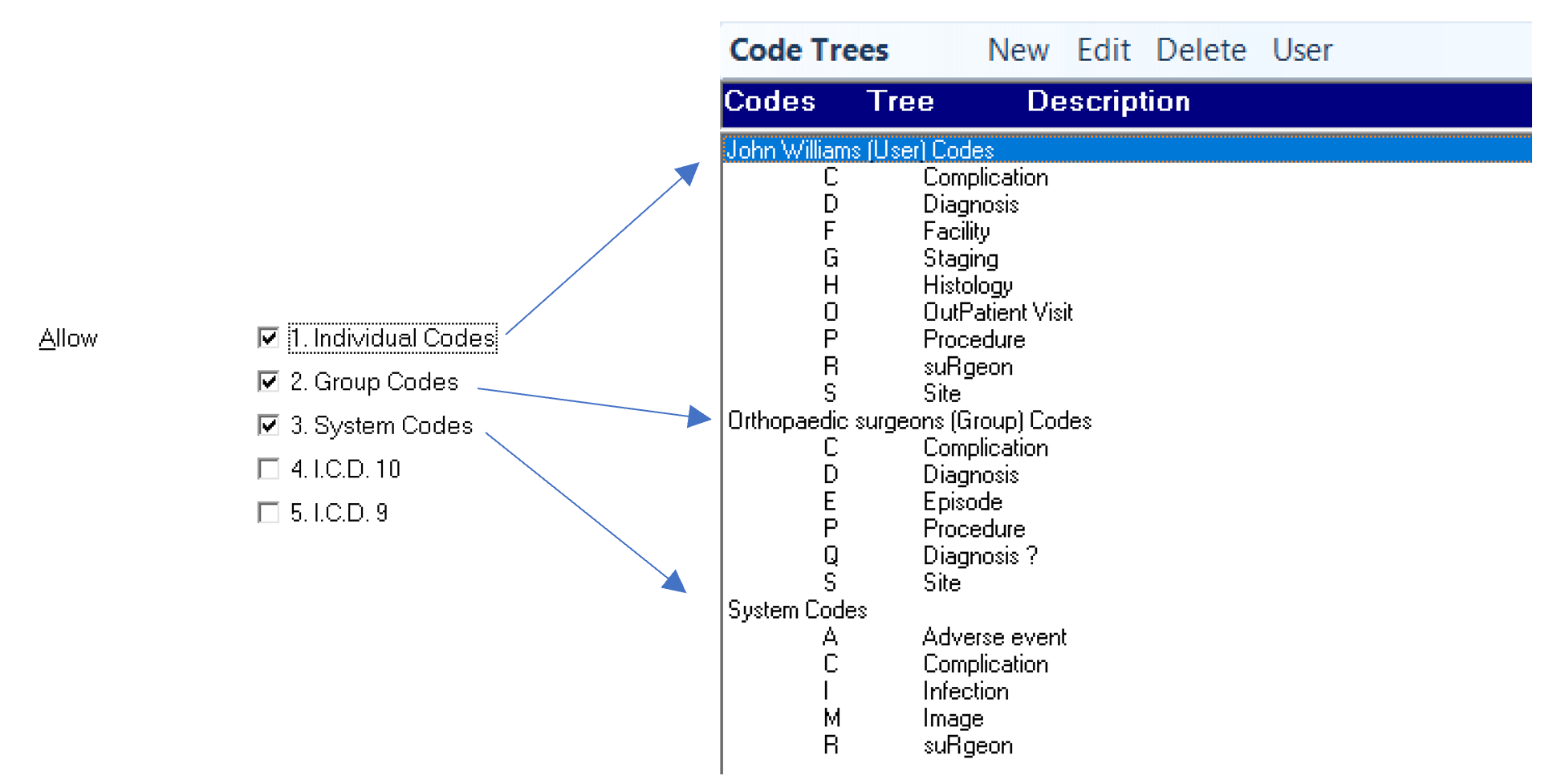
Individual Codes | If the Provider has or wants to have his or her own set of audit codes, check this option on. |
Group Codes | If the Provider wants to use codes shared by the group, check this option on. The selection of this option will be dependent on how the 'Groups' are configured in your database. If for instance, the Groups are set by (sub) specialty, i.e. Upper Limb Surgeon, Foot and Ankle Surgeon. In this way, Providers with the same sub specialty can use the same codes. |
System Codes | If all Providers are wanting to use the same set of audit codes, select this option. |
ICD 10 | If ICD 10 Codes are to be used, check this option on. (obsolete) |
ICD 9 | If ICD 10 Codes are to be used, check this option on. (obsolete) |
Read Codes | Obsolete. |
ICD 10v7 | If ICD 10v7 Codes are to be used, check this option on. |
ICD 10v8 | If ICD 10v8 Codes are to be used, check this option on. |
How Do I...
- Displaying the audit entries
- Setting up the audit
- Entering audit data
- Audit reporting
- Export Audit data for Socrates
- Procedure Coding for a Hospital