The clinical and administration records are held separately for each Provider. This means that, by default, you cannot see all of the records for a patient if they have been entered by different Providers.
To switch between the records for each Provider you must use the F2 function key.
The F2 key is reserved for this purpose. It works from all modes.
- Press F2.
A drop down box appears with a list of possible Users and Group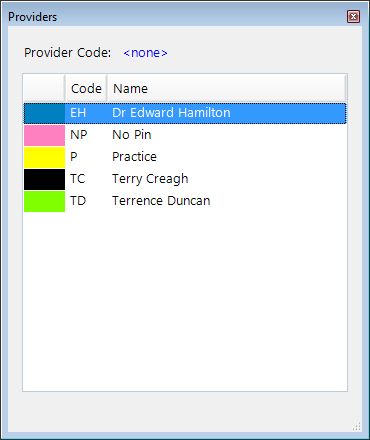
- Select the desired Provider (User) with one of the following options:
- Using the Arrow keys and Enter; or
- Typing the Provider identifier; or
- Double left mouse click on the Provider.