This option allows you to quickly find a time slot that is available for an appointment. You can be either quite specific or broad with the search criteria.
The selection filters used for your previous search are remembered and will be applied to the subsequent search as well.
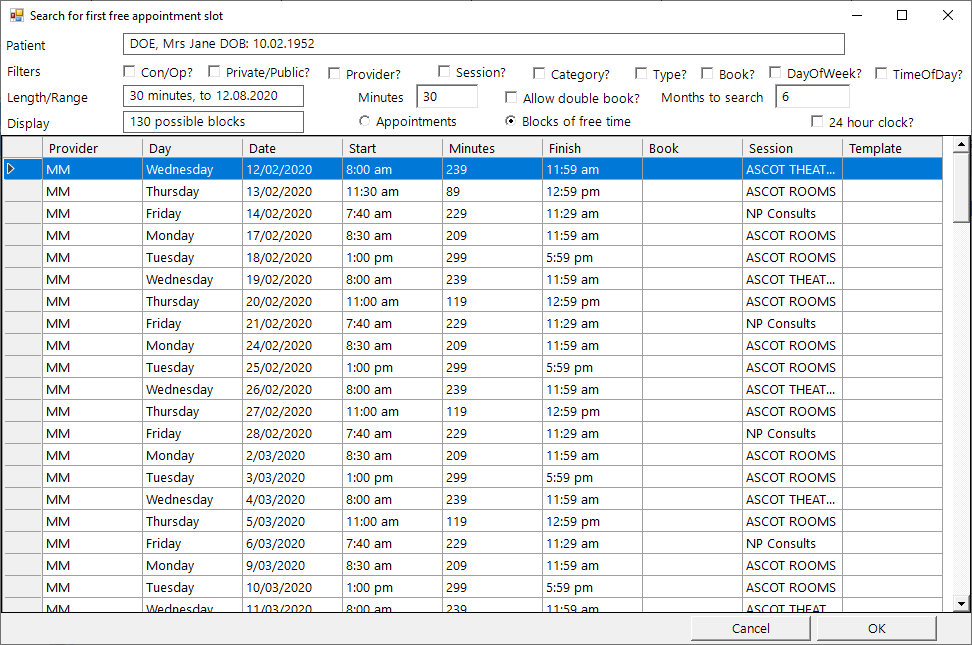
Patient
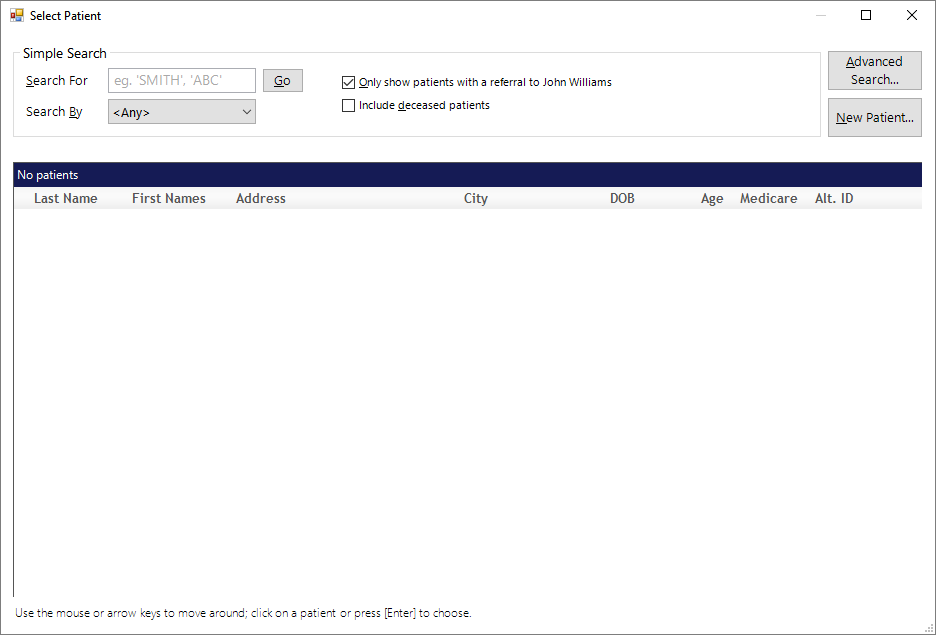
When you first select 1st Free the Select Patient screen will appear and you can choose your patient.
Filters
Con/Op | This allows you to choose whether you want a consultation or operation appointment, the length and range of the appointment. |
Private/Public | You can choose whether you want a private or public session. This is configured in Setup - Appointment - Session Types. |
Provider | If you have multiple providers you can select your provider. |
Session | Choose a particular session depending on the appointment type. |
Category | Select all categories or alternatively choose an individual category. |
Type | Select all types or alternatively choose an individual type. |
Book | Select all books or alternatively choose an individual book. |
Day of Week | Select all days or alternatively choose the day you require. |
Time of Day | Select your required time. |
Length/Range
Minutes | Amount of minutes required for appointment. |
Allow double book | Whether you are happy to double book an appointment. |
Months to search | Search range in months. |
Time of day
Before 0900 | Before 9am |
0900 -1159 | Between 9am and 12 midday |
1200 - 1459 | Between 12 midday and 3pm |
1500 - 1659 | Between 3pm and 5pm |
1700 or later | After 5pm |
Display
Appointments | Shows the appoints available. |
Blocks of free time | Shows blocks of free time available for both days and times. |
24 hour clock | Option to switch to 24 hour clock. |
Operation? | Choose the Session type - Consultation or Operation |
Appointment Type | Optionally, choose an Appointment Type. |
How Long | The default appointment time is inserted when you select the Appointment Type. Change the time if you need to. |
Private/Public | Choose whether Private/Public or All |
Day of Week | Choose specific days of the week |
Anyone in Group | The search can look across the appointment books for any Providers who are members of the same Group as the selected Provider. |
Allow Doublebook | Allow double-booking of appointments. |
Session Type | Optionally, choose a specific type of session to search in. Useful for a facility at a particular location. |
Earliest Time | Specify the earliest time of the day that the appointment can start |
Latest Time | Specify the latest time of the day that the appointment can finish |
Earliest Date | Specify the earliest date that the search can start |
Latest Date | Specify the latest date that the search can continue until. |
Possible Appointment Times
Displays a list of time spans that will accommodate the search criteria you used. If there are multiple periods available during a day there will be repeat entries listed for each period of the day.
Highlight the suitable time and the Patient Name and Appointment Type will be used to create an appointment for the selected date and time.