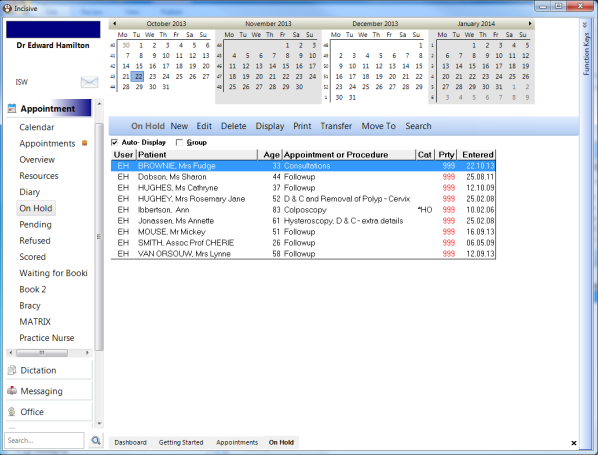
- Go the Appointments > Select the Waiting List tab that you wish to use.
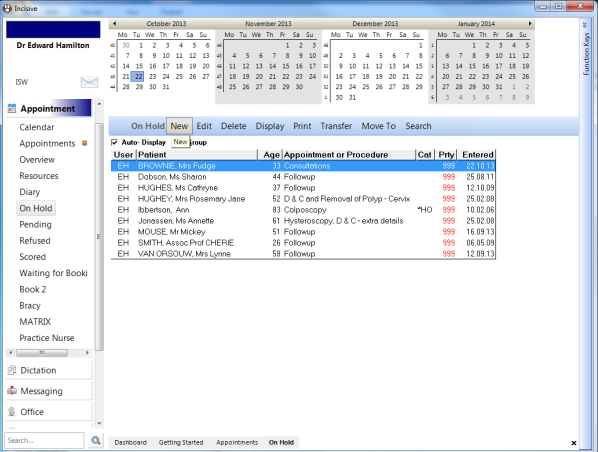
Click on the 'New' button to add a patient to the Waiting List.
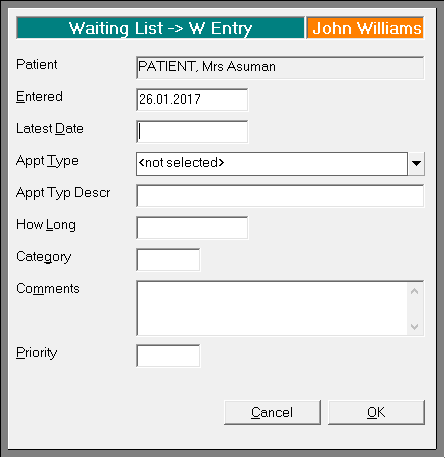
Entered | Date of entry | Mandatory |
Latest Date | Date you want this entry to be sorted on eg end of approval eligibility | Optional |
Appt Type | Select the type of booking the patient will have in the future | Mandatory |
How Long | Length of booking. Alter if different from the default | Mandatory |
Category | Any text can be entered in. Use to allocate patients to a category | Optional |
Comments | Add text about the entry of the patient to this Waiting List | Optional |
Priority | Allocate a number of 1-9 to indicate a priority | Optional |
Click on the header part of the column to sort the whole waiting list by that column