As the Message Centre has the most recent versions of these functions, no new development or fixes will occur.
This screen is planned to be deprecated by 2019.
RSD is an acronym for 'Referral, Status, Discharge'. This option is used to view all the incoming documents or files that are sent to your practice in the HL7 format.
Generally, the main types of mail that come into this area are:
- Referral letters sent to you by referring doctors, and;
- Discharge letters from practitioners who have been treating your mutual patient.
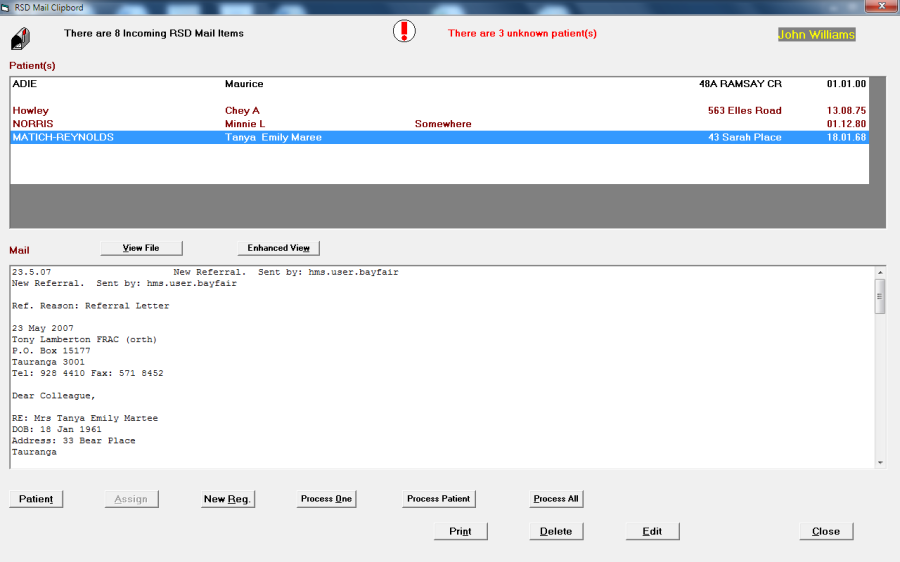
To view the RSD Mail,
- Check you have the correct User selected (F2)
- Go to Messaging -> RSD Mail
- Select the Utilities module
- Select the View RSD Mail button.
- Assign patients and Process mail in the same way as Lab Results Mail
Unclaimed RSD Mail
To view unclaimed RSD Mail:
- Select the Utilities module.Go to Messaging -> Unclaimed -> RSD Mail
- Select the Unclaimed RSD Mail button.
- Process mail in the same way as Lab ResultsMail