RSD is an acronym for 'Referral, Status, Discharge'. This option is used to view all the incoming documents or files that are sent to your practice in the HL7 format.
Generally, the main types of mail that come into this area are:
- Referral letters sent to you by referring doctors, and;
- Discharge letters from practitioners who have been treating your mutual patient.
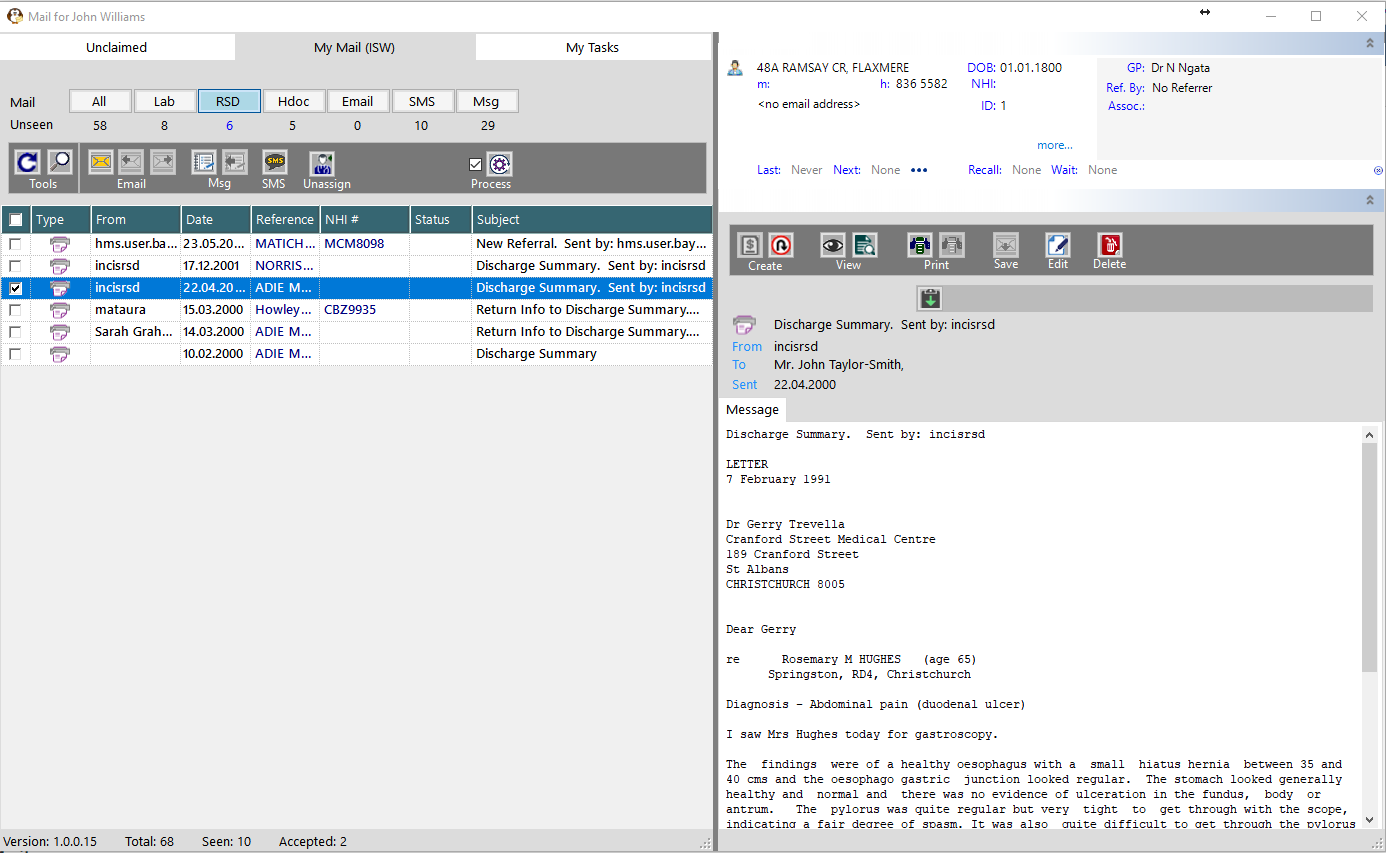
To View & Accept the RSD Mail,
- In the 'My Mail' tab select the RSD option
- Select the patient in the Message List panel (left-side)
- If the patient's name is in a Red font colour it has not been matched to a patient in the database. Use the Match, Select or Register buttons.
- Perform any Actions or Tasks in the Message Content panel (right-side)
- Mark the document as 'Accepted' by putting a tick in the check-box in the Message List toolbar or press the Spacebar.
- Use the 'Process' button to move the letter to the patient's file.