As the Message Centre has the most recent versions of these functions, no new development or fixes will occur.
This screen is planned to be deprecated by 2019.
Go to Messaging -> Select the SPM Utilities module and select View Lab Mail buttonLab Results. This allows you to view incoming lab results that have not yet been transferred to the patient's files.
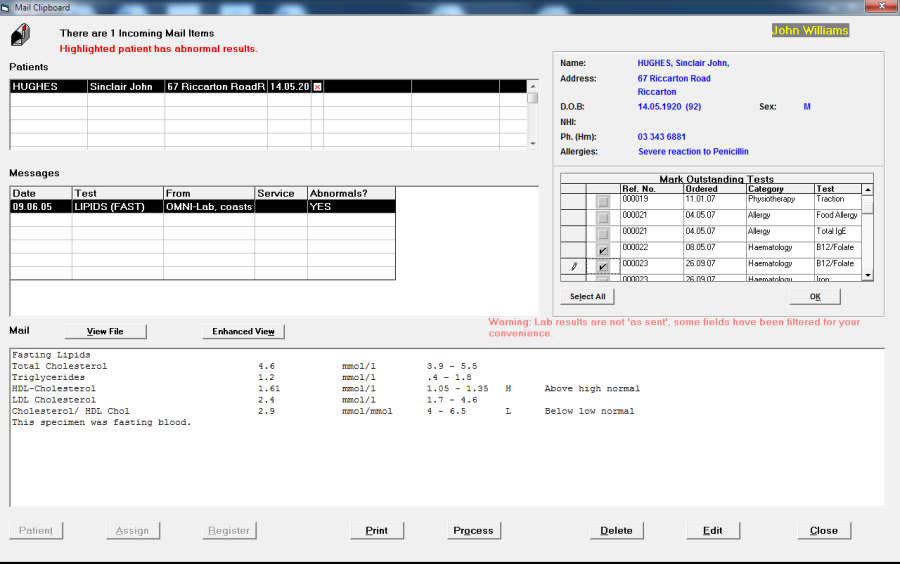
The top half of the screen is a list of patients for whom there are results. This list can be divided in two. The patients at the top, and the font colour is black, have been "matched" with a patient already registered in SPM. Those that display at the bottom of the list, with a red font colour, (if any) have not found a "match" and the message "There are x unknown patient(s) appears at the top.
The bottom half of the screen displays the "mail" for the patient highlighted in the top half.
To match up results with patients
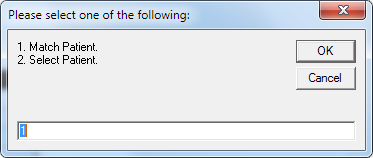
If the patient falls into the "unknown patient" category, you can do a search for possible matches in the database, by either having the program look for a match based on the name and date of birth details (Option 1 – Match Patient), or you can select a match from all the patients in the database (Option 2 – Select Patient).
To Match a Patient:
- Select the Patient icon.
- Select 1 (Match Patient)
- Possible "matches" display in the bottom half of the screen where you would normally view the lab results.

- If the patient selected in the top half of the screen, matches a patient in the bottom half of the screen, select the patient.
- Select Assign.

To Select a Patient:
- Select the Patient icon.
- Type in the number '2' (Select Patient). The usual Select Patient (F4) screen will appear.
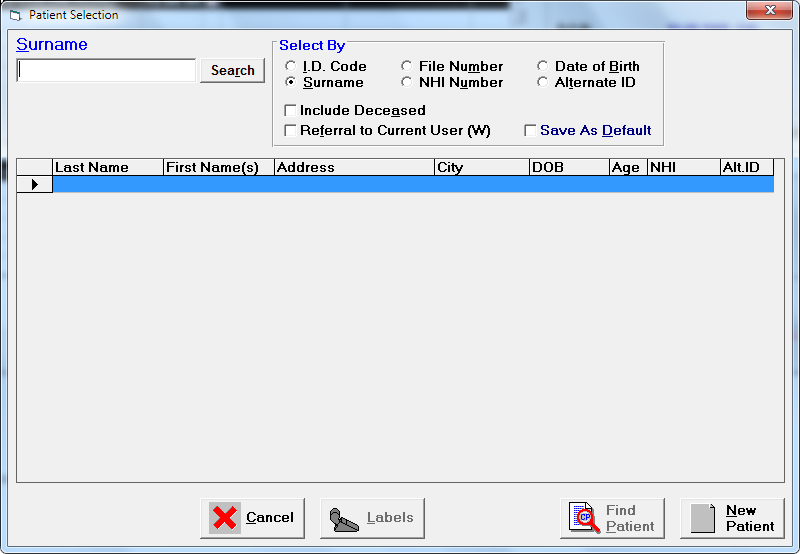
- Search for and select the relevant patient.
- Confirm that you want to assign the incoming results to the selected patient. Note, you must extremely careful with this option to avoid assigning result incorrectly.
Assign
Assign appears dimmed until a Patient "Match" for the lab result has been found.
- From the list of "Possible matching patients" select the correct patient.
- Select Assign.
- Confirm that the two patients are one and the same.
- Process the results.
No Possible Matches
If there is no match, or none of the patients listed matches the patient selected in the top half of the screen, you can either choose to:
- Register the patient as a new patient;
- Delete the result; or
- Adopt a "wait and see" policy.
If you are receiving results requested by the GP with a "Copy to" you, it is possible that the lab results arrive before the patient is registered onto the system.
Alternatively the GP may have requested a copy be sent to you, but because an earlier appointment was found elsewhere, the results are no longer required. If this is the case (i.e. the results have been sitting around for some time) then they can be deleted.
Delete
This allows you to delete the selected result, perhaps because it has already been sent, or sent in error.
Register as New
If "Match" has failed to find the Patient, you can automatically register the patient onto the database using the details supplied by the lab in the incoming file ie Last Name, First Name(s), Date of birth and address.
If you want a list of all incoming results select Print to get a listing before you process the results. Please note that this is only a list of patient names, dates of birth, date of result and the type of result, rather than the result itself.
Process
This processes the results onto the patient's file. This option must be run to transfer the results to the patient's individual files.
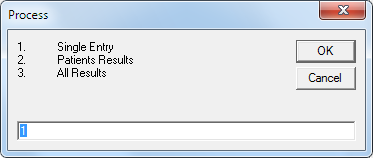
Either:
- Select 1 Single Entry to process a single highlighted result to the patients file, or
- Select 2 Patients results to process ALL results for the highlighted patient onto their file, or
- Select 3 All Results to process ALL results for ALL patients onto their patient file.
Edit
This allows you to edit the selected result. This should be used with caution as it can be dangerous to alter the text from the original incoming result.