An operation list or clinic list can be faxed or emailed to the facility plus copies to additional recipients.
- Ensure your focus is either on the session header or within the list.
- Select F7 (Send).
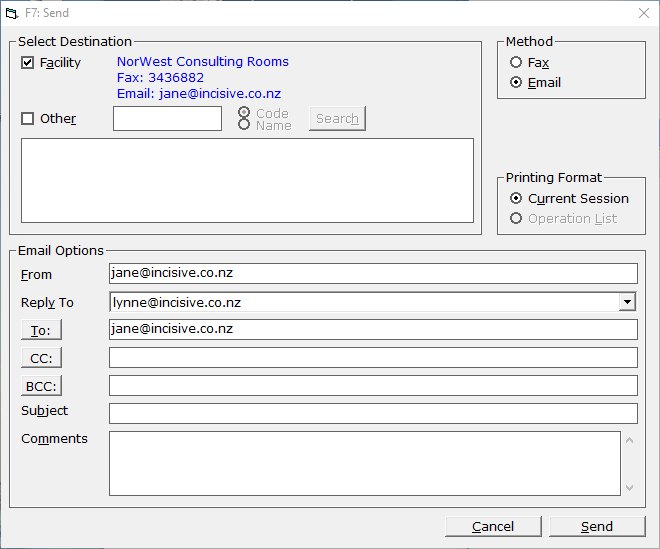
- If the session links to a facility, this will automatically be selected. If the list is not to be sent to the facility, deselect it.
- Select 'Other' if a different recipient is required, or if another recipient is also required.
- Search for the other recipient and then highlight the entry.
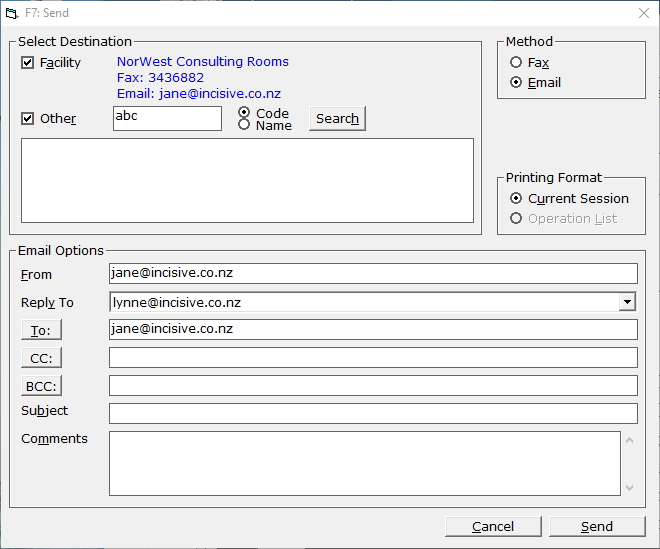
- The additional recipient will then be added to the 'To' recipients.
- Further entries can be free-handed if required into either the CC or BCC sections.
- Add a Subject and Comments as required.
- Select Send.
- A preview of the list will display.
- Select 'Send' to email or fax the list.
Method
Select from Fax or Email. The option that can be selected in.
Printing Format
This will be dependent on the recipients preferred method and whether an email address or fax number is configured for the contact.