When using Remote Desktop, RemoteApp or Citrix connections, in Incisive, the network login name is used to create a virtual 'Workstation' name.
This option can preselect your Normal and Label printers based on the Location you have chosen when you log in.
The Locations can be separated geographically or just different locations within the same facility.
Prerequisites
- Configured for Remote Desktop, RemoteApp or Citrix settings (Citrix=True in the spm.ini)
Locations configured in Setup > Locations.
These could be either a remote clinic location, i.e. North Shore, or individual consulting / treatment rooms where the printers are specific to the location.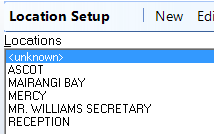
The Locations are also used for 'Banking' so be cautious with the number of Locations you create.
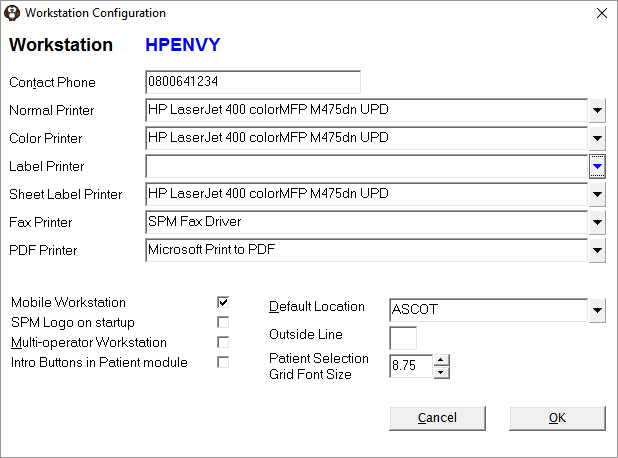
The flag Mobile Workstation is selected in Setup > Workstation > Workstation Configuration.

If the 'Mobile Workstation' is not selected then the 'Default Location' will be automatically used when logging on.
Configure the printers for each location
Each network login will need to login to Incisive selecting each Location that may be used in turn and configuring the printers for that location.
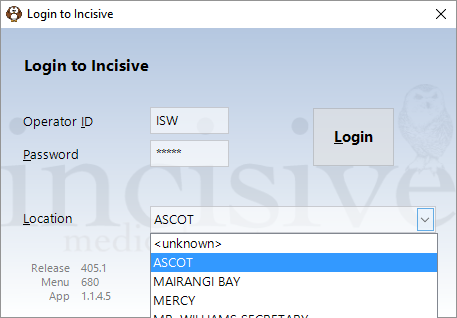
- Log in to Incisive, select the location from the drop down list.
- Configure the printers for this location in Setup – Workstation – Workstation (ignore the location selected in the default location selection).
- Exit out of Incisive and repeat for each location.
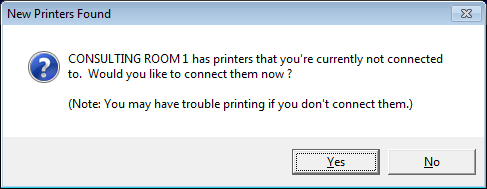
On logging in to Incisive, you will be prompted to connect to the printers for the selected location if the currently selected printers (for another location) do not match.