Selection of the Insert Table icon will bring up the following screen to enter the number of rows and columns required.
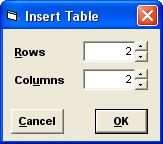
Table Properties
To set the properties for the whole table, select all rows and columns,
Right mouse click on the table and select Properties to set Frame and Colour, and / or Size and Formatting.
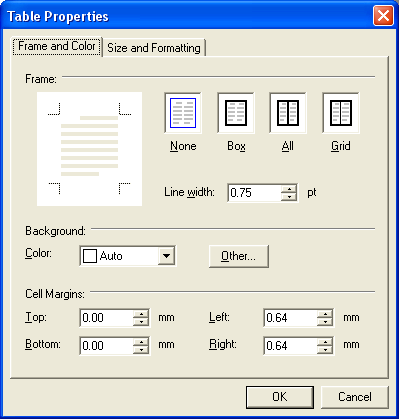
Frame:Select from None, Box, All or Grid.
Line Width:Select the thickness of the line around the frame.
Background:Select the background colour from the dropdown list, or optionally select Other to select additional colours.
Cell Margins:Set the distance from the text to the Cell frame.