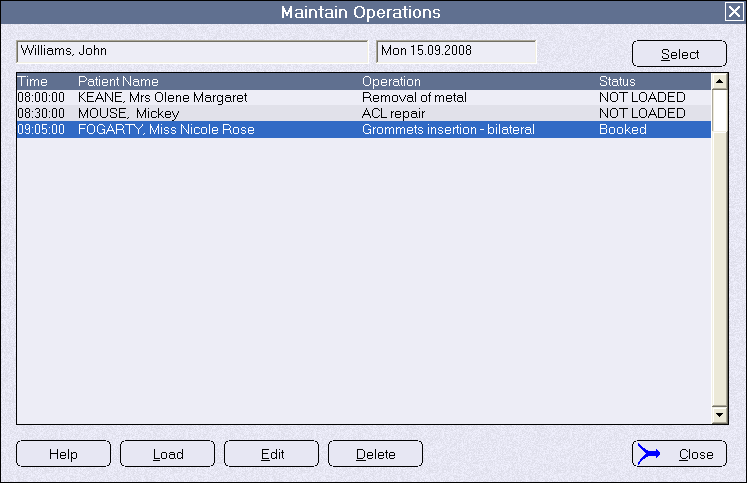
Hospitals and Day Surgery facilities that have consulting rooms associated to them, and whose surgeons use the 'Specialist Practice Manager' (SPM) application from Incisive which accesses the same database as the hospital, can set up the Hospital Booking application to link to the surgeon's operating list and import it into the hospital's theatre register.
This means that the hospital staff do not need to re-enter the patients or operation details a second time.
The software will then poll the surgeon's list on a regular basis looking for changes to their operating list, and will allow the hospital's theatre list to become updated with the modified details.
Operating lists from surgeons using SPM whose consulting rooms are not adjacent to the hospital, and are not using the same database as the hospital, are not able to be imported.
The records that are created by the import process belong to the Hospital User. At the time of importing, a new referral to the hospital is created with the surgeon as the referrer.
In hospitals where there are both resident and visiting surgeons you can setup the Hospital Booking application to enable combined methods of entry.
Surgery Details need to be added or 'LOADED' to each booking to complete the details about the operation. These surgery details do not transfer to the surgeon's appointment book.
Effectively, once the correct configuration is made in Setup, the booking process is largely the same as making a new booking directly from a consent sheet.
To configure the Hospital Booking application to copy from a surgeon's appointment book.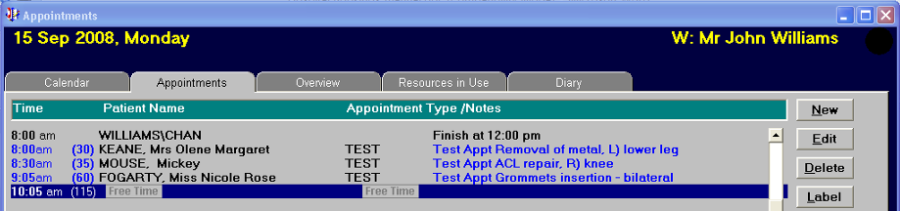
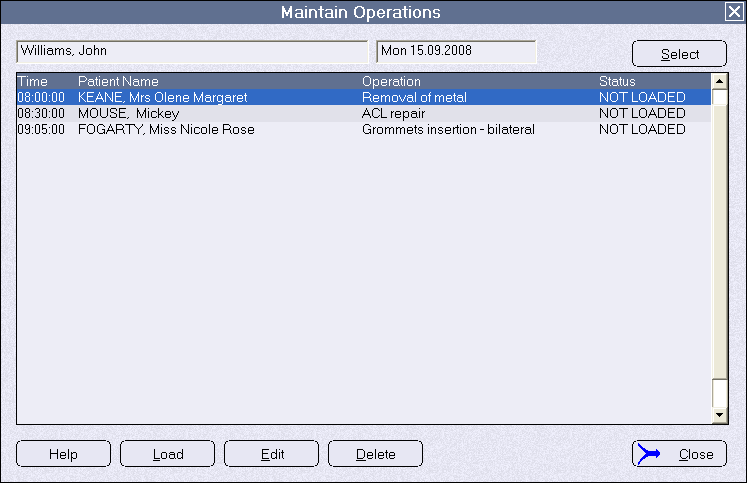
Importing an operating session
This function will import to the Hospital User the:
- Details of the surgeon's session (session name, start & finish times)
- Name and operation description of any patients booked into the session
- Claim number linked to the patient (if relevant)
- Selected referral details
The surgeon's operating list in SPM will not automatically appear in the relevant hospital session. A link needs to be established for each session and operation list that you want to import.
A new referral is automatically created with the surgeon as the referrer. The referral date will be the date the patient is booked for surgery.
A role should be assigned to appropriate members of staff who will regularly establish this import link We recommend that this import process should be performed on a daily basis and 2–3 weeks before the actual date of the session.
Automatic updating of changes
Once the surgeon's session has been linked (imported) to a session in the hospital, a separate program (SessionCloneAuto.exe) can be used to regularly look for any changes made to the surgeon's appointment book and notify the hospital of the changes in their operating list.
The changes that will be notified and automatically updated are:
- New bookings (patients) added to the surgeon's list
The changes that will be notified but NOT automatically updated are:
- Operation start time
- Duration
- Operation description
- Anaesthetic
- Remarks (additional comments)
The process is one way only – from surgeon TO hospital, not vice versa. Any patients added, or modifications made to the booking by the hospital will not be transferred to the surgeon.
The imported patient bookings will be marked as 'NOT LOADED' and therefore will require additional surgery details to be added.
If a theatre list has already been marked as 'Finalised' by the Theatre Manager/COM/CSM, any changes made in the surgeon's appointment book, and therefore recognised as a change, will cause this the 'Finalised' status to be reversed and the list will become 'Unfinalised'
The scheduler function in Microsoft Windows should be set up to enable the sessioncloneauto.exe to run every 10-15 mins. When the file is executed it will be very quick and there will not be any indicator or message to show that it has run.
If a surgeon's appointment book has already been imported they are still able to add new patient bookings and these bookings will be automatically inserted into the hospital's operating list even if it causes the surgery duration to extend beyond the session limits. The new patient will be identified with the text NEW.
Notification of changes
To alert the Theatre Manager (or equivalent) of changes to the hospital's operating list that have been automatically inserted or modified, a status will appear on the affected line.
NEW | A new patient has been added to the list |
EDIT | There is a difference in the operation description (or other text or times) |
DELETE | The patient has been removed from the surgeon's operating list in SPM. |
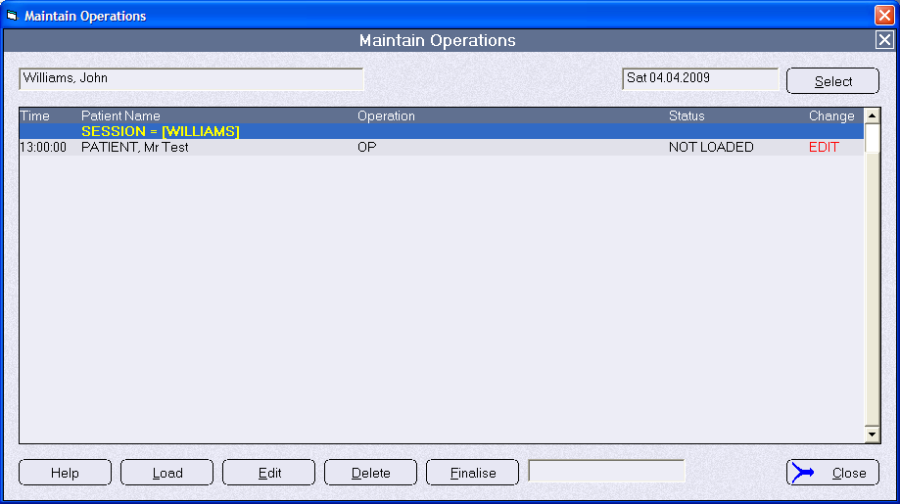
Doubling clicking on the word EDIT will display a report showing the differences in the operation text for that patient in the surgeon's appointment book and the hospital's operating list.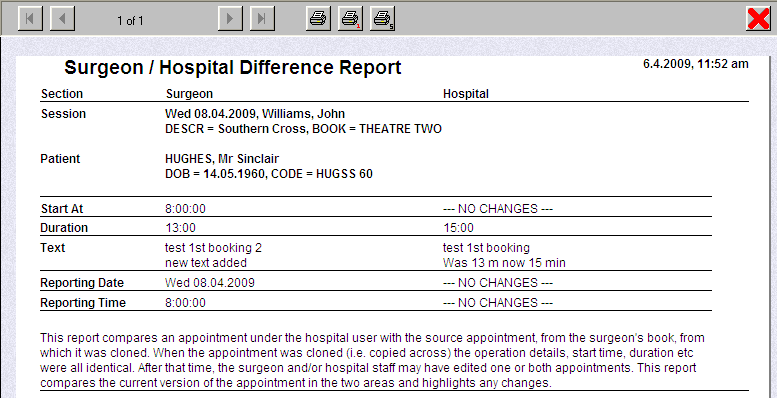
This report shows what is in the surgeon's appointment book and the record that the hospital has in their operating list.
NOTE: Remember that changes made in the surgeon's own appointment book in SPM will NOT automatically update the equivalent record in the hospital's operating list.
YOU need to manually enter the changes into the hospital'sown booking record for the same patient.
In the hospital's operation list, once any change is made to the patient's expected operation;
- start time
- reporting time
- duration
- description of the operation
The EDIT flag will disappear. It does NOT check for an exact replication of the times or text, merely that a change in the record has been made.
The EDIT flag will not disappear if the booking is 'LOADED' or any other changes are made to the surgery details.
The notifications will appear in both:
- Bookings > Operating List, and;
- Theatre > Theatre Register
Loading operation details
Operation bookings made for patients that have been made by:
- Importing from an SPM database,
- Importing from a XML file (Patient Focus), or
- Added from Appointment module in PHM,
will show as 'NOT LOADED' in both the Booking-Operating List and Theatre-Theatre Register. This means that additional surgery and accommodation related information is yet to be added.
Click on the 'LOAD' button to complete the surgery details for the patient. A number of the data fields will be already completed from the data previously entered e.g. Operation Type and Duration. These fields can be altered once the booking has been completed.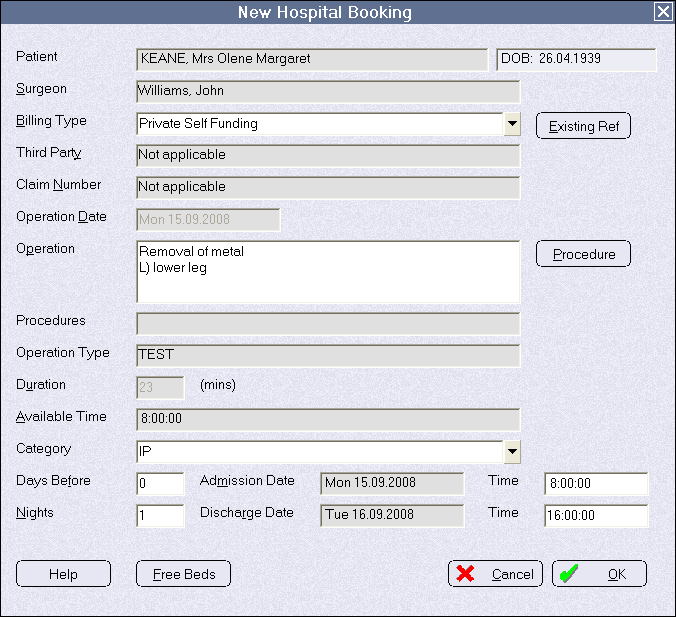
NOTE: Some of the fields are greyed out which indicates that changes are not able to be made in these fields.
Once the booking has had the surgery details added the status changes from 'Not Loaded' to 'Booked'