To stop further appointments being made into a session:
- Highlight the Session to cancel.
- Select 'Edit'.
- Select the "Cancelled" drop-down list at the bottom of the screen.
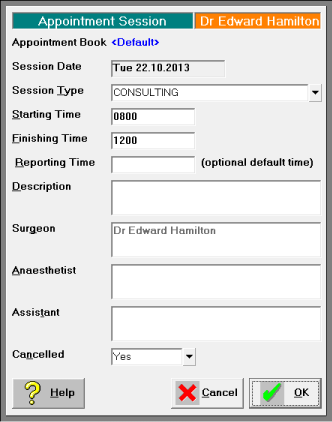
- Select the 'Yes' button.
The session displays as cancelled on the Appointments Tab. - If any patients have already been booked in the session, transfer them to the waiting list and make new appointments for them.
SMS messages that are queued for this session will be removed and will not be sent.