Provided the User is not set for 'Quick Appointment' the following screen will display once the relevant Referral Details and ACC details are completed. This is a final confirmation that the details are correct and is useful for reading back to the patient.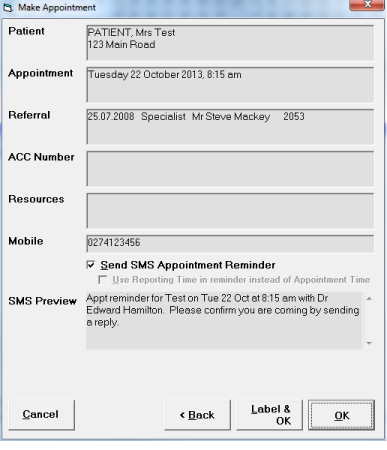
- If all the details are correct Select 'OK'; or
- If your require an Appointment Label select 'Label & OK'.
The appointment will be inserted into the session at the time selected.
Forward
The Forward button on the preceding screens is similar to OK and can be activated in the same way, ie F12, Enter or left mouse Click.