Select Search. A patient selection screen will appear. A list of the last patients you have selected will appear. You can choose one of these by highlighting the patient and entering or selecting the number in the left hand column. Alternatively if you wish to select a new patient by your preferred method from the Search By drop down box.
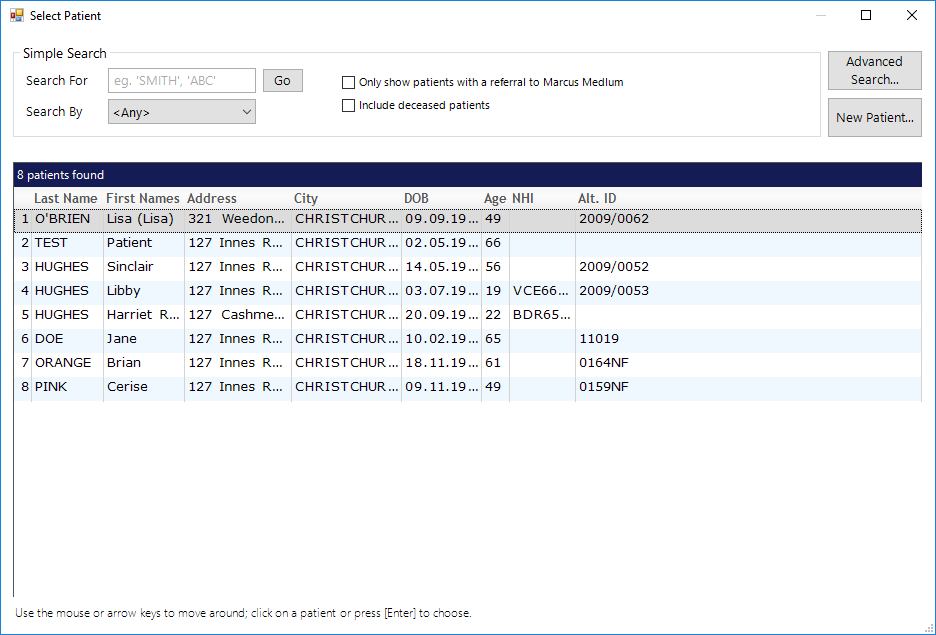
Advanced Search
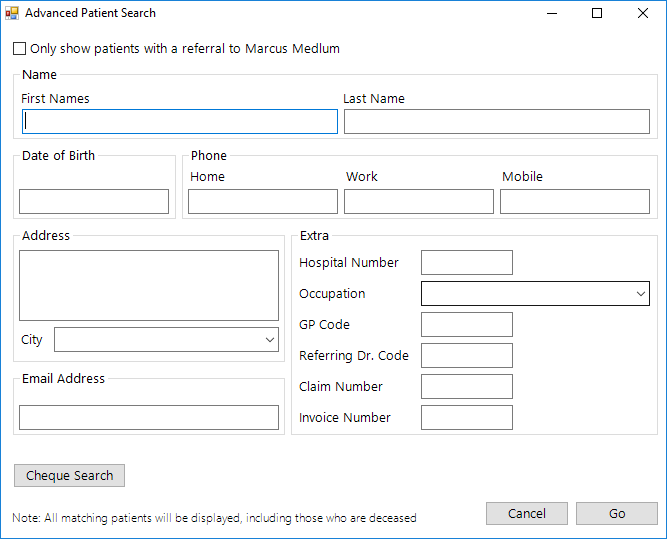
This allows you to search for a patient when you have very little information. Insert information into any of the boxes and select Go. All possible patients will appear.
New Patient
If none the patients appear in the drop down list you can select New Patient from this screen and begin your New Patient Registration from here.