As the Message Centre has the most recent versions of these functions, no new development or fixes will occur.
This screen is planned to be deprecated by 2019.
- Select ARTP XML and the' ARTP' button becomes active
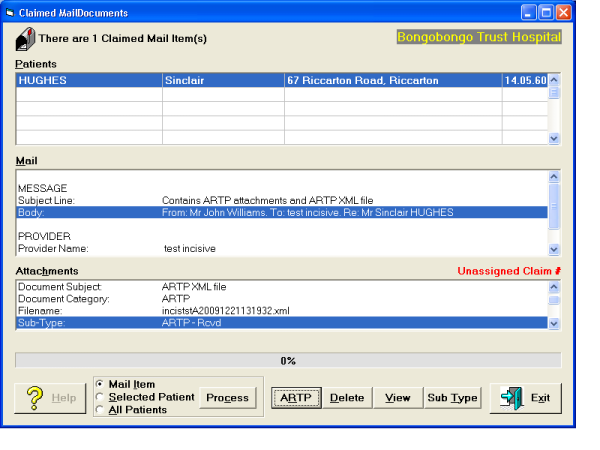
- The 'ARTP' button allows you to match to an existing Claim number, or create a new Claim number
Checks to see if the Sender is in your Address book.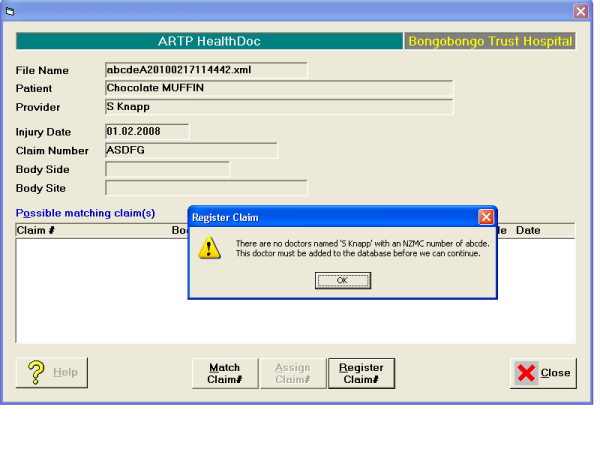
- 'Match Claim' to list existing Claim Numbers.
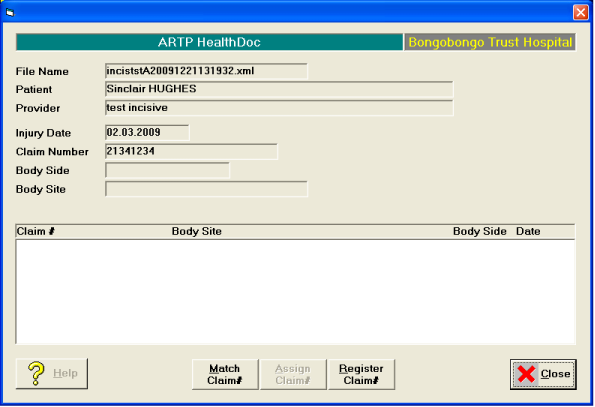
- 'Register Claim' to add a new Claim entry for this patient.
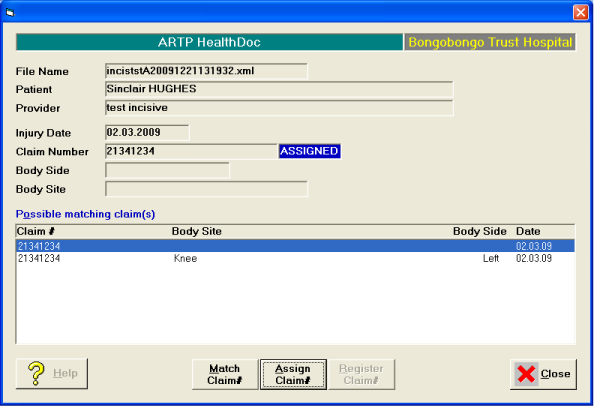
- Once the claim is 'Assigned' or 'Registered' the word ASSIGNED is displayed. 'Assign Claim' to link this ARTP to an existing Claim entry.
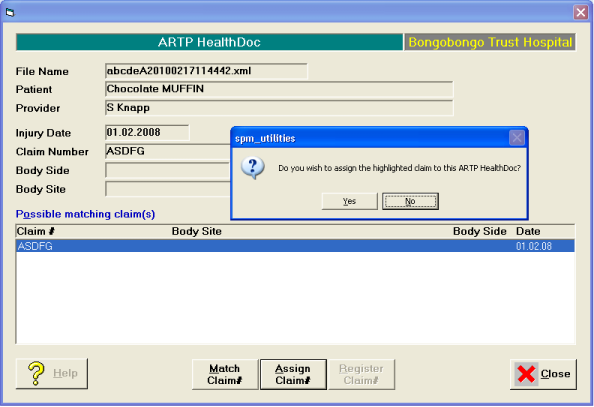
Automatically creates a new Referral from the Sender and a Claim (if not already entered)
'Details of Referral' tab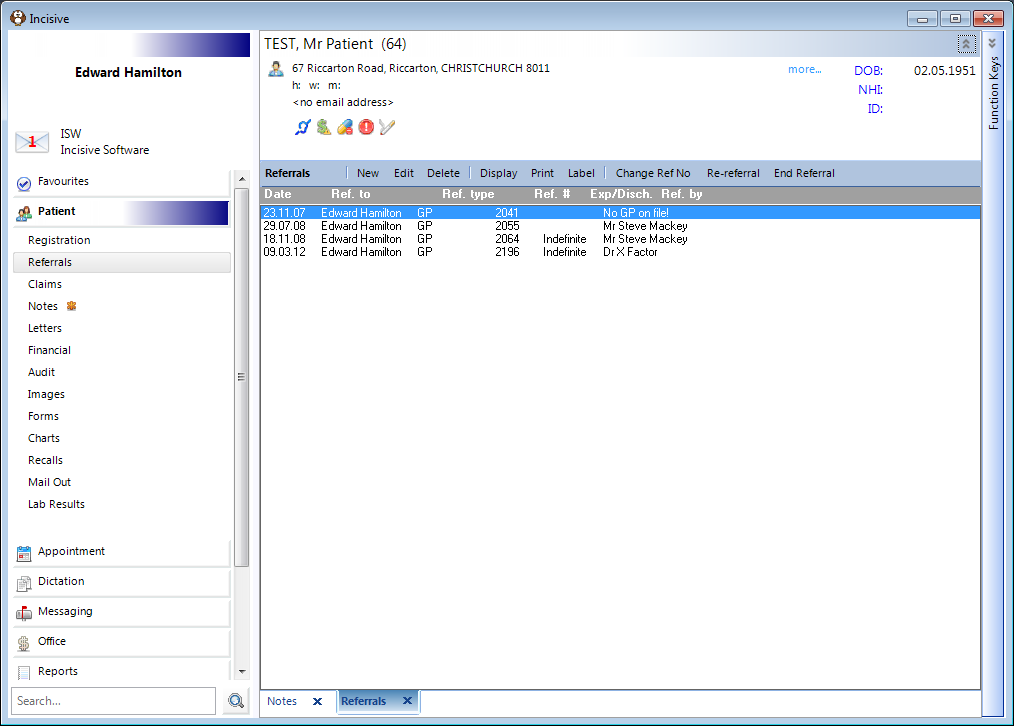
'Claims' tab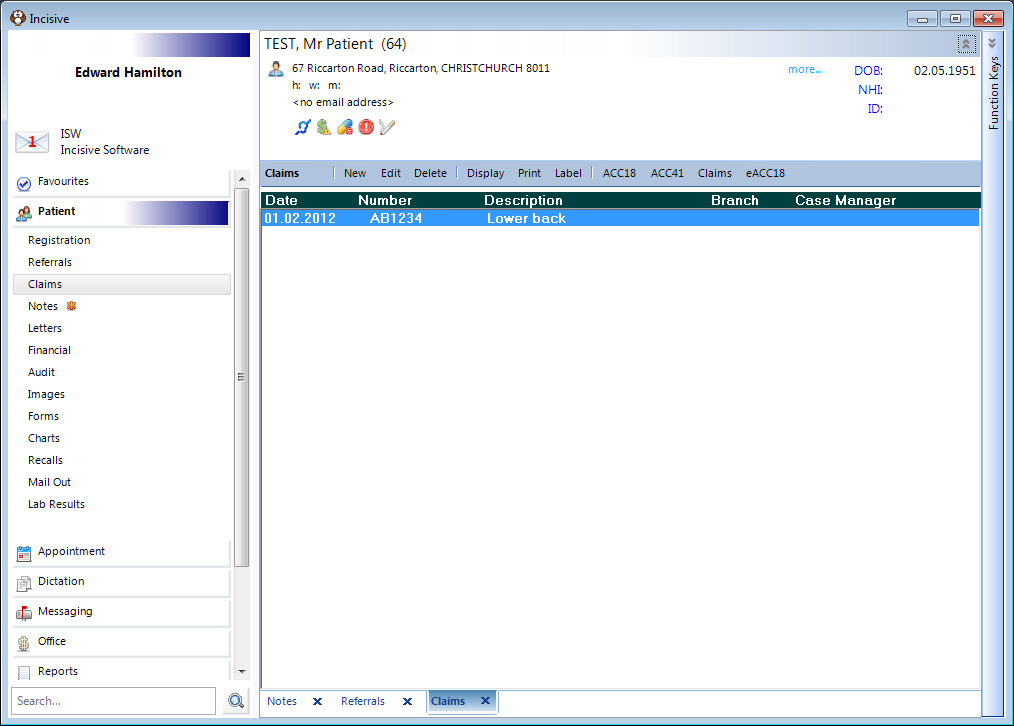
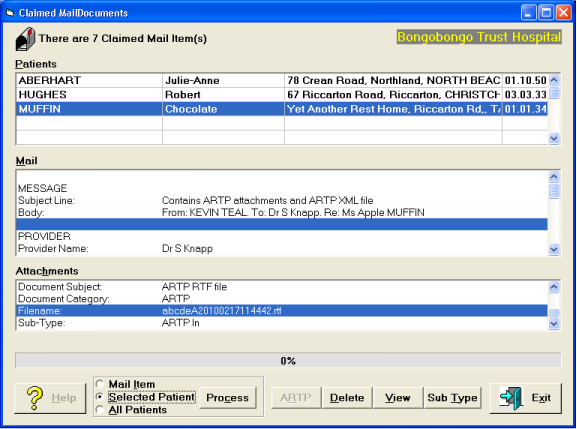
View | Allows you to display the file the default viewer e.g. .rtf displays in Word. |
Sub-Type | Allows you to assign a title for the file when it is displayed in the Notes tab e.g "ARTP In - Ref.Let.". You need to select each of the files in the Healthdoc and assign a separate Sub-Type. This is optional. |
Process | Will transfer the ARTP files to the patient's record. |