The Utility to change a Booking Category allows you to change the booking form Day Stay to Inpatient and vice versa.
Utilities - Booking - Change Booking Category
- Select Change Booking Category.
- Select the Patient from the Patient Selection screen.
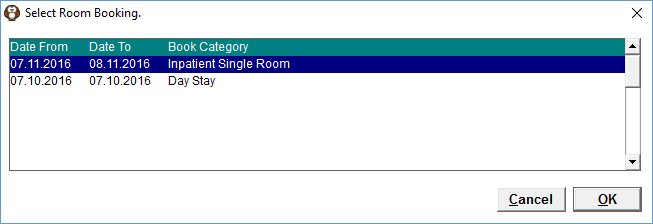
The bookings will be listed in reverse date order, with the latest date highlighted.
Highlight the relevant booking from the list and select 'OK'.If there are two future bookings, ensure that you select the correct one.
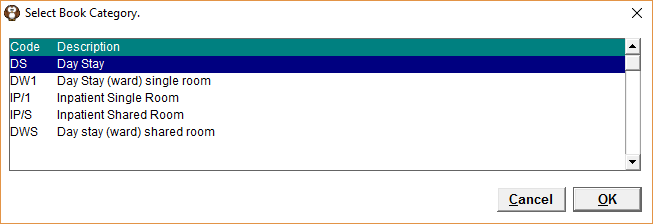
- Highlight the correct Category for the booking and select 'OK'.
- Enter the relevant dates and times for the booking.
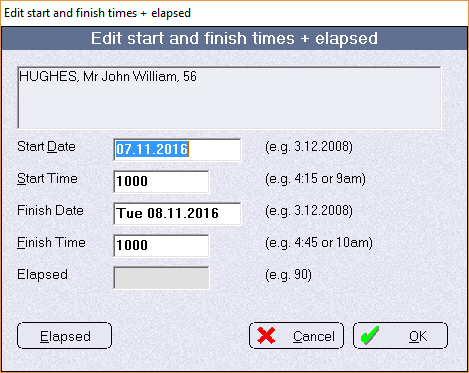
Select 'OK' to save the changes.
Start Date | Enter the date that the room booking is required from. |
Start Time | Enter the start time the room booking is required from. |
Finish Date | Enter the finish date for the room booking. |
Finish Time | Enter the finish time for room booking. |
Elapsed | Not applicable for Room Booking |