This area is used for the ACC Cost of Treatment Regulations (CoTR) rather than the ACC Clinical Contracts. The codes are only used by the ACC Schedule M40.
If you are using the old ACC Regs, the codes and amounts to claim will need to be setup here.
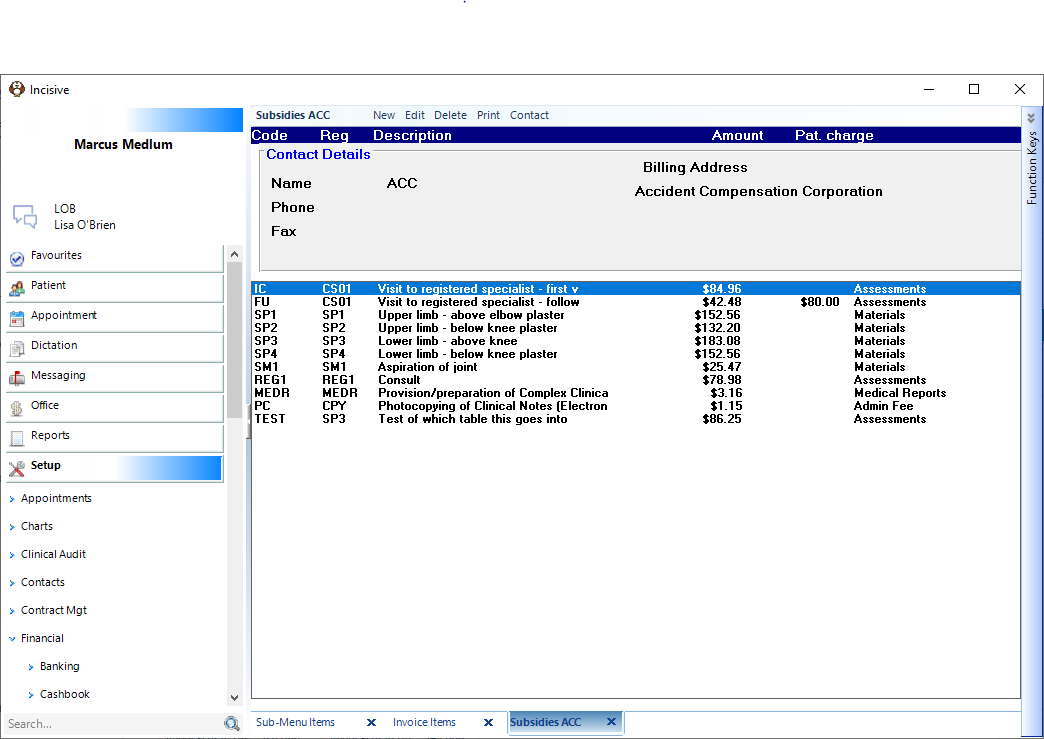
These codes and amounts are used by all Providers in the database.
New ACC Schedule Entry
Select 'New'.
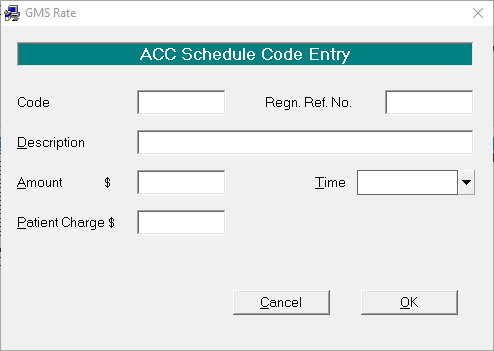
Complete the details.
Select 'OK' to save the entry.
Code | Enter the code that you want to use to access the claim, i.e. IC. |
Regn. Ref. No. | Enter the ACC Regulation Reference Number or Code, i.e. CS01. |
Description | Enter the Item Description, i.e. Aspiration of joint. |
Amount $ | Enter the amount to be claimed from ACC, inclusive of GST. |
Patient Charge $ | Enter the patient part charge (if any). |
Time | Select as applicable (Not applicable/Per Hour/Per Minute). For time based Regulation services items ie MEDR the time quantity needs to be sent to ACC. |
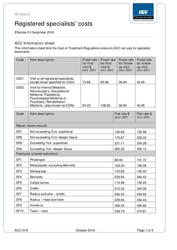
Registered specialists' costs
Edit an ACC Code Entry
If the Claim Amount, description or Patient Part Charge needs to be altered, edit the existing entry.
- Select the entry to change.
- Select 'Edit'.
The details will appear on screen in the "ACC Schedule Code Entry" screen. - Make the changes as required.
- Select 'OK' to save the changes.
Delete an ACC Code Entry
- If the item is no longer required:
- Select the entry to Delete.
- Select 'Delete'.
- Select 'Yes' to confirm its deletion.
Contact
The Contact details record the name, address, phone and fax details of the person who handles your ACC Schedule claims. To record or alter the Contact details.
Select 'Contact'.
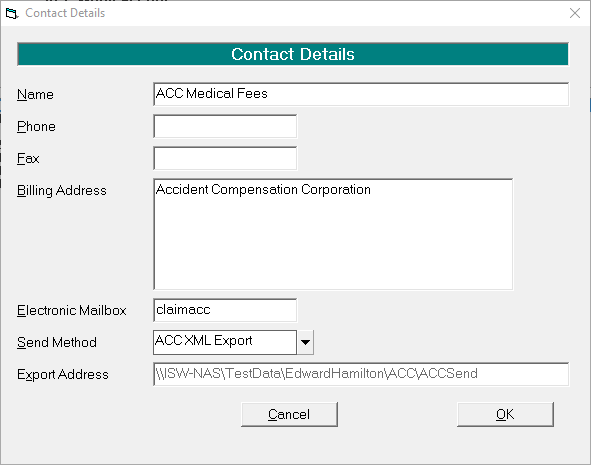
- Enter the details as required.
- Select 'OK' to save the contact information.
Name | Required name. |
Phone | Correct telephone number. |
Fax | Correct Fax number. |
Billing Address | Correct Billing Address. |
Electronic Mailbox | Not applicable if you are uploading these to ACC electronically. |
Send Method | If you are sending your claims to ACC electronically, select ACC XML Export. |
Export Address | File location for exported file. |
On This Page:
How Do I...
- ACC invoicing
- ACC Online portal configuration
- Submitting invoices & schedules to ACC portal
- Resending invoices not delivered to ACC
- ACC Non-Core Invoicing
- Delete ACC Invoice after claim has been uploaded
- Add a New Transaction Au
- Add a New Transaction NZ
- Quick Invoicing
- Invoicing the Patient
- Invoice to 3rd Party
- Invoice a Solicitor
- Change Referral for an Invoice
- Make invoice codes from Medicare
- Adding Assistants or Alternate Providers
- Print Balance for Invoice
- Billing Types
- Advanced Invoicing Options
- Hospital Invoicing Au
- Hospital Invoicing NZ
- Tutorial - Invoicing
- GST Rounding adjustment