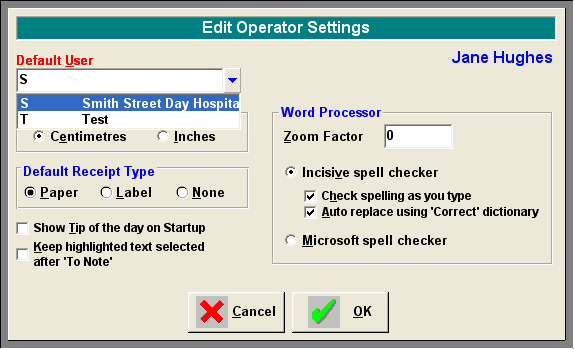
If you require "Check spelling as you type" and / or "Auto replace", then you need to turn on these features in Setup – Operator – Settings. Edit and select the options you require. Alternatively you can choose to use the Microsoft spell checker. Please note that if the Microsoft spell checker option is selected, Microsoft Word must be installed on your computer. Also the spelling will only be checked once the spell checker is activated (Ctrl + S) at the completion of typing and Words "Check spelling as you type" feature will not be available.