For each Supplier you can set a value so that an alert is triggered if they impose additional fees for orders below a specified value.
Configure the alert value
Setup > Contacts > Supplier
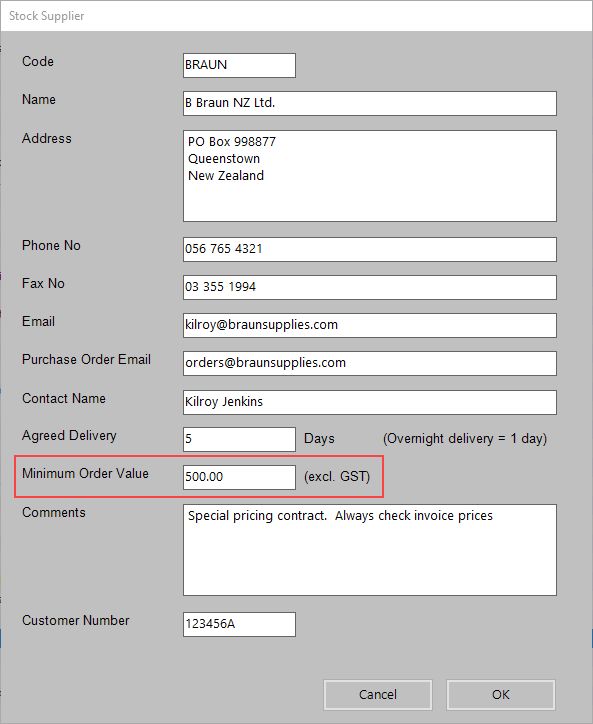
Note that the value is GST Exclusive. If the Supplier uses a GST Inclusive price then you will need to calculate and use the value exclusive of GST.
We recommend that you also add the information into Comments so that it is visible in reports e.g. MOV=$500
View the alert
Draft Purchase report
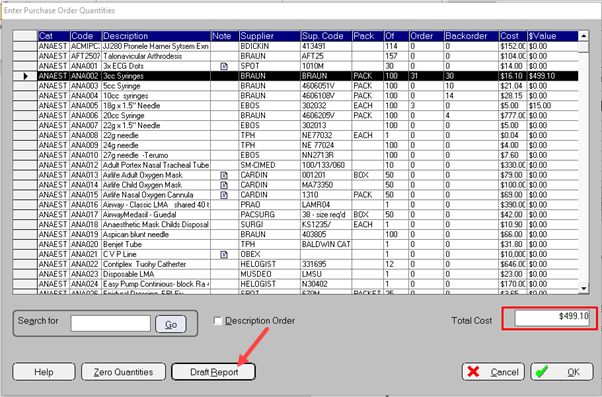
Stock > Purchases > Edit Draft Purchase Order > Draft Report button
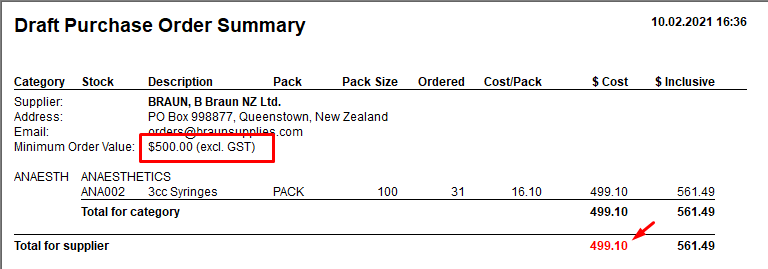
With a $500 Minimum Order Value
If the value is less that the MOV the total will appear in a red font colour
Generating the Purchase Order
Stock > Purchases > Purchase Orders > Purchase Order – One
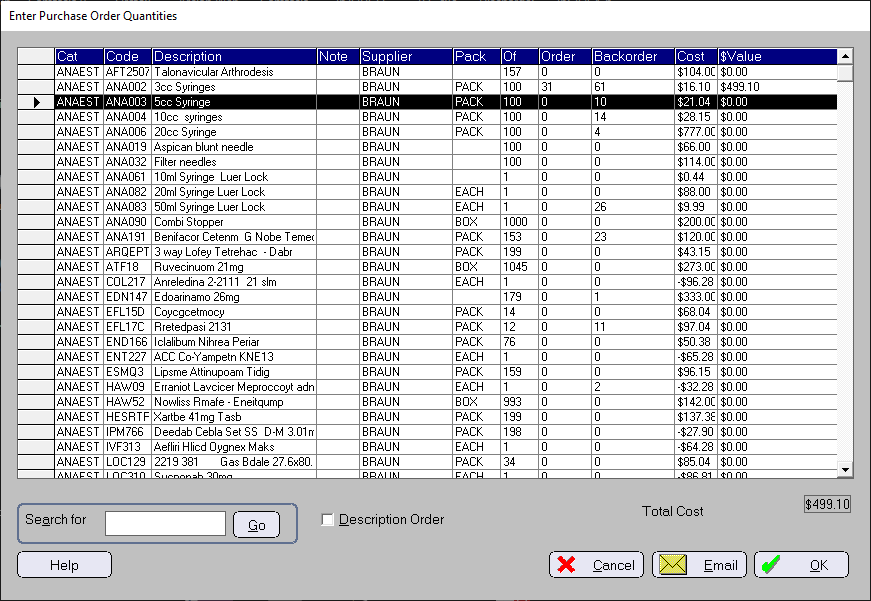
When printing/sending it gives a MOV warning even though the GST Inclusive amount will be above the MOV
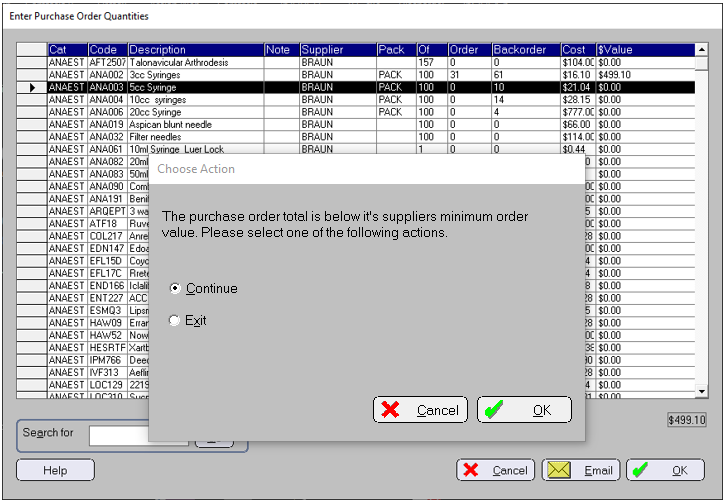
Stock > Purchasing > Purchase Orders > Purchase Order – All
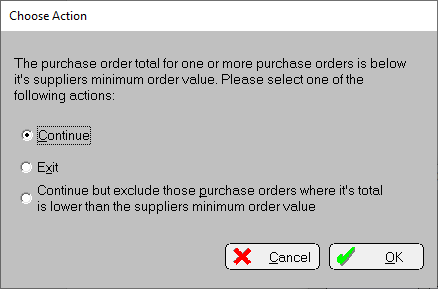
If any of the Purchase orders are below the MOV a warning will appear and you can choose to:
- Exit (cancel the printing or sending of the Purchase Orders)
- Ignore the warning and continue to print or send them all
- Print or Send the Purchase orders that are above the Minimum Order Value and don't send or print those that are below.