There are usually several options for exporting report data.
- Use Ctrl + E from the keyboard to make a .csv file of the data that is displayed in the report.
The format of the data that is exported using this method is not guaranteed and may need some massaging.- Change the path and name of where you want to save the exported file.
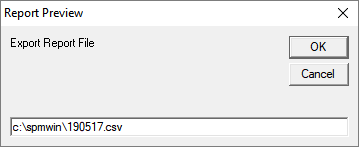
- Change the path and name of where you want to save the exported file.
- Use the 'E' Export button on the Tool-bar to export to a .csv or .html page format.
Reports exported from this option will always be formatted correctly and may also contain additional data than what is displayed in the report
- Choose the File Type, Destination and File name
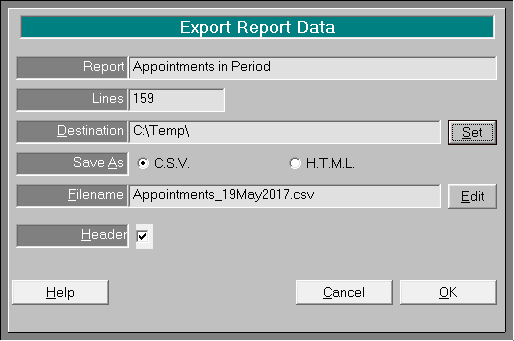
- Open the file in a spread-sheet or internet browser.
- Choose the File Type, Destination and File name