You can select to display Past Recalls, Current Recalls, Deleted Recalls, or different types of recall, eg phone recalls as opposed to patients to be recalled by letter. In addition you can select certain categories of recall eg all patients that have a 12 month smear recall.
- Select 'Display'.
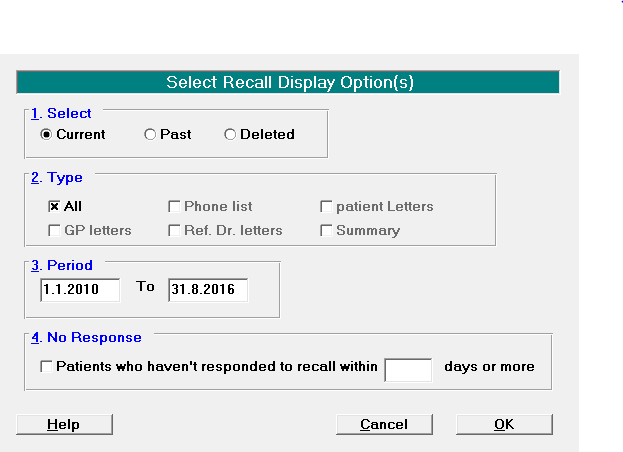
- Select to display 'Current', 'Past' or 'Deleted' Recalls.
- Select to either display' All Recall Types', or otherwise check individual types ('patient letters', 'Phone List' etc).
- Select the required period.
- Optionally select Patients who have not responded to their recall (as indicated by a lack of clinical note or appointment on their file).
- Select 'OK'.
The screen displays the list of patients fitting the selected criteria.