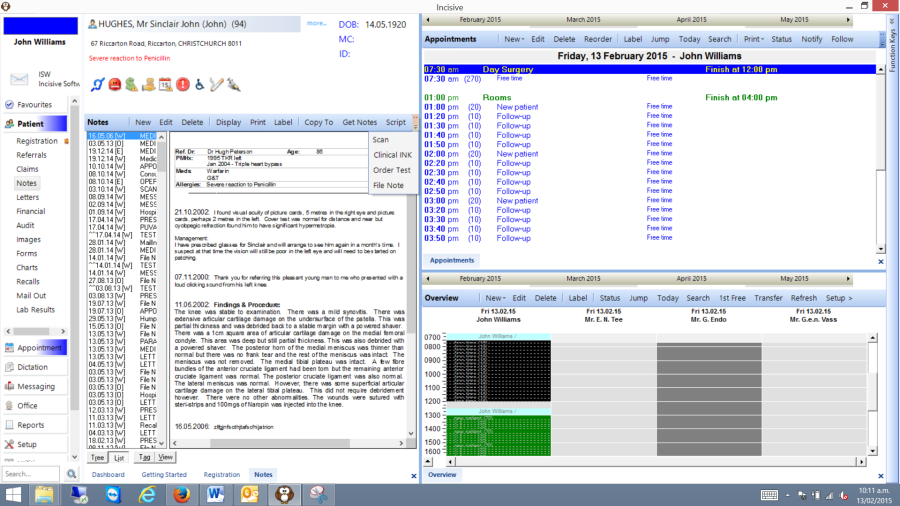
Segment your display into sections
Tiling the modules
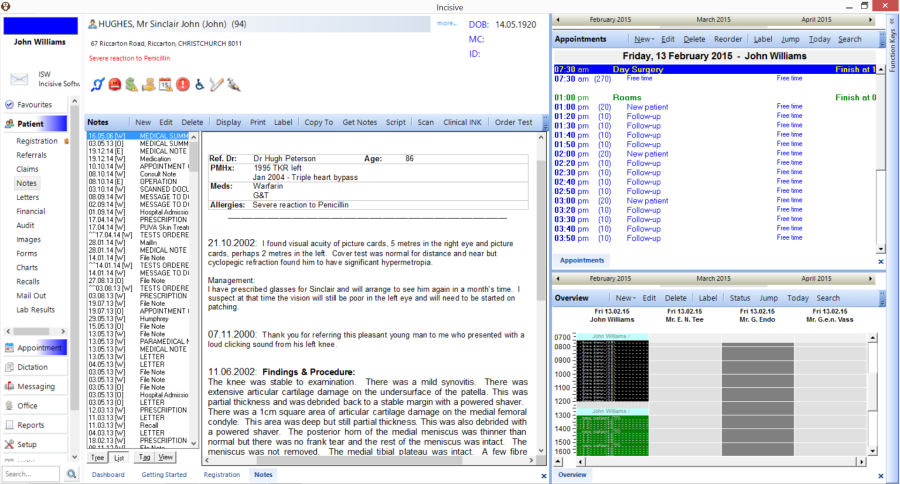
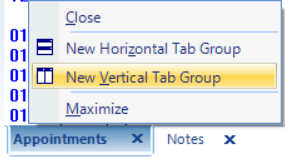
- Open the menu item you want to tile then right-mouse-click on the tab at the bottom of the form. Select either Horizontal or Vertical Tab Group. It would be better to choose Vertical initially.
This will send the selected form into a new tile or section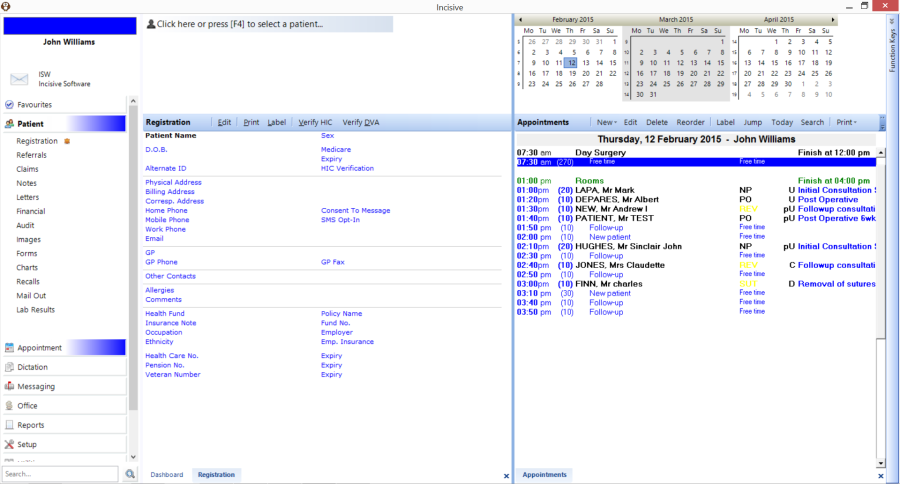
- Change the width of the tiles by placing the mouse over the divider line between the tiles so that you see a double-arrowed mouse pointer
 , then left-mouse-click and drag.You can also collapse the header area (eg calendars) using the same method.
Moving the screens to different Tile groups
You can drag a form between the Tile groups by left-mouse-clicking the tab at the bottom of the application and dragging to the new location
Saving the default layout
The layout of the tiles will be saved when you exit. When you next start-up you just need to click into tile section to load the module again
Toolbar Menu options
You may find that some of the menu options are hidden from view if the whole Toolbar cannot be displayed. The additional menu items can be expanded by clicking on the down arrow on the right-hand end of the Toolbar.